[Update] Added display and input functions for sauna room “door information”
Dec 23, 2025

Thank you for always using Sanokuni!
Here is a Notice of updates.
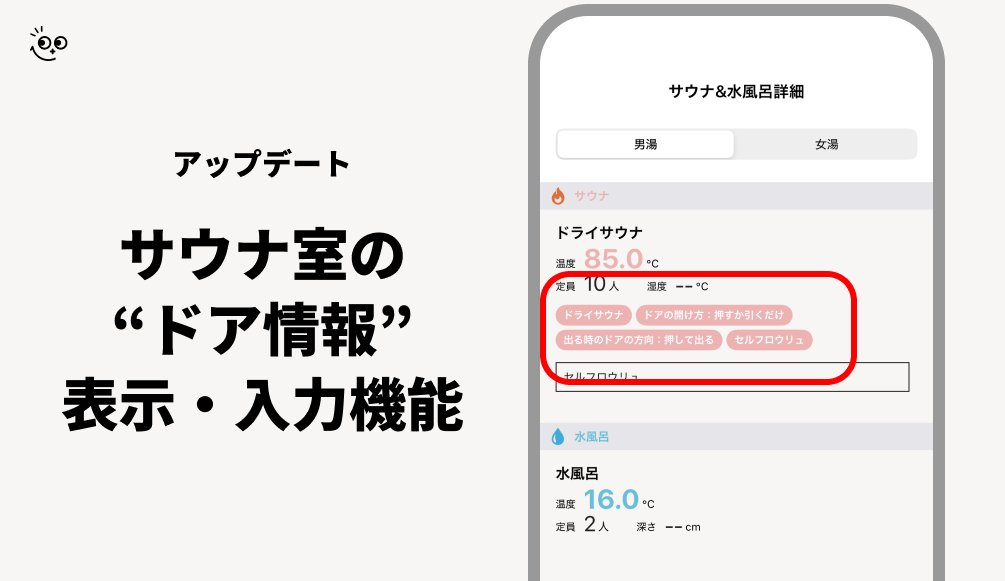
In the Sanokuni version (iOS 2.12.9 / Android 2.12.8), the feature to display and enter "door info" for the sauna room has been added.
We have made this update with the aim of creating an initiative of social value that leads to the visualization and sharing of the sauna environment.
By gathering cooperation from our users and facilities, data will be collected and displayed in the Facility information.
To start by understanding the current situation, we aim to compile statistical info on the types of current sauna room doors and share it with the world.
How to register door information
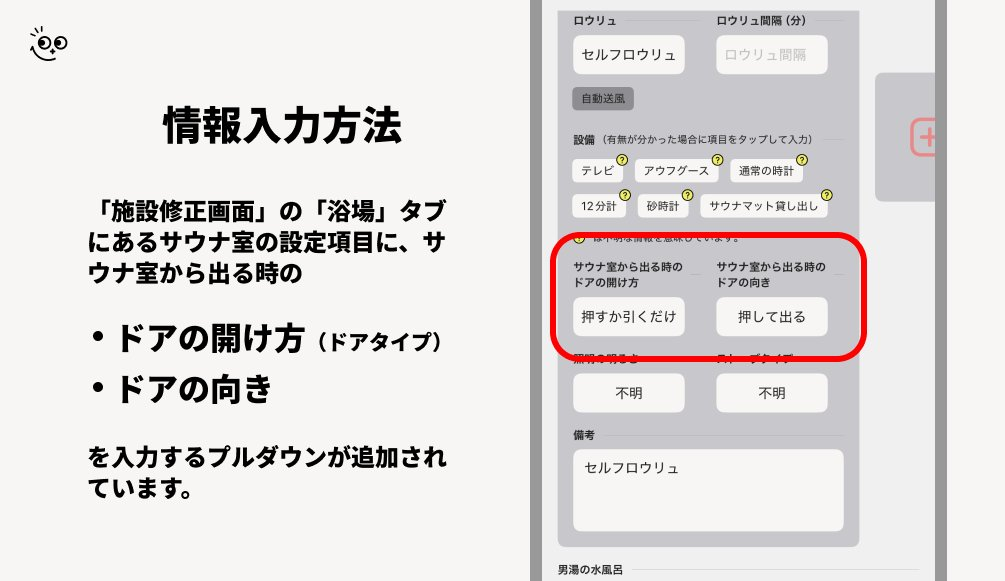
- Update Sanokuni to the latest version
- Go to "Search" in Sanokuni (the screen showing sauna facilities on the map)
- Select the sauna Facility you want to register
- Tap "Report" at the bottom of the Facility screen
- Under the sauna room settings in the "Bath Area" tab of the "Edit Facility" screen,
・How to open the door when exiting the sauna room
・The direction of the door when exiting the sauna room
Edit these dropdowns
(If there is no sauna room section, you will need to add a Bath Area first) - After making your selection, tap the "Submit" button in the upper right to send the input to Sanokuni.
That is how to register.
Once the data is updated, you can check the registered details from the "Sauna / Cold Plunge Details" on the "Facility Details" screen.
・If you cannot find the Facility you want to register door information for
It is possible that the Facility itself is not registered in Sanokuni.
In that case, we apologize for the inconvenience, but please tap "Settings" in the upper right of the Home screen in Sanokuni, and register the Facility via "Report New Facility" in the "Contact" section.
You can also register the sauna room door information at the same time as the Facility registration.
・If you cannot find the setting items for the sauna room
It is possible that the "Bath Area" or "sauna room" has not been registered.
Please register the "Bath Area" or "sauna room" from the "Bath Area" tab on the "Edit Facility" screen.
That is all from Sanokuni regarding [the addition of the display and input functions for sauna room "door info"].
Thank you for your continued support of Sanokuni!