[Update] You can now enter detailed information in the Totonoi Log
Mar 25, 2025

Thank you for always using Sanokuni!
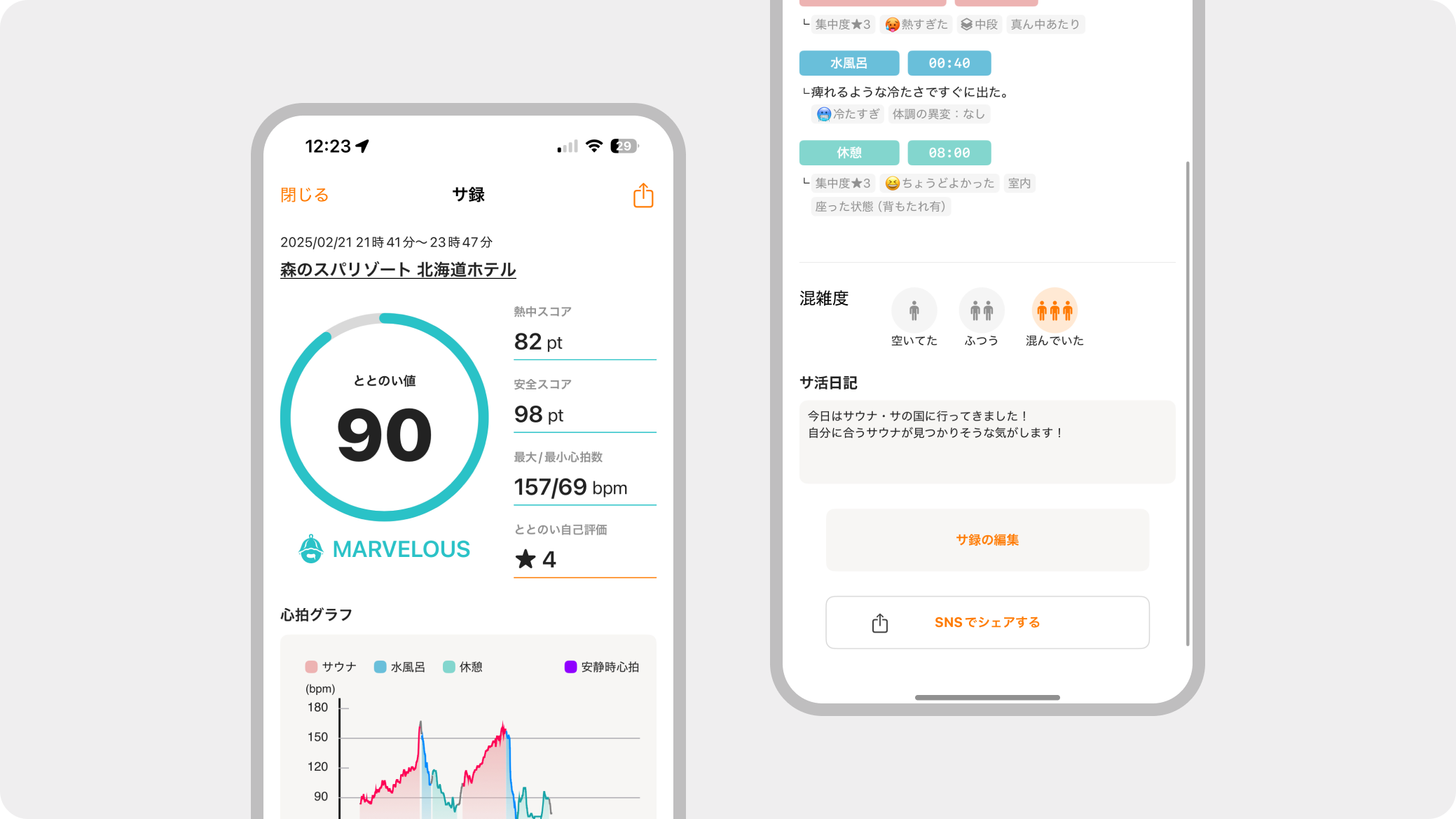
We have updated the Totonoi Log edit/detail screen so you can look back on yoursauna sessions in more detail!
(We plan to implement the "Totonoi Karte (temp)" feature, which will provide detailed feedback based on your entered memos!)
Additionally, some screen designs have been modified with this update.
🔔 Update List
1. You can now take notes on your condition before entering the sauna!
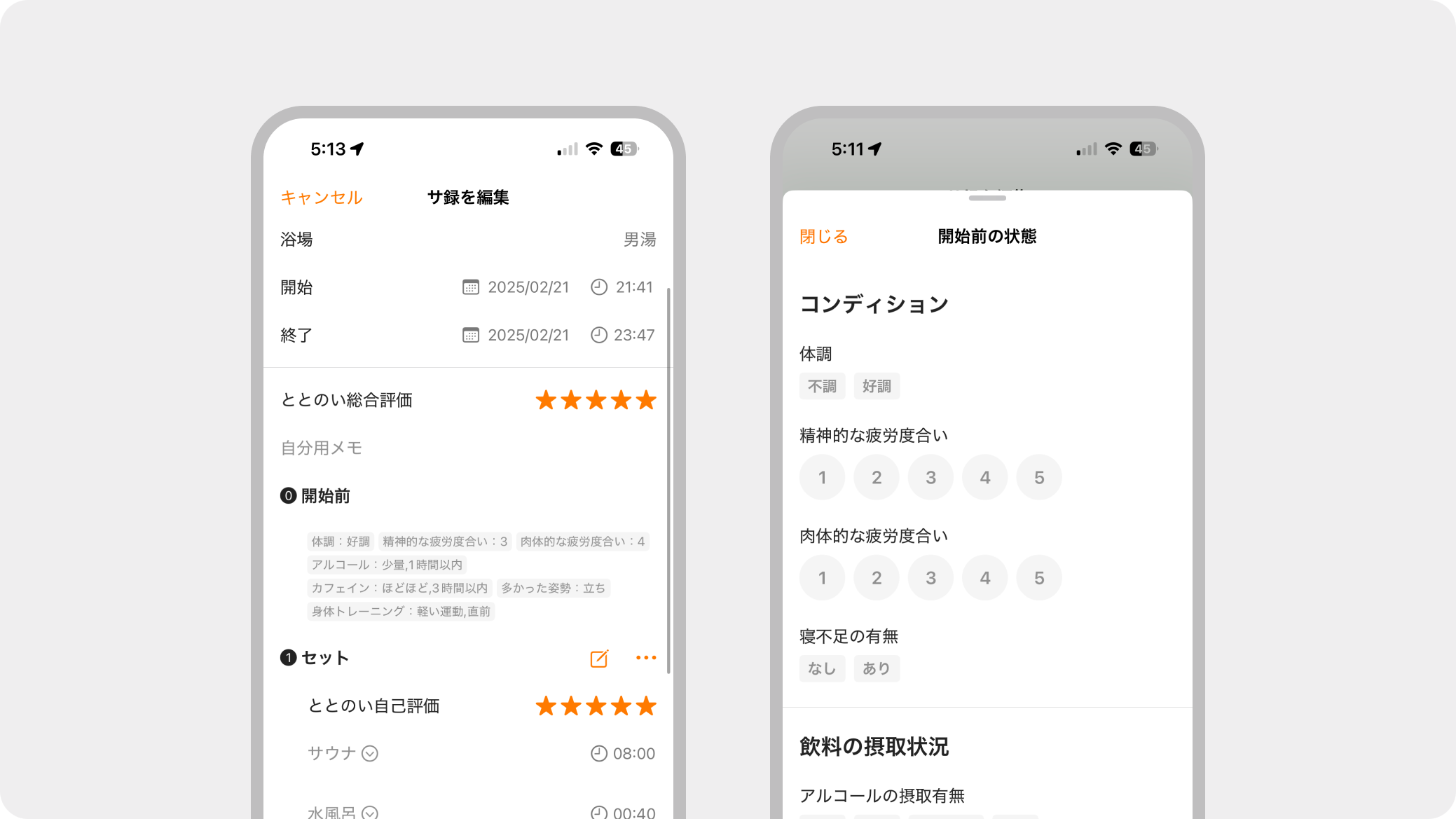
To help you look back on today's sauna session, you can now enter your condition before starting the sauna, beverage intake, physical care, activity status, and more! Use this to enjoy a more effective sauna experience.
2. You can now take detailed notes on your condition for each Scene!
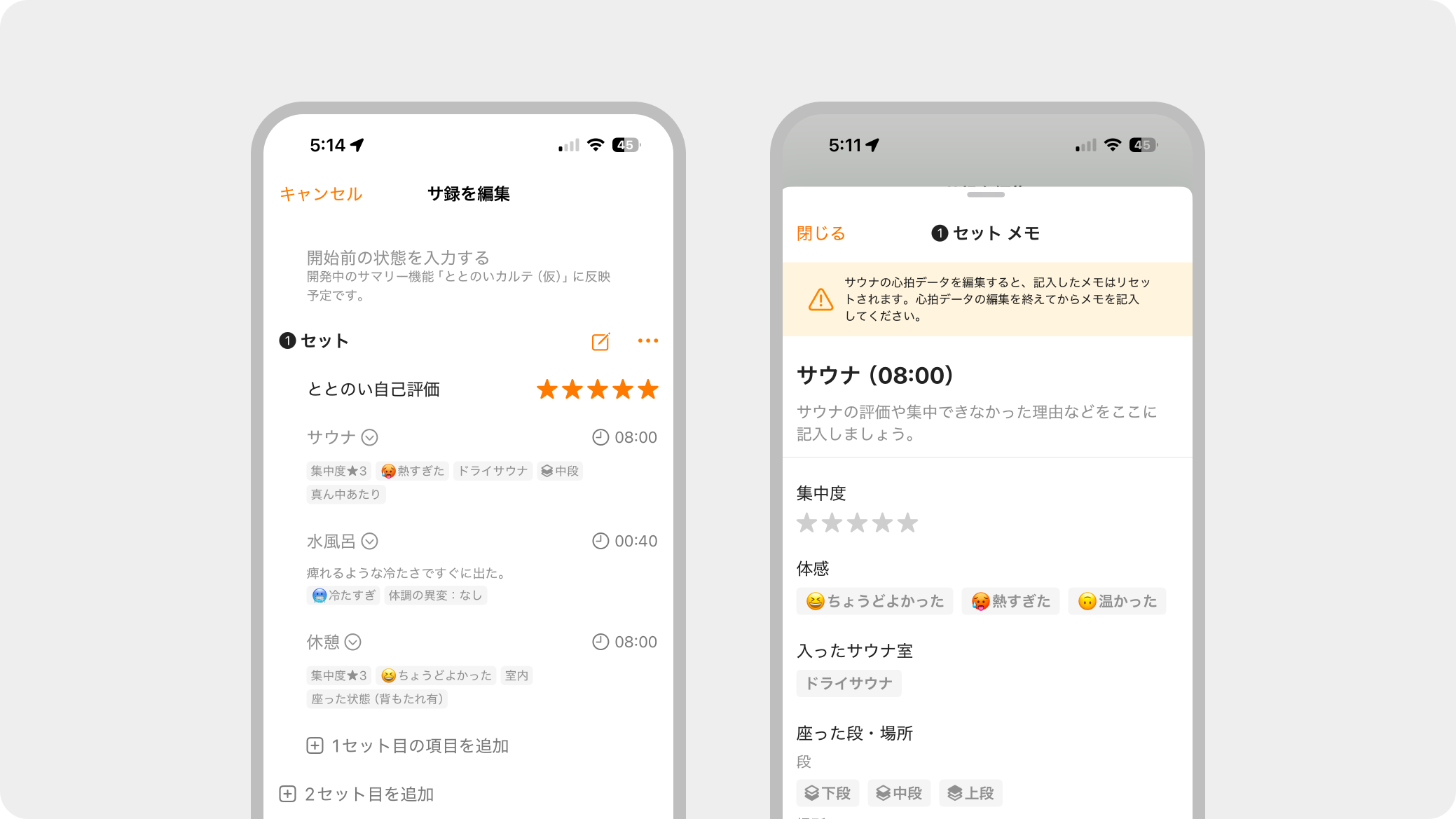
For each Scene (Sauna, Cold Bath, Rest), in addition to free text input, you can now easily take notes simply by tapping "Sensation, Focus Level, Posture, Seating Area," and more!
*Tap the 📝 memo icon to the right of the Set number to open the input screen.
3. You can now record your impressions of your sauna session to share on SNS!
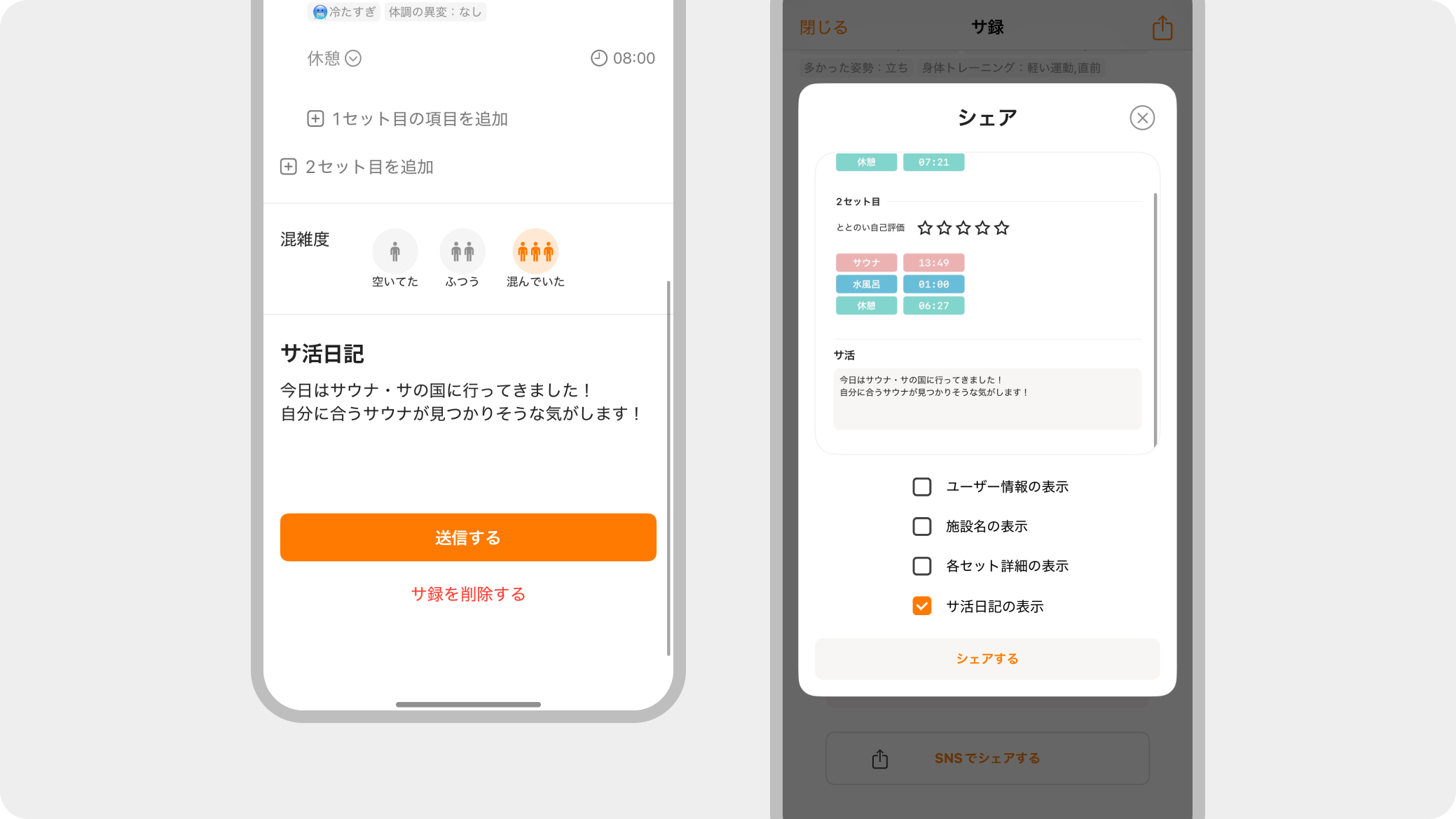
You can now enter an activity log on the Totonoi Log editing screen! When sharing to SNS, this content can be displayed.
4. You can now view Facility information from the Totonoi Log detail screen!
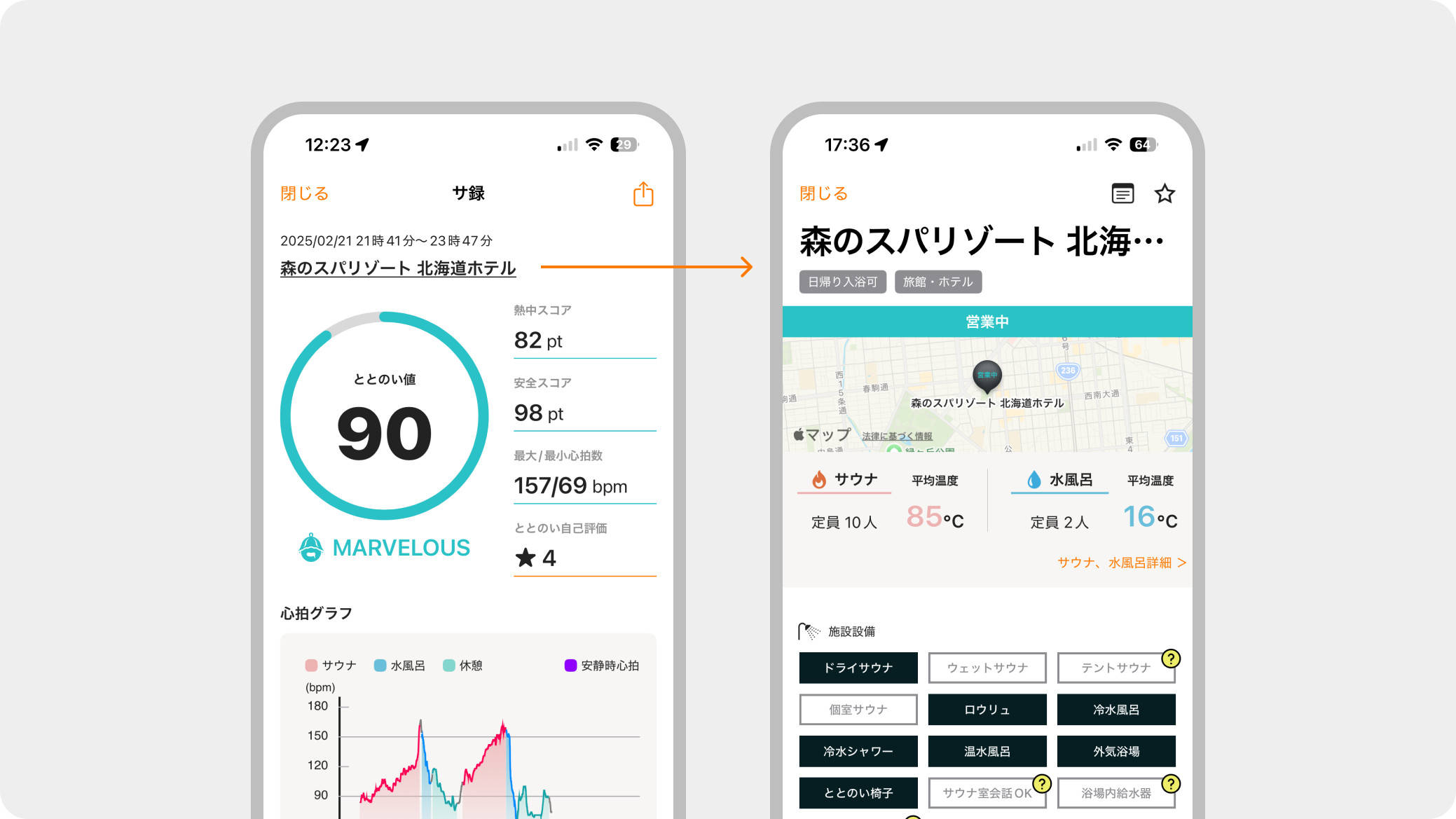
By tapping the Facility name on the detail screen, you can now navigate to the Facility detail screen! Use this to look back on what kind of sauna it was.
5. [Premium Plan]An item for heart rate increase has been added for each Set!
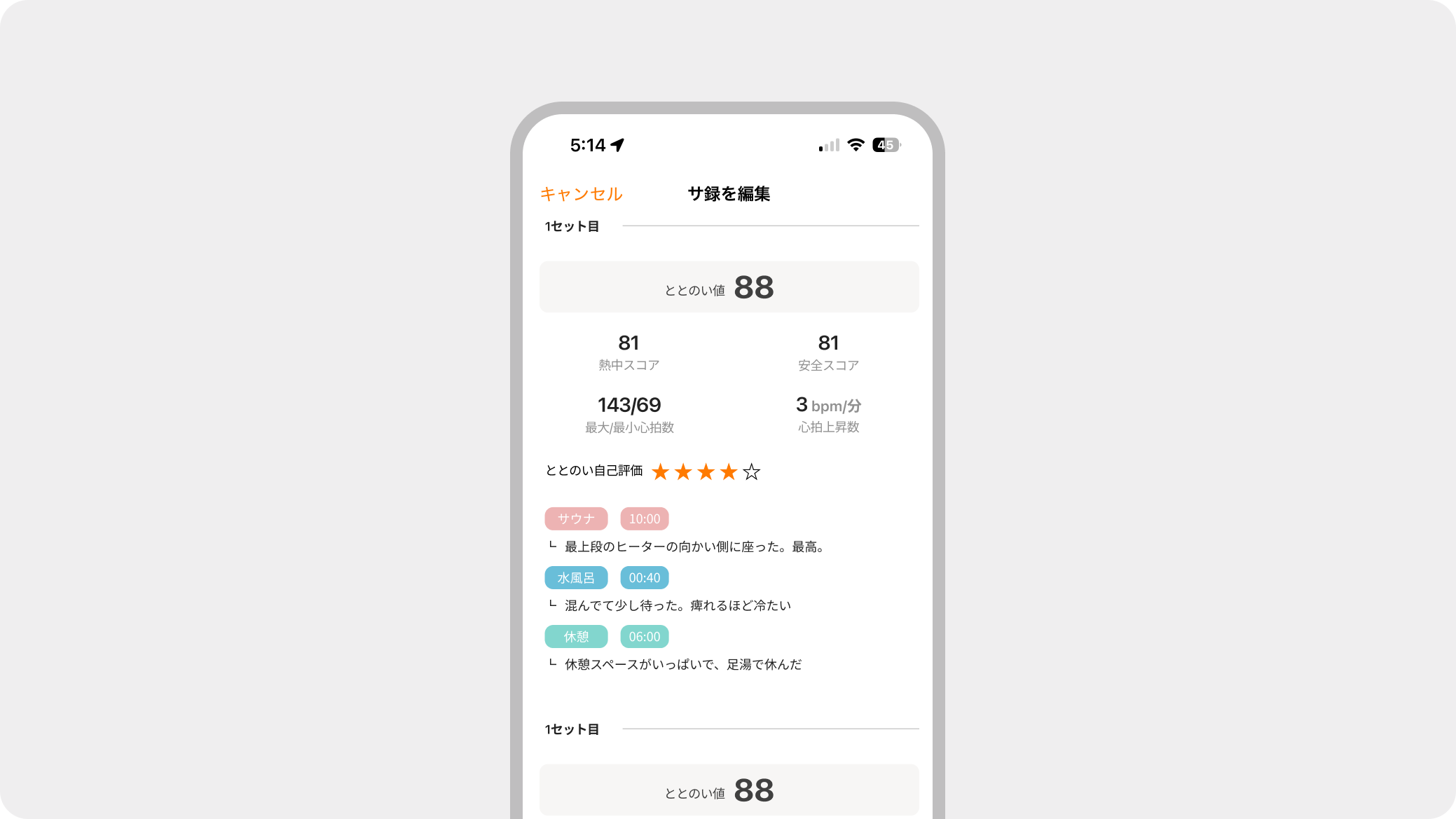
This index indicates the increase in heart rate per minute during a sauna. Since a rapid increase in heart rate may place a strain on your body, please use this as a guide to find the optimal and comfortable sauna experience for yourself.
This concludes the notice regarding the [Totonoi Log Update] from Sanokuni.
Thank you for your continued support of Sanokuni!