This guide is designed to help you smoothly use your sauna device and Sanokuni.
Please use this in conjunction with the Quick Guide!
🚨 [Important] From some models shipped after December 2025, the band specifications and some screen displays will be changed. Please note that there are no changes to the basic functions, specs, or measurement accuracy. Click here for update details from December 2025 onward
1. Sauna Device Main Unit Explanation
1.1 Package Contents
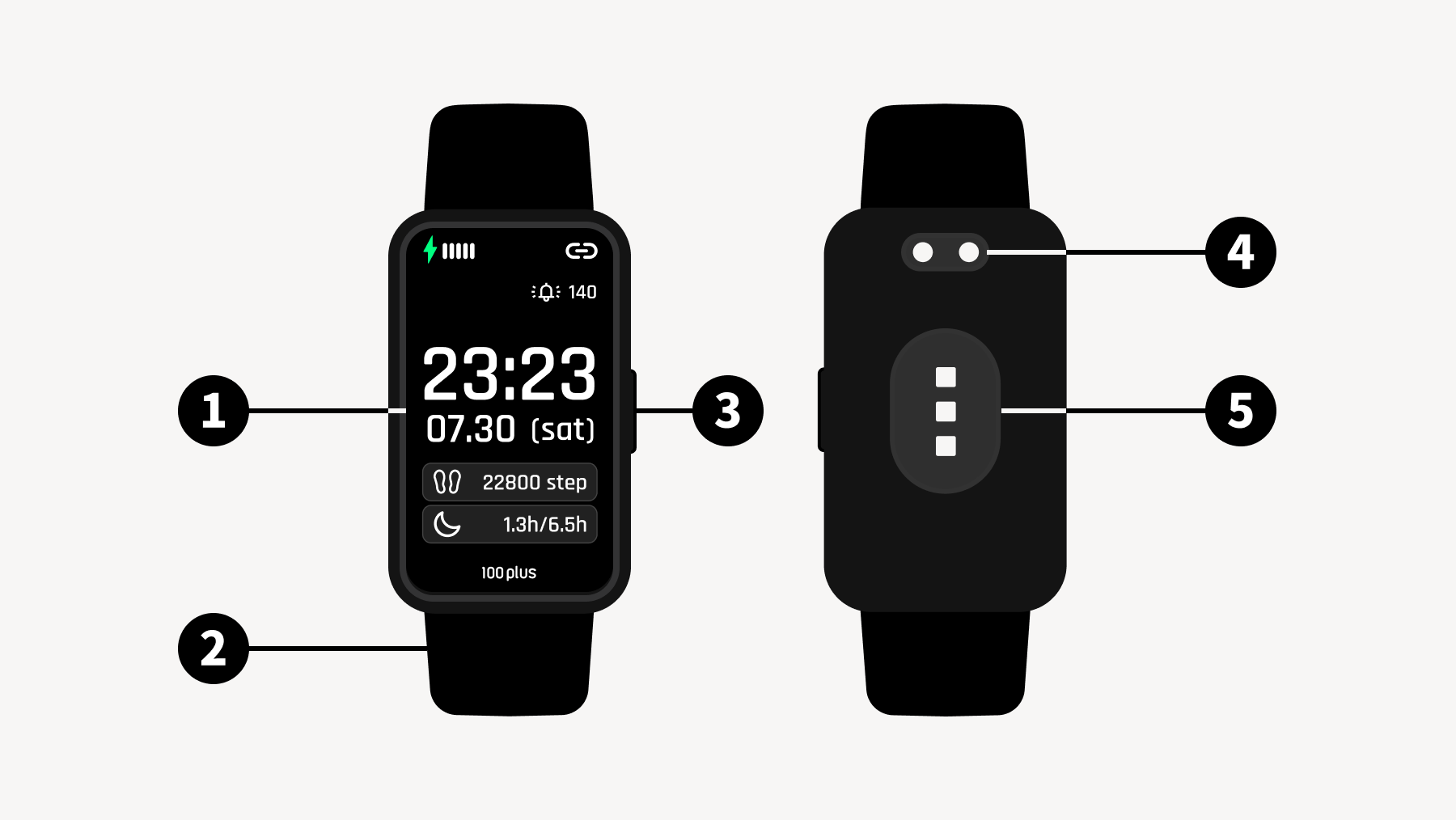
Sauna Device Main Unit
Touch Screen
Wristband
Physical Button
Charging Plug
Heart Rate Sensor
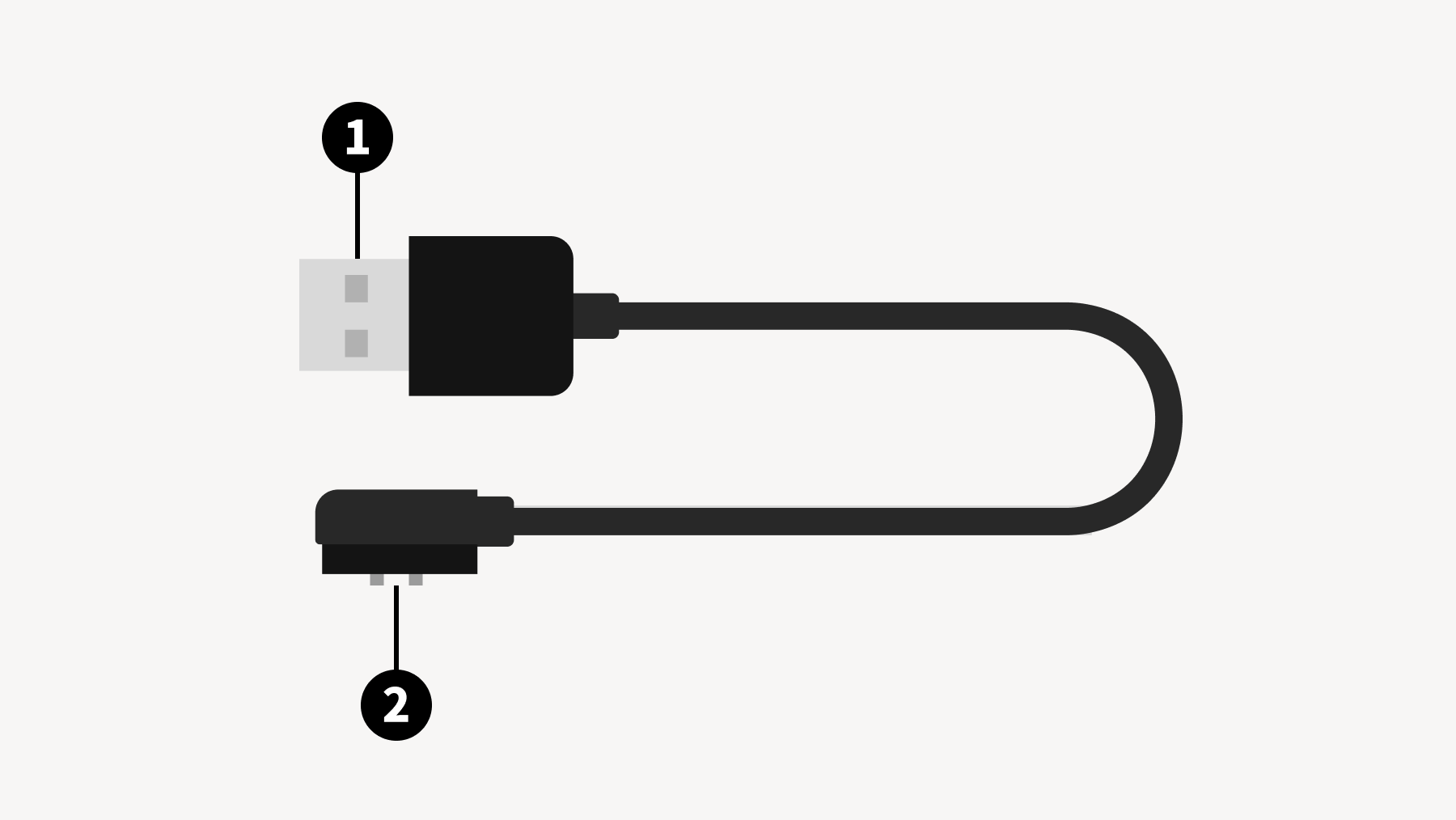
Charger
USB Plug
Dedicated Charging Terminal
1.1.1 Powering On
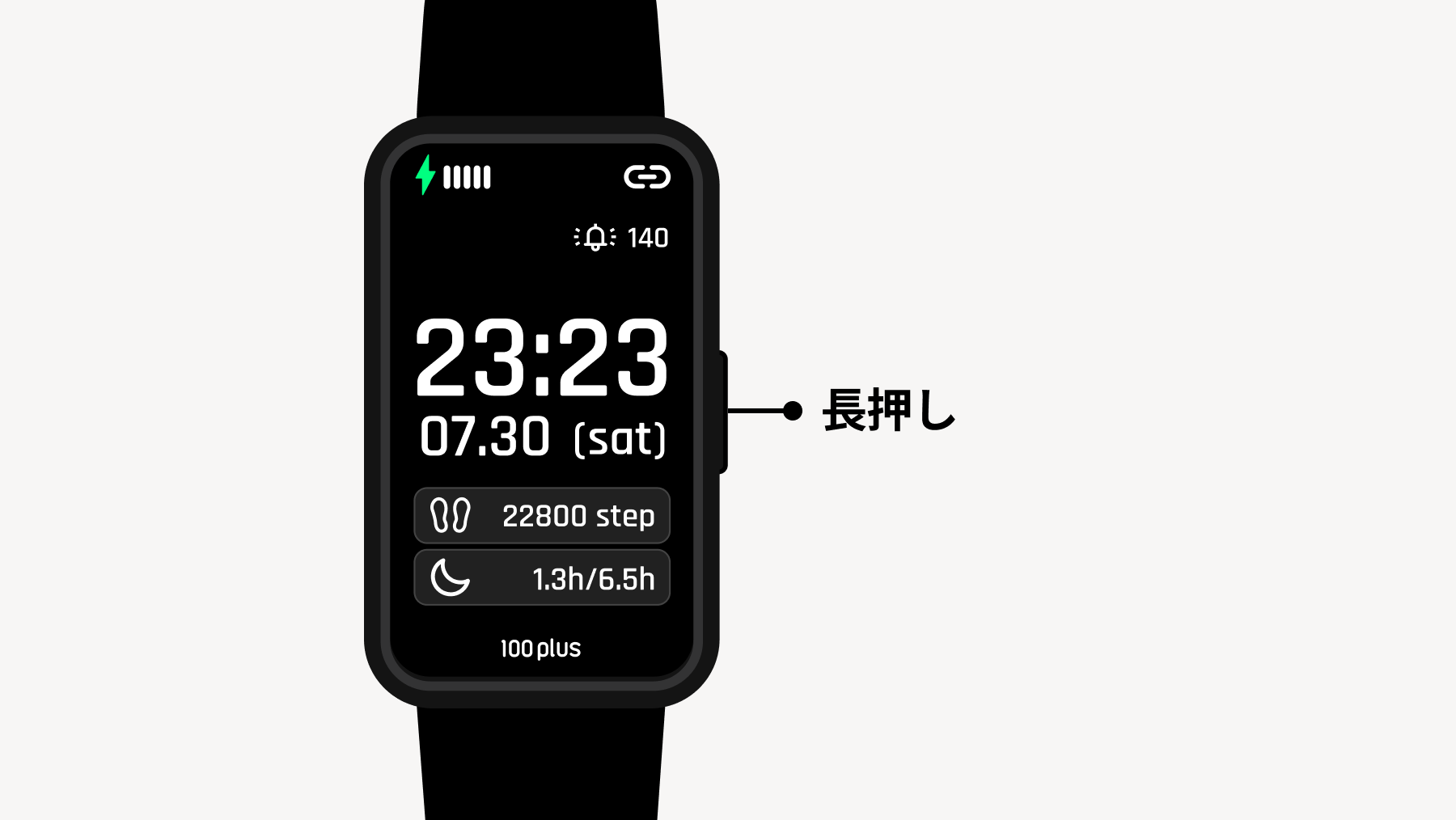
Press and hold the physical button to turn the power ON.
1.1.2 Charging
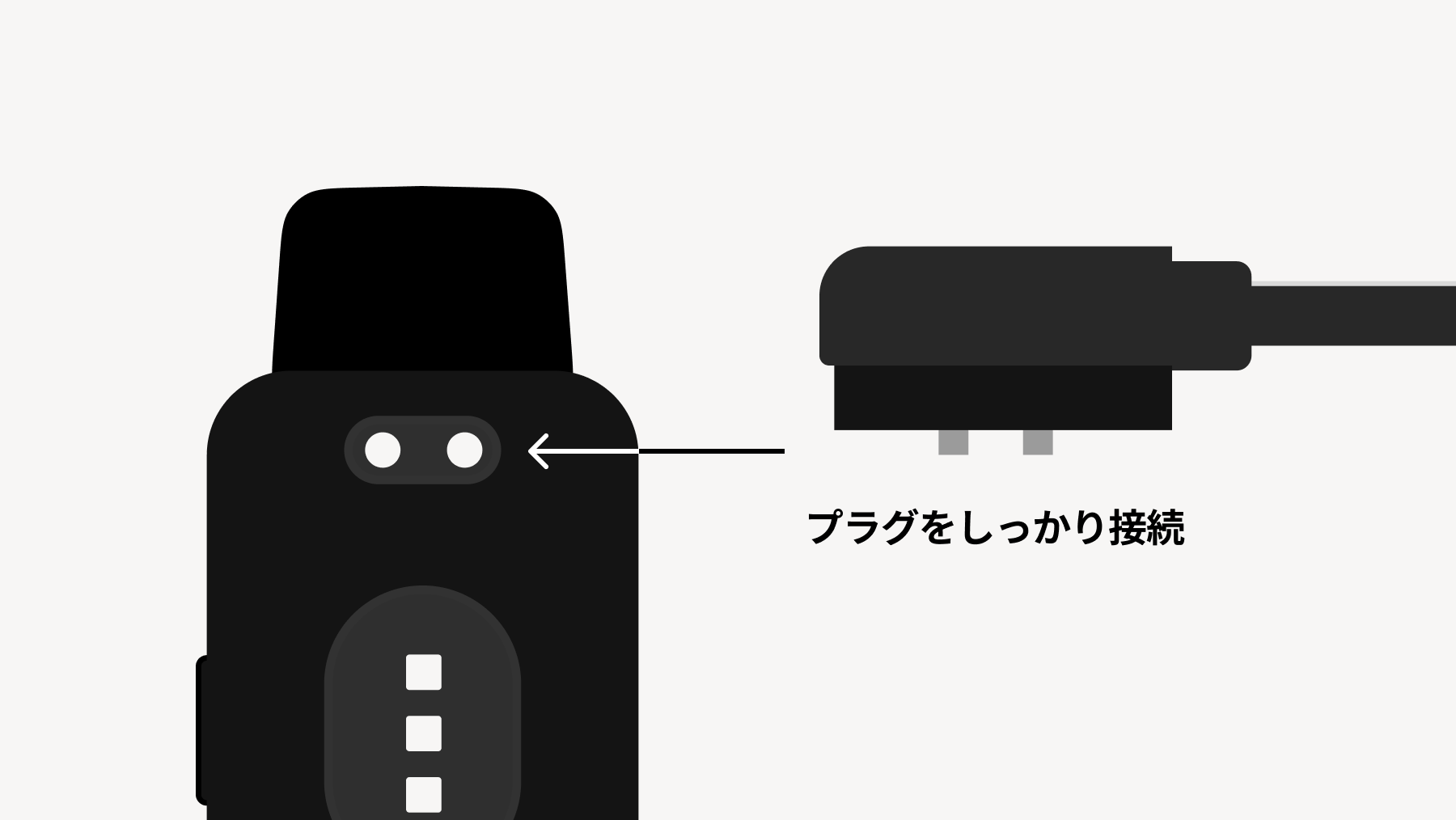
When charging, please make sure the included dedicated charging terminal and the charging plug are in firm contact.
🚨 Precautions when charging Please make sure that the sauna device main unit and the charger are completely dry. Charging while wet may cause malfunction or accidents.
2. Description of Functions and Modes
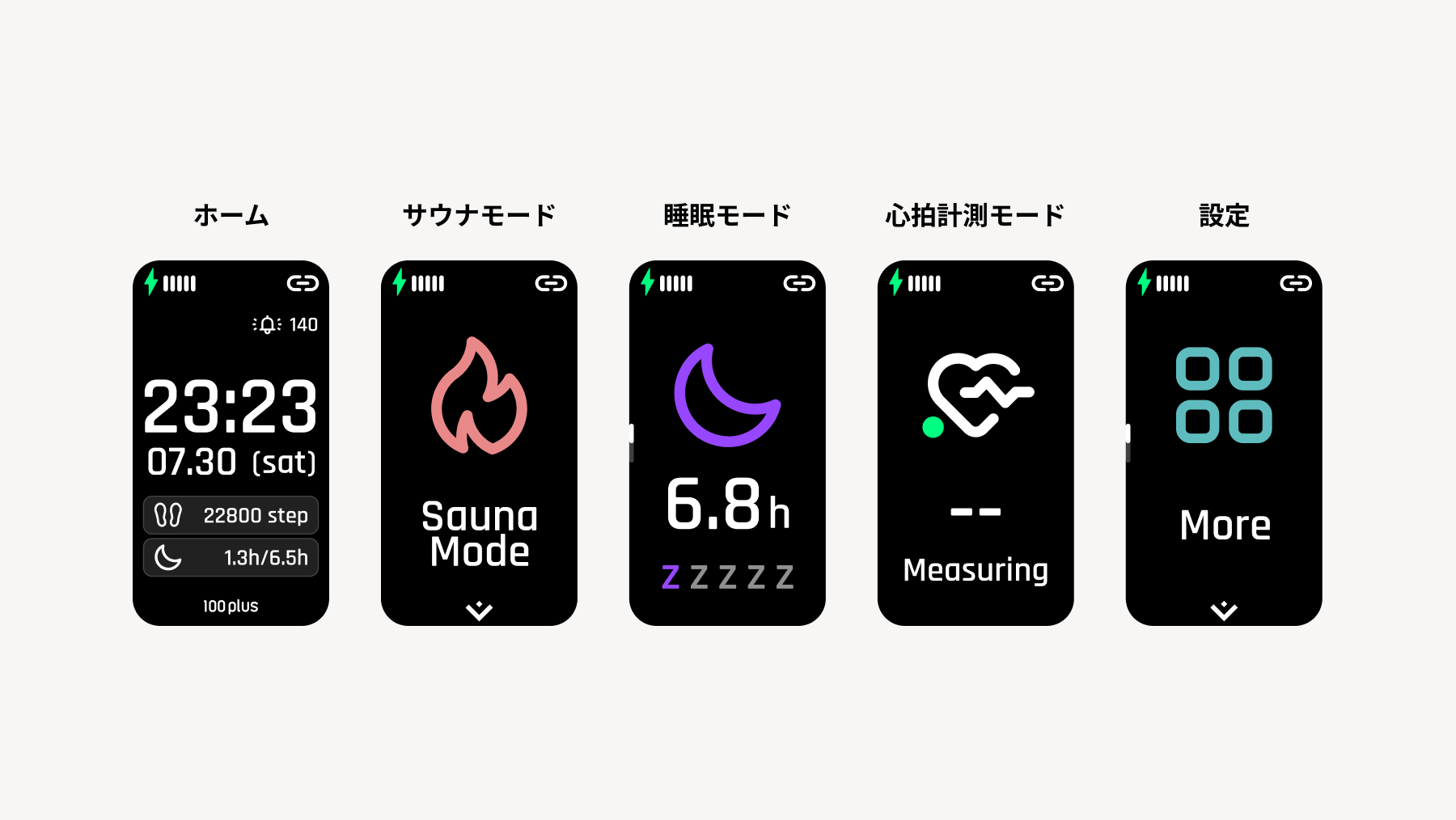
In addition to Home, there are four modes: Sauna Mode, Sleep Mode, Heart Rate Measurement, and Settings. Modes can be switched by swiping left or right or pressing the physical button.
2.1 Home
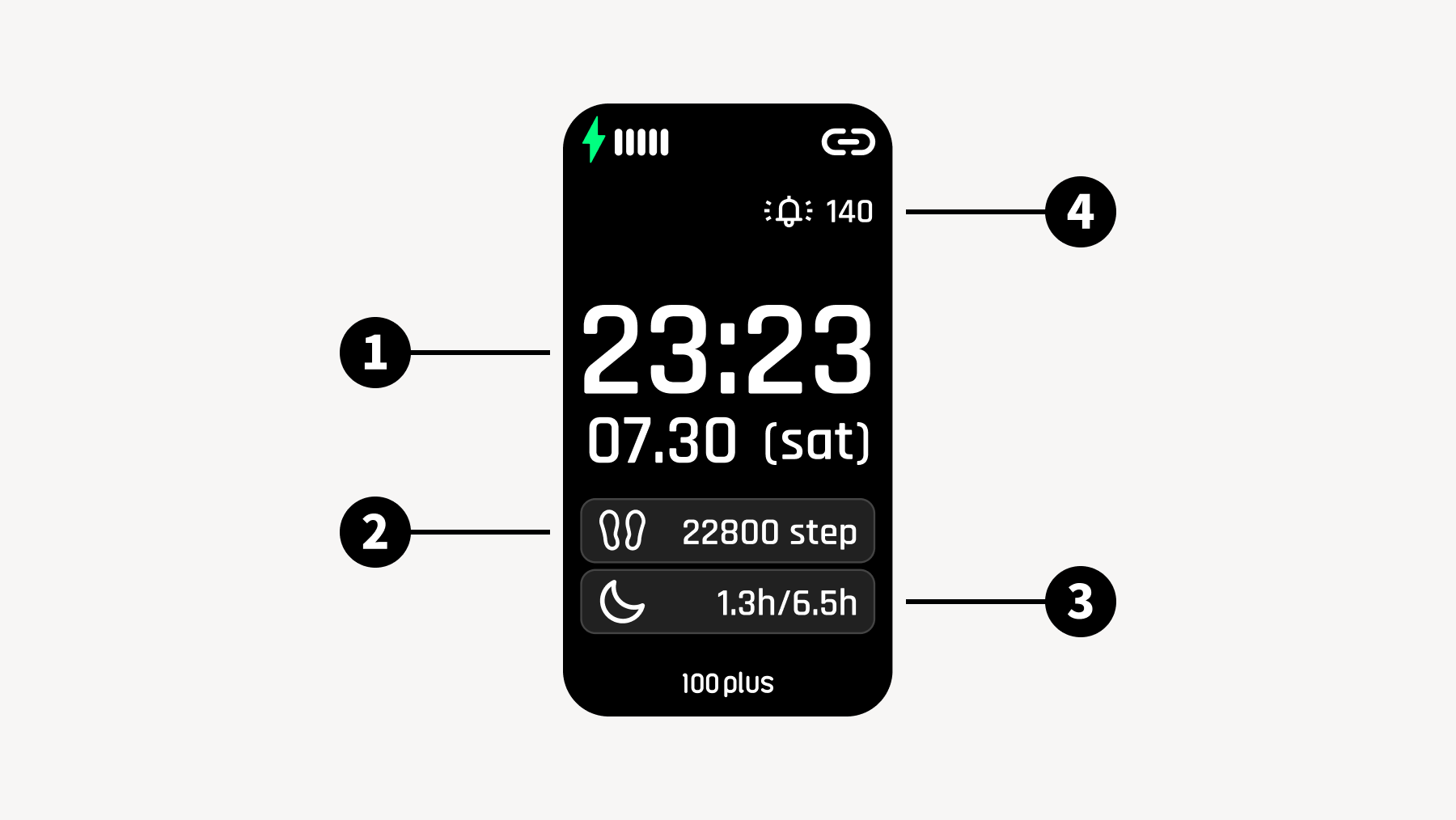
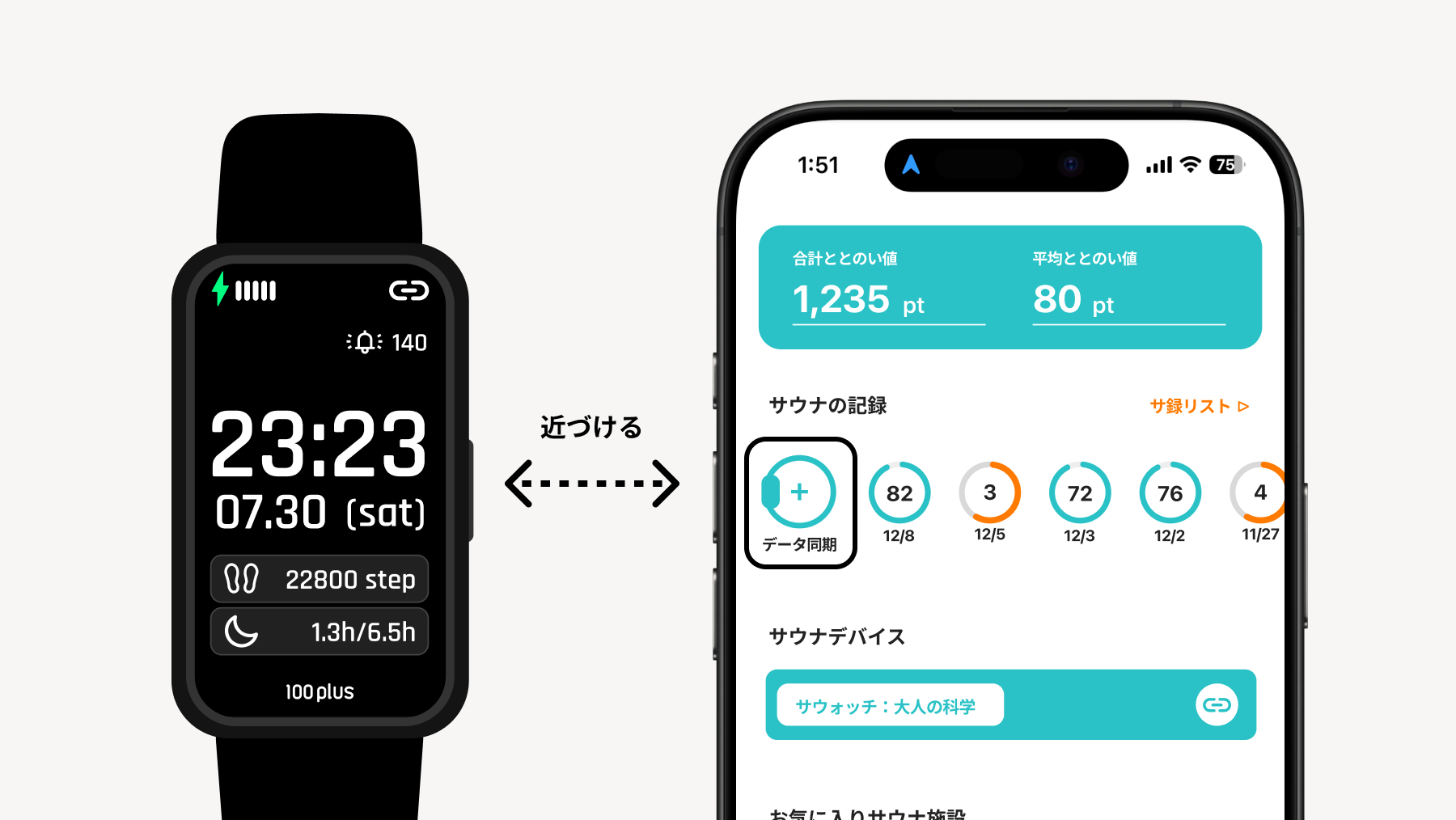
Date & Time
Step Count
Sleep Time Displays the time spent in deep sleep and the total sleep time.
Heart Rate Notification If notification settings are turned ON, a notification will be sent when the heart rate exceeds the set value.
2.2 Sauna Mode
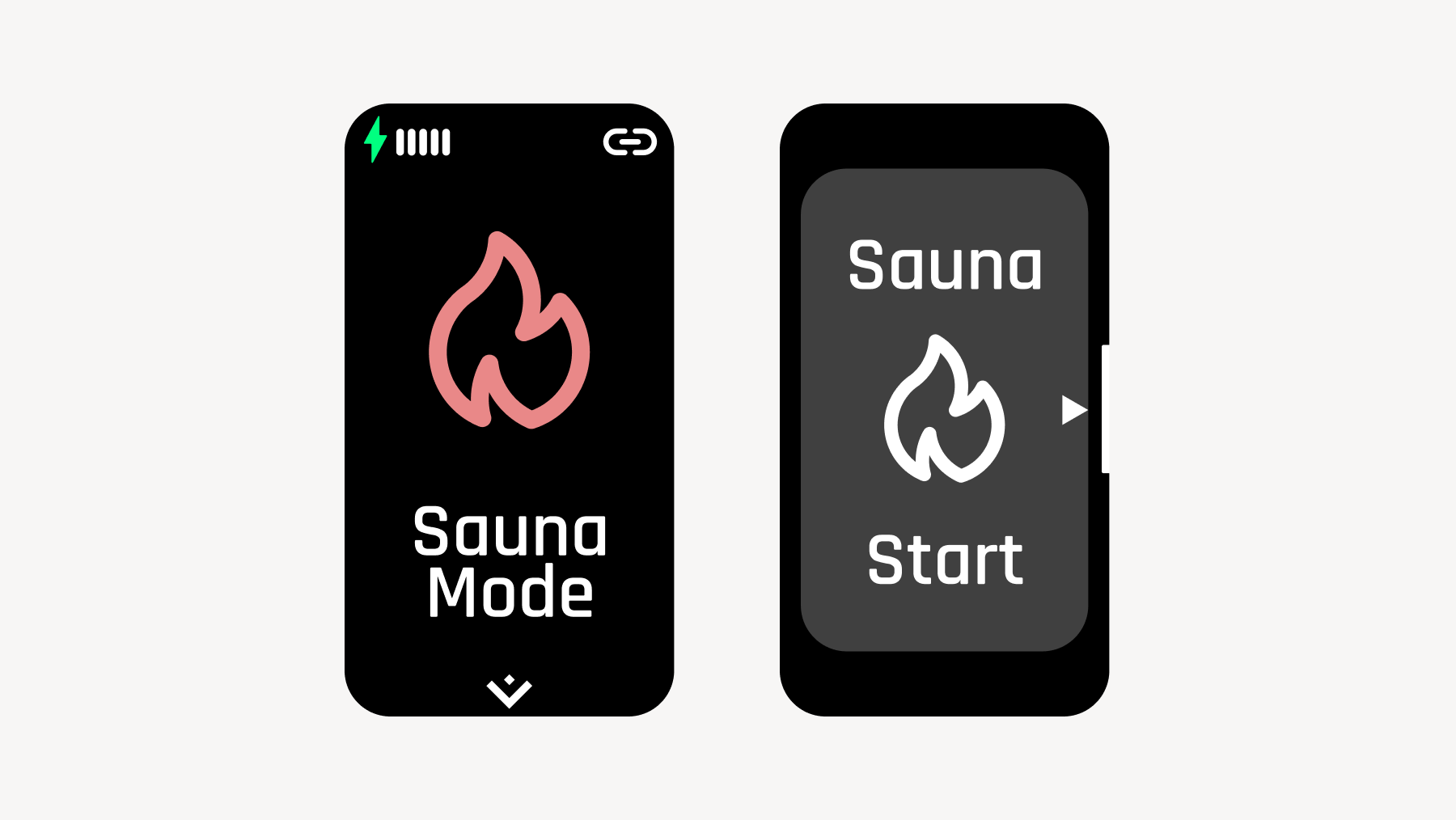
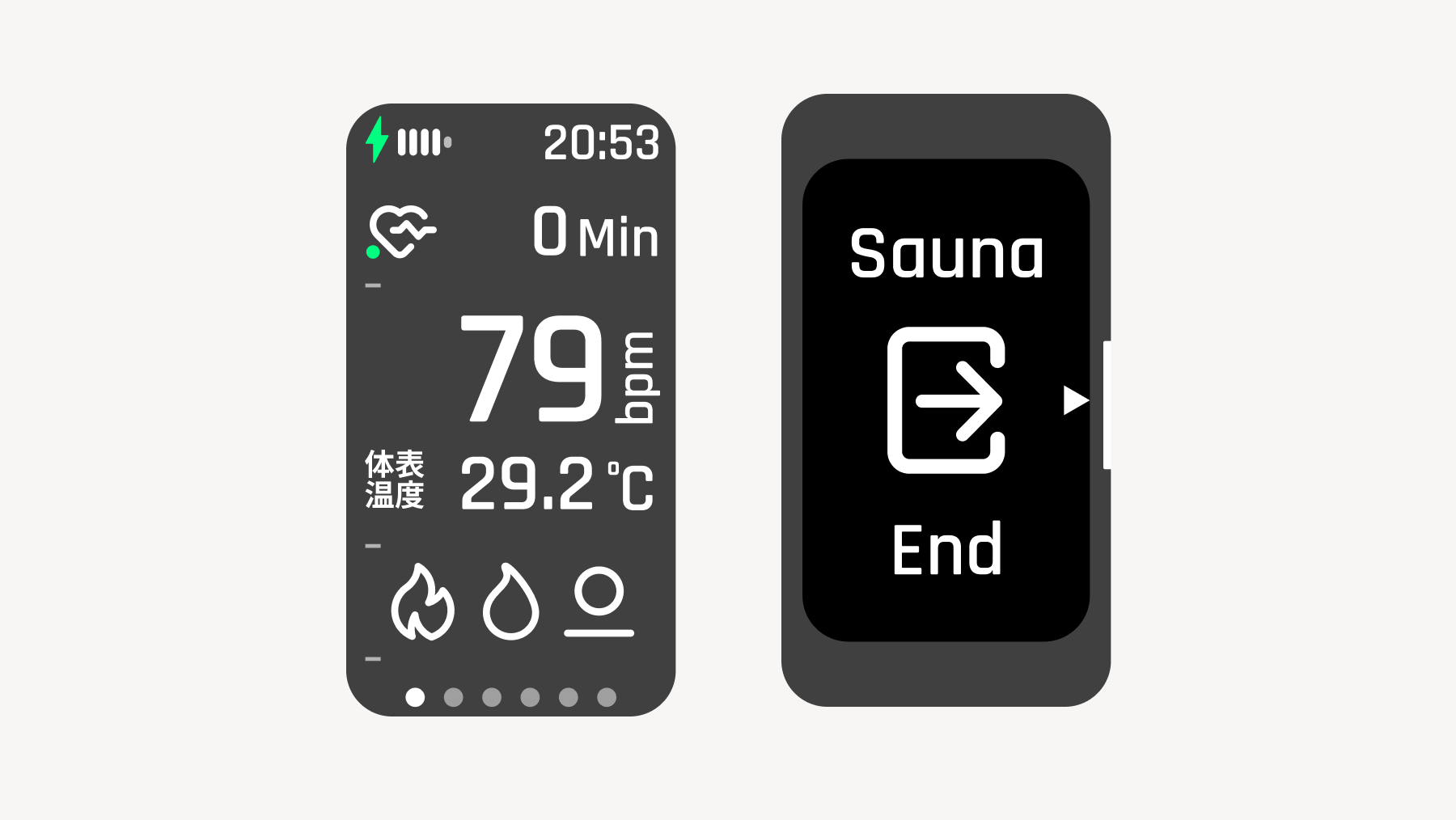
This mode displays and measures heart rate and skin temperature for each action of Sauna, Cold Bath, and Rest.
After swiping up or down, press the physical button to start Sauna Mode.
🧖 For detailed instructions and explanations of Sauna Mode, please check here.
2.3 Sleep Mode
This mode allows you to measure sleep duration and quality.
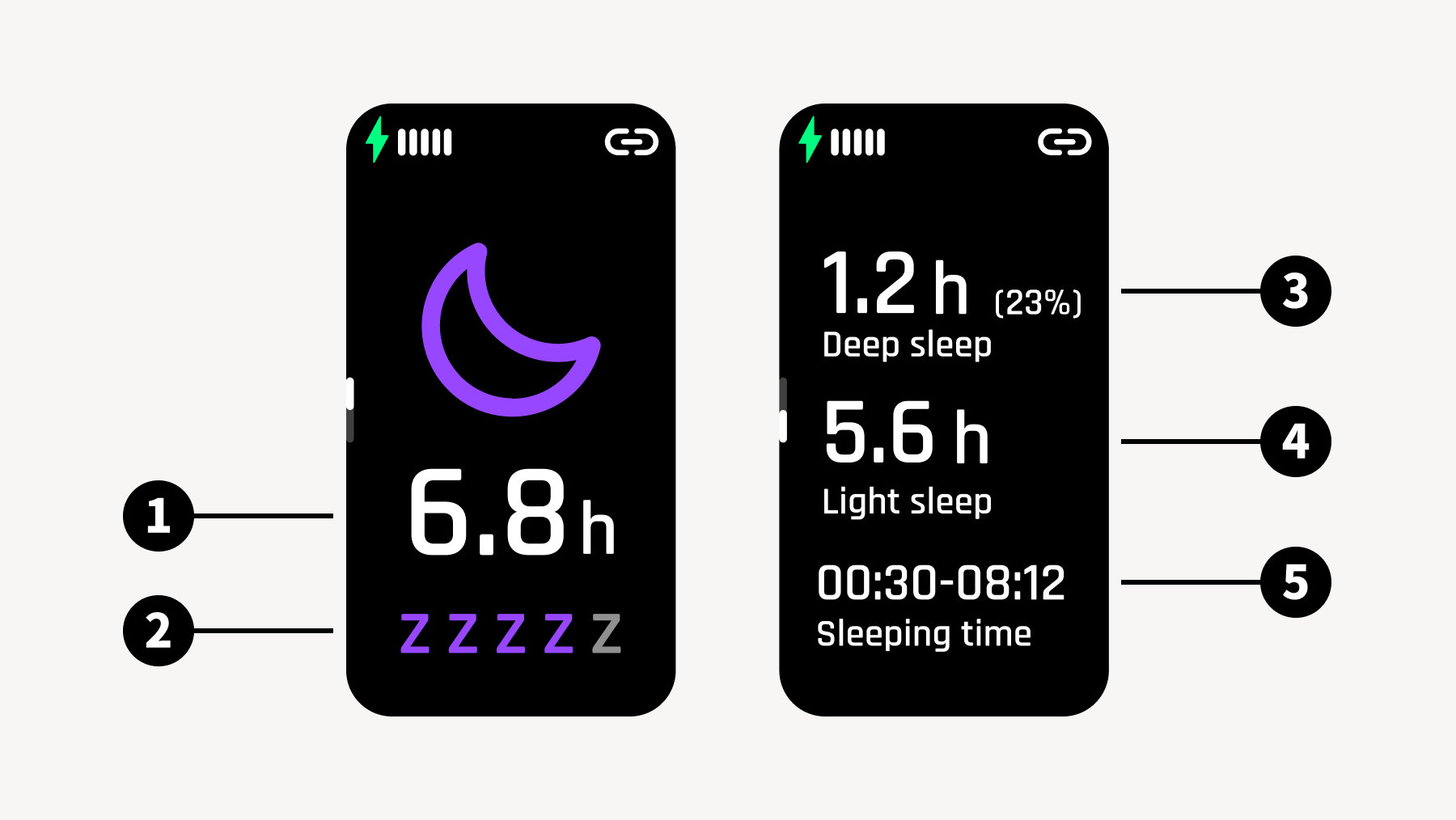
Total Sleep Time
Sleep Quality Rating Evaluates sleep quality based on total sleep time, the percentage of deep sleep time, and the number of times waking up.
Deep Sleep Time
Light Sleep Time
Sleep & Wake-up Times
💡 If you sleep while wearing the sauna device during night sleep, measurement is performed automatically. The range for sleep measurement is from 20:00 to 10:00 the next day. Daytime sleep is not supported.
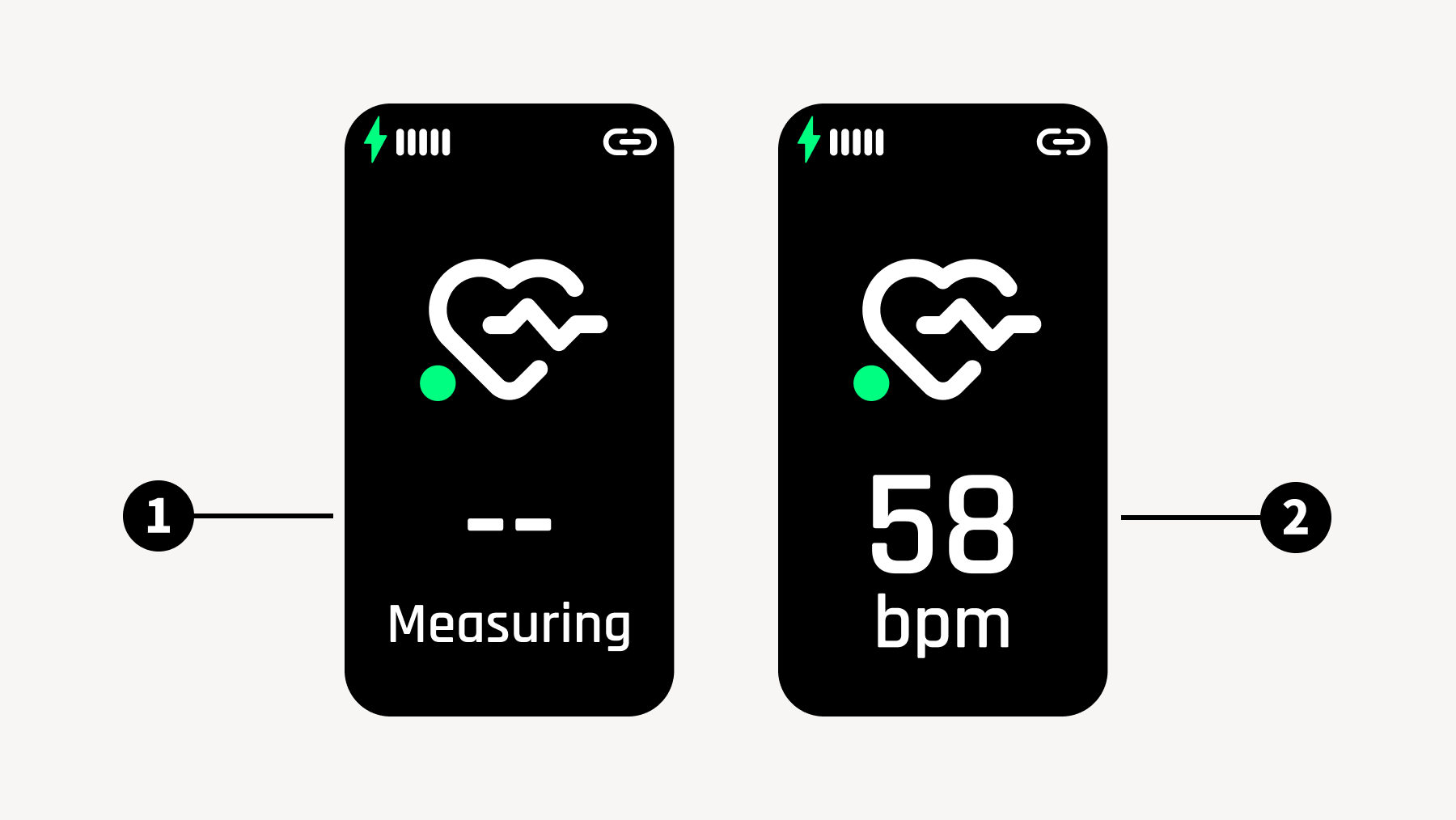
2.4 Heart Rate Measurement Mode
This mode allows you to measure your heart rate.
State before heart rate measurement If you wait on this screen, your heart rate will be measured in about 15 to 25 seconds.
State after heart rate is measured
*Please note that this screen may be removed from models shipped after December 2025.
2.5 Settings
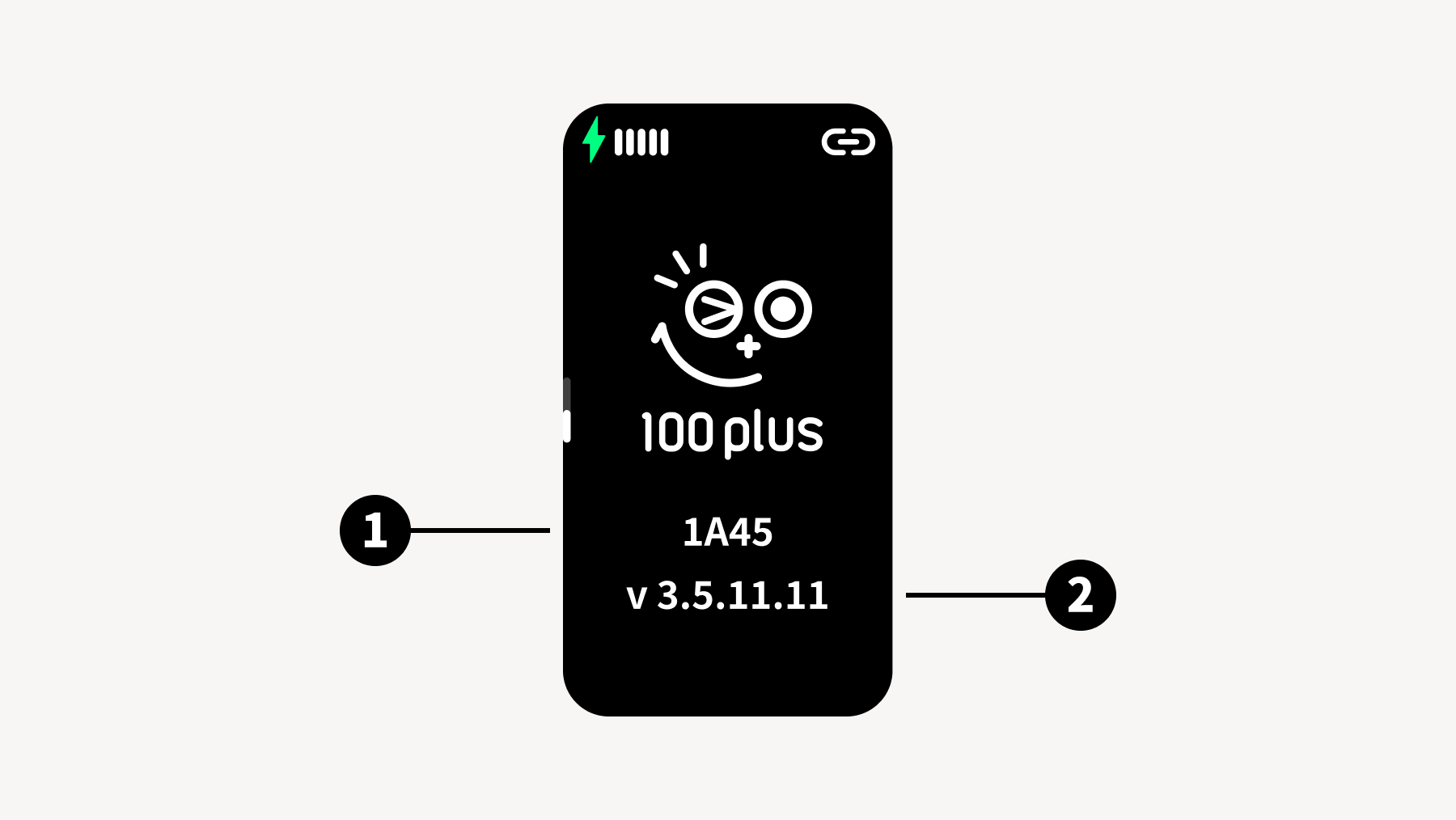
You can view the watch's device information, configure settings, and turn off the power. Swipe up or down to access various settings.
2.5.1 Device Info
Device ID
Device Version
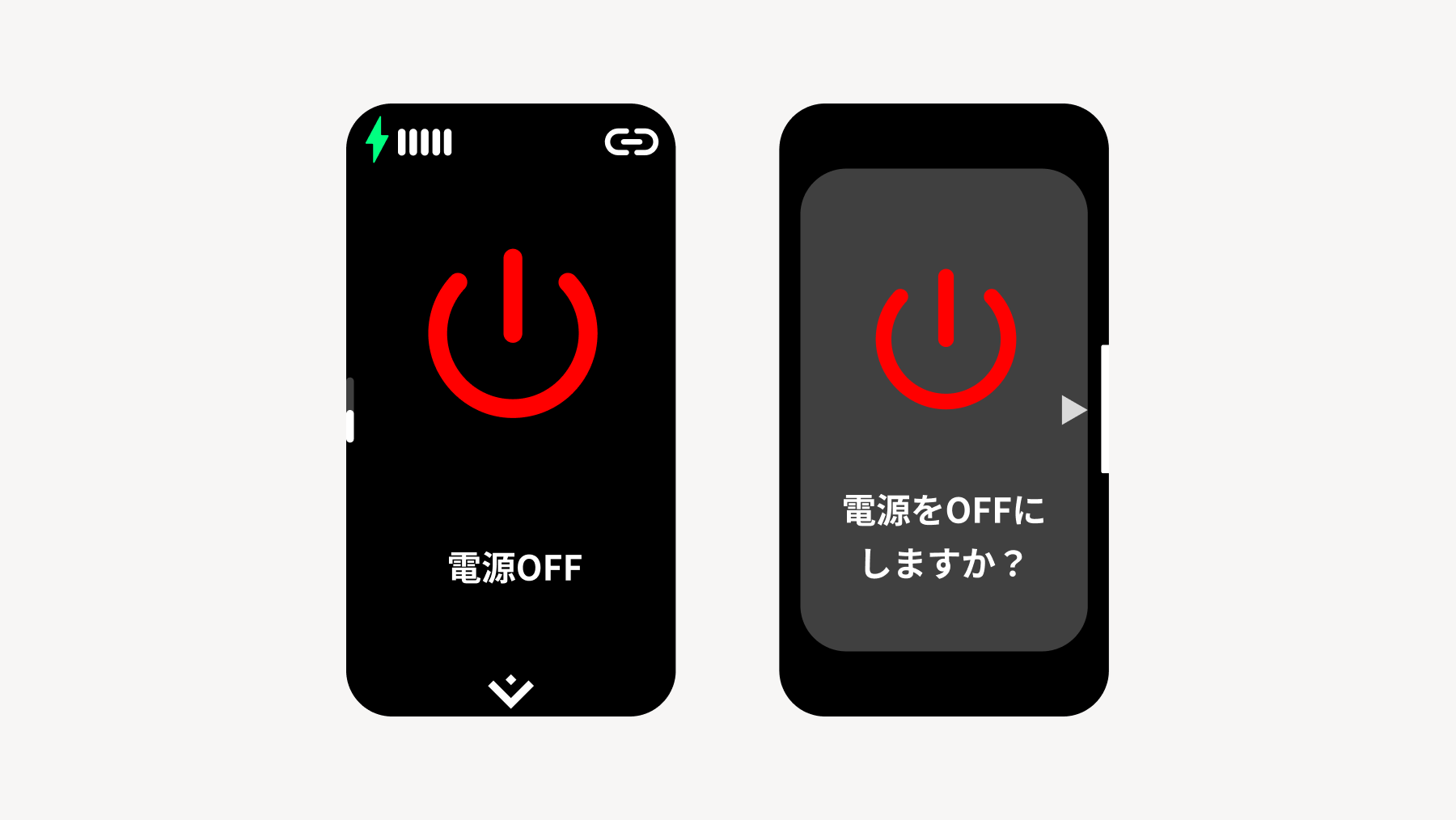
2.5.2 Power Off
After swiping up or down, press the physical button to turn off the power.
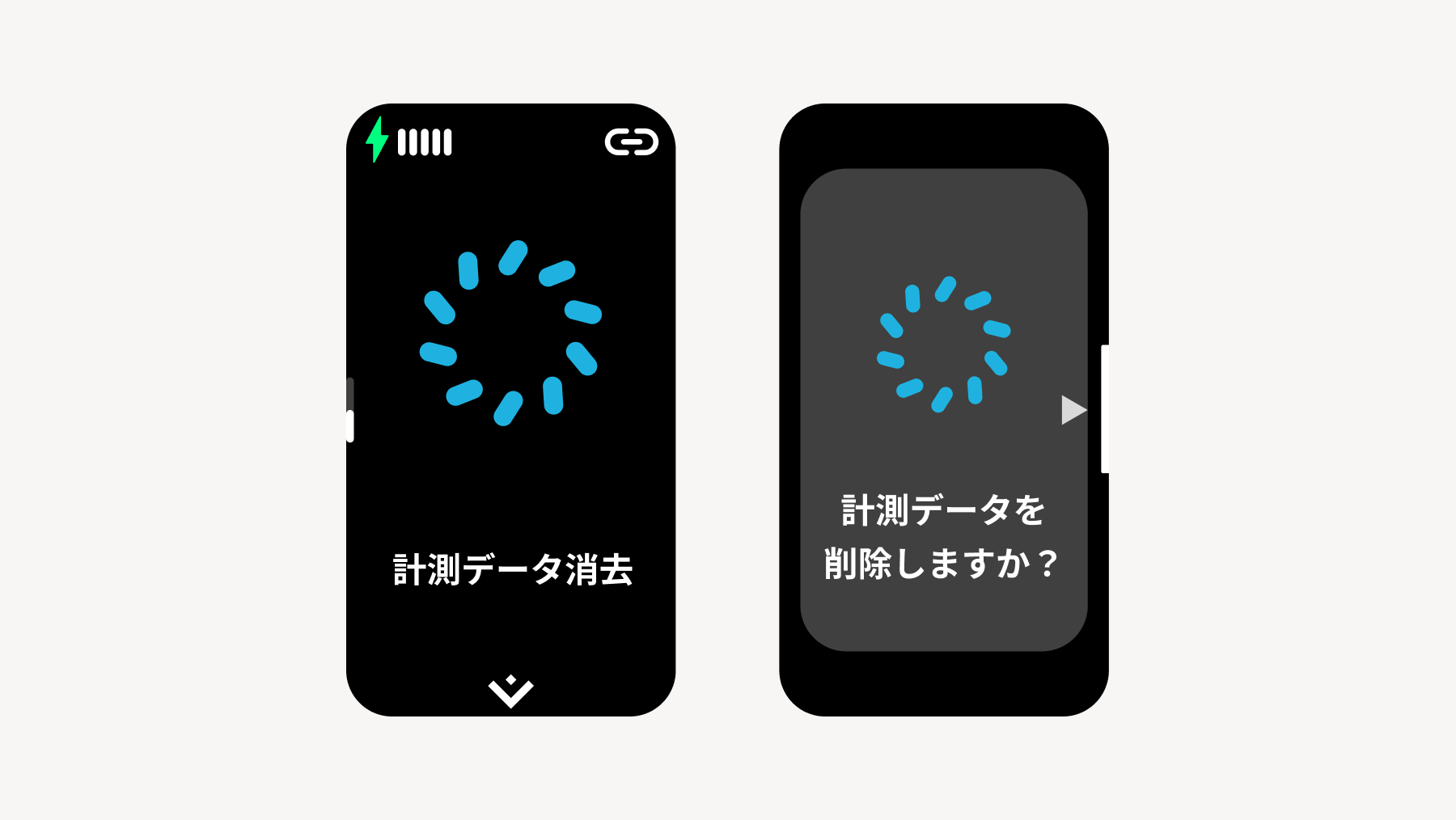
2.5.3 Clear Measurement Data
After swiping up or down, press the physical button to delete measured heart rate data and other records.
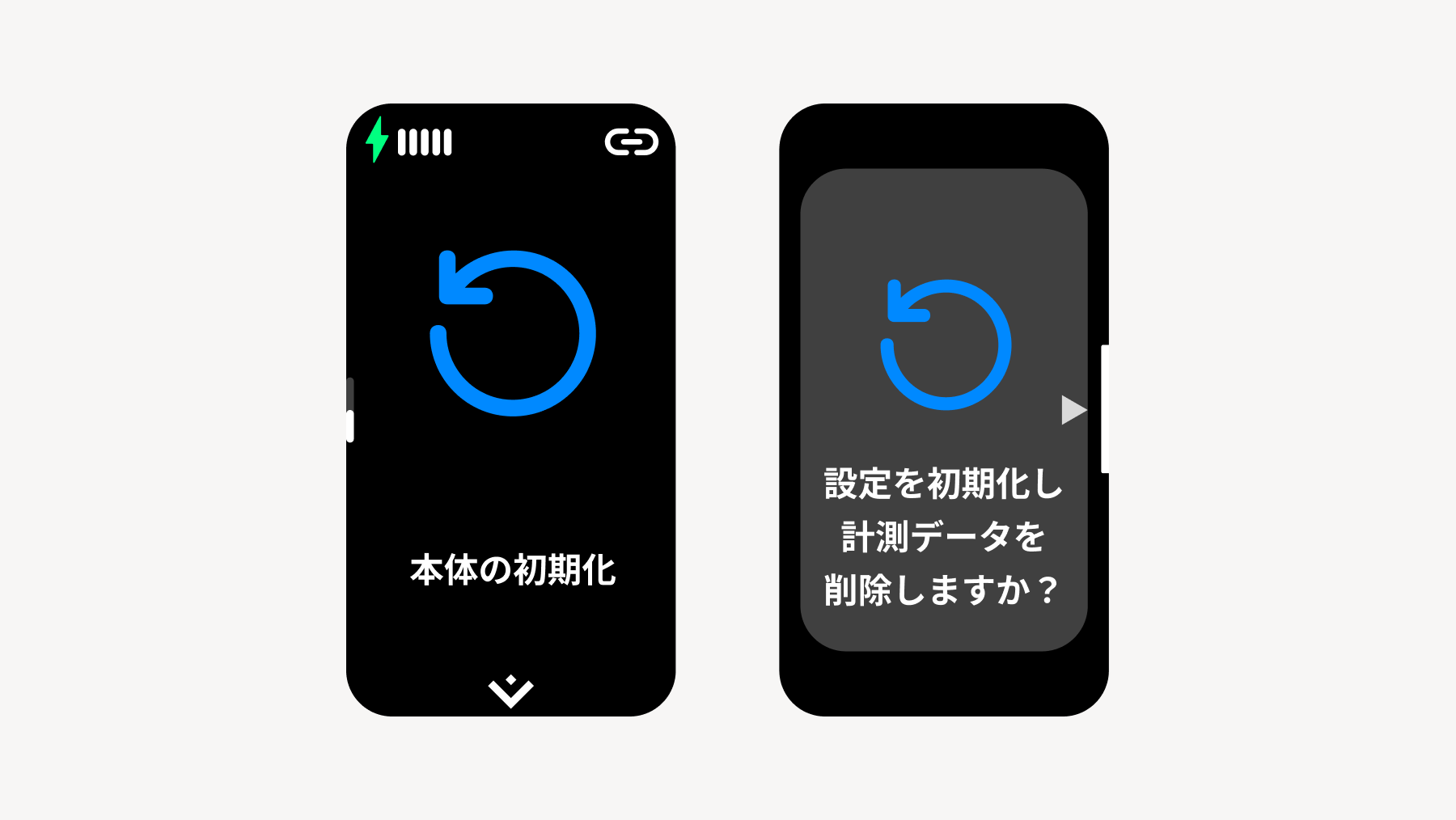
2.5.4 Device Initialization
After swiping up or down, press the physical button to initialize settings and delete measured data.
3. Setup
3.1 Connecting the Watch and the "Sanokuni" App
📱 Download the "Sanokuni" app and create an account To download the app, click here
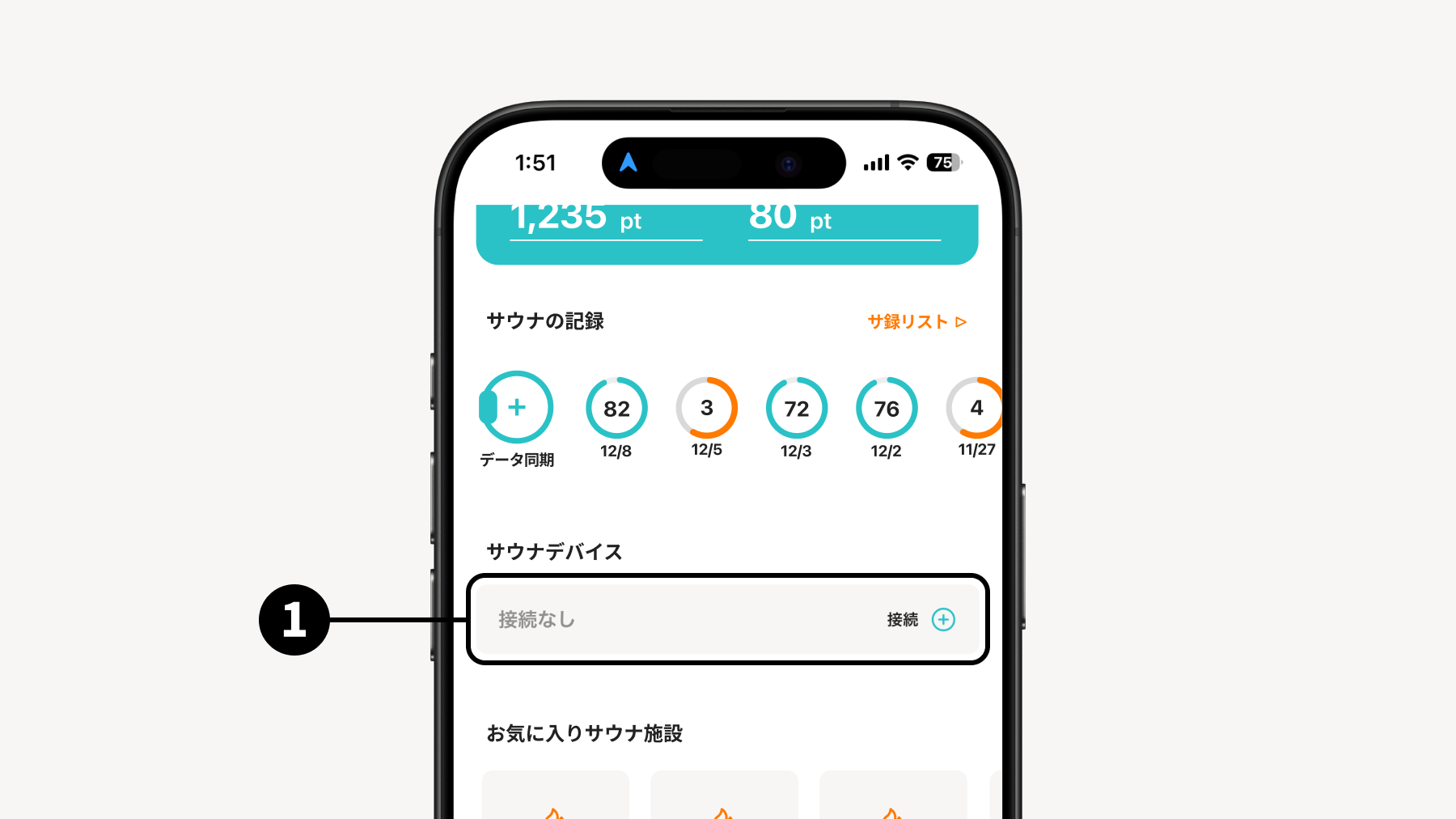
STEP 1 Tap the "Connect" button on the sauna device section on Home
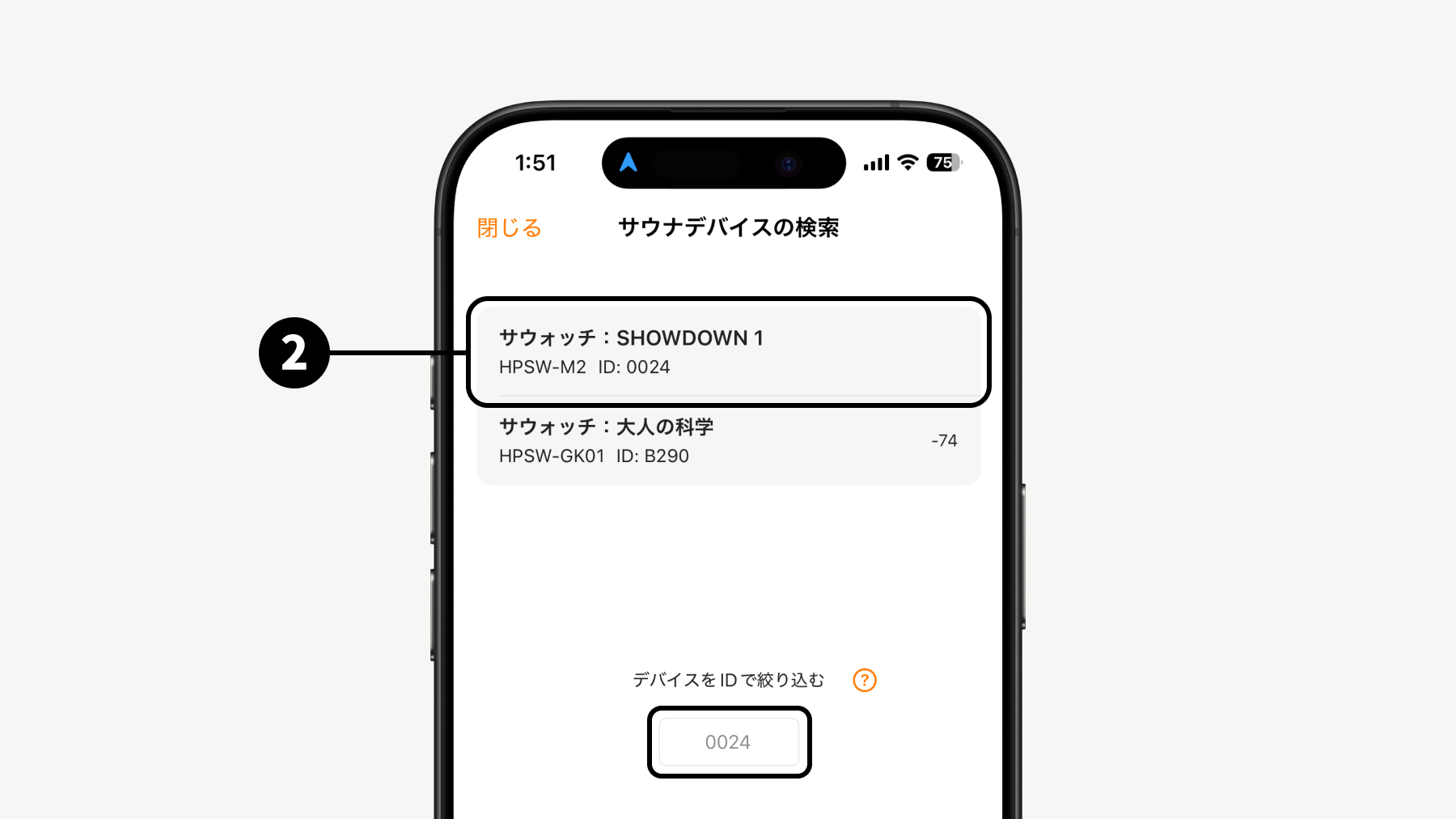
STEP 2 Automatically detect connectable watches with "Search for sauna device"
You can filter by device ID * Click here for how to check the device ID
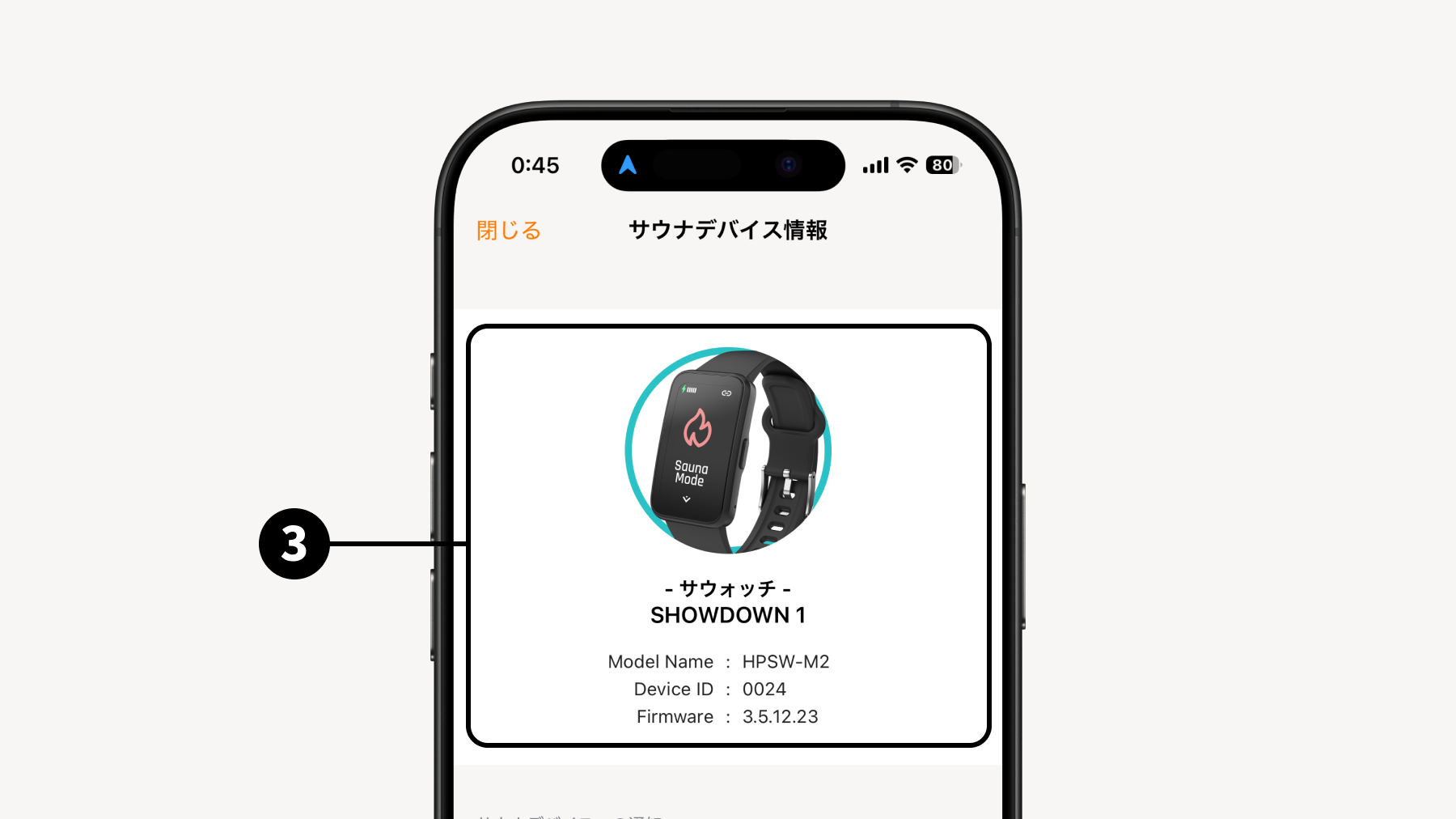
STEP 3 Tap the watch you want to connect to complete the connection
* For iOS, please turn ON all permission settings for the first connection.
🔓 How to disconnect Turn off Bluetooth on your smartphone, or turn off the power of the watch.
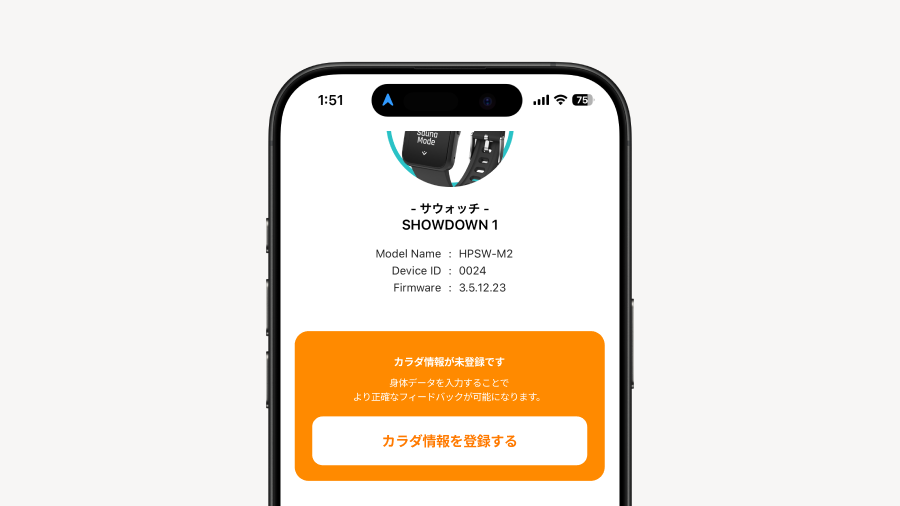
3.2 Register Personal Info
Register your Personal Info to improve the accuracy of your T-Flow Score.
Tap "Register Personal Info". You can also register and edit it from My Page.
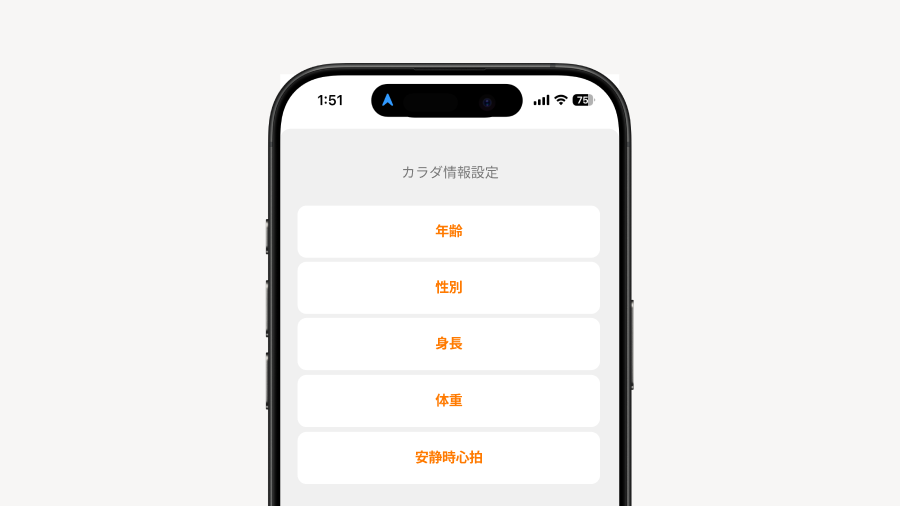
Enter five types of Personal Info. For how to measure resting heart rate, click here
🫀 How to measure resting heart rate Rest your body, then operate the sauna device to switch to heart rate mode. For how to use heart rate mode, click here
3.3 Watch Settings
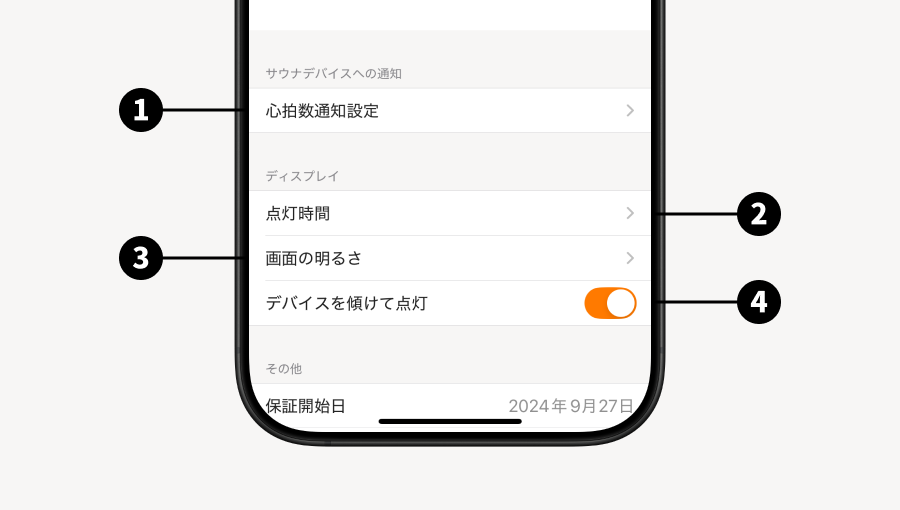
Tap "sauna device" on Home and go to "Sauna Device Info" to configure watch settings.
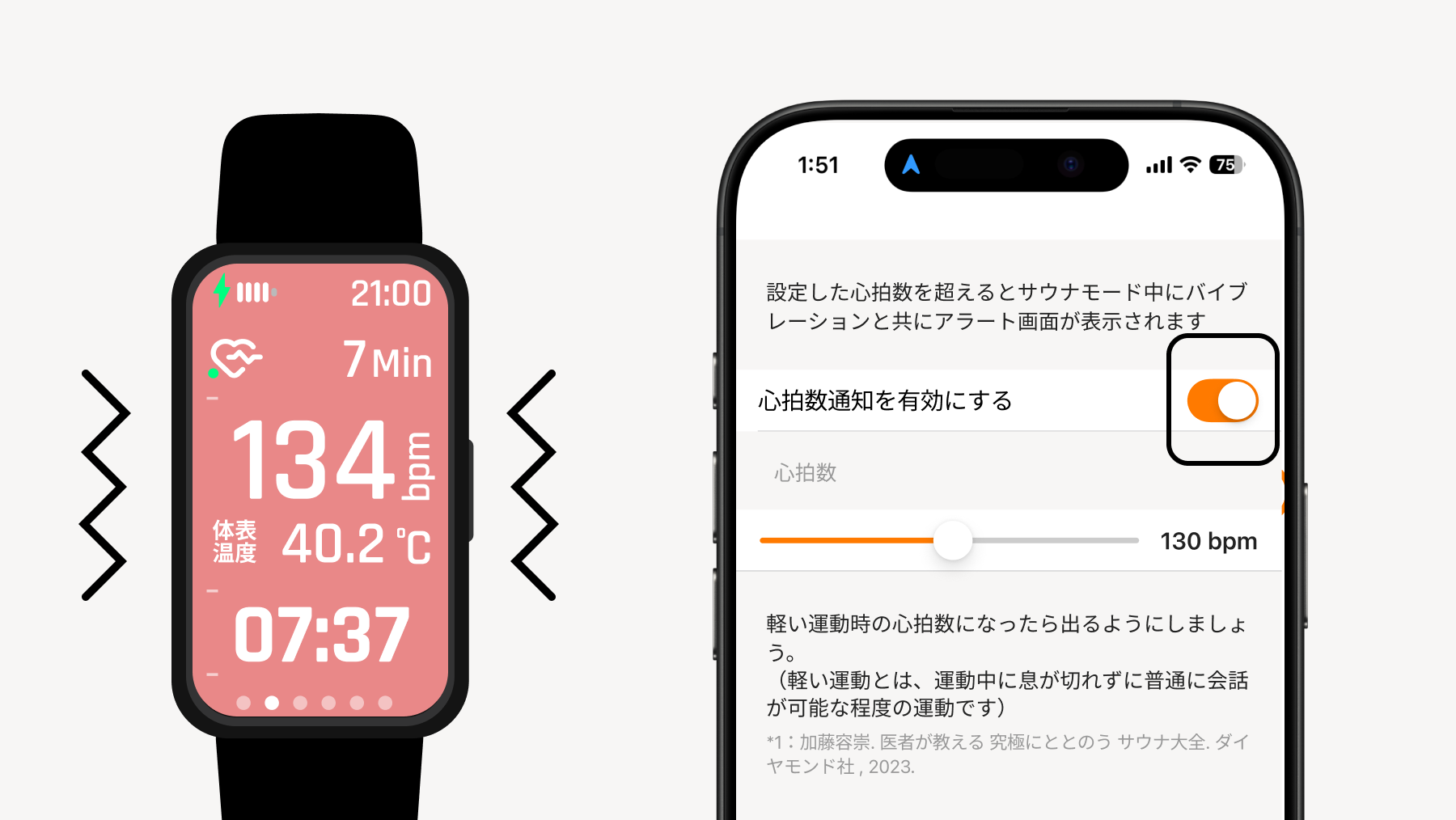
Heart Rate Notification Settings You can set an alert screen with vibration to be displayed during sauna mode when the heart rate exceeds the set limit.
Screen-on Time You can set the screen-on duration of the watch.
Screen Brightness You can adjust the display brightness.
Tilt to Wake You can set the screen to turn on when you tilt the watch.
💡 Heart Rate Notification Settings
If you turn on the heart rate notification setting, the watch will vibrate when your heart rate exceeds the entered limit. Please use it as a guide for when to leave the sauna room.
4. Entering the Sauna
Start sauna mode (refer to here for how to start), and your heart rate will begin recording. Please switch screens to match the sauna, cold bath, and rest periods. Switching is done only via physical buttons. *If you do not switch screens for each Scene, your T-Flow Score cannot be calculated correctly.
With sauna, cold bath, and rest as one Set, you can repeatedly record your heart rate for as many sets as you perform.
*For models shipped from December 2025 onwards, the screen display of the sauna mode may differ slightly from the above. There are no changes to the functions or usage.
Screen when starting sauna mode Once you switch to this screen, heart rate recording starts. It will continue recording until you end sauna mode.
Screen during sauna Switch the screen once you enter the sauna and are ready.
Between sauna and cold bath Switch the Scene before leaving the sauna room.
Screen during cold bath Switch the Scene once you enter the cold bath.
Between cold bath and rest Switch the screen just before leaving the cold bath.
Rest Find a place to rest, and switch to the rest Scene once you have settled down.
When you end sauna mode, the data will be registered as an individual Totonoi Log. If you are measuring multiple Sets, please remain in sauna mode.
💡 How to end Sauna Mode
Swiping up or down on the screen during Sauna Mode will display the end confirmation screen. You can end it by pressing the physical button.
🚨 Before entering the sauna
Before using the watch in the sauna, please transfer the data from the watch to the "Sanokuni" app and sync them. The maximum recording time on the watch is 4 hours. Please note that if the watch's data becomes full, new data will not be overwritten and cannot be recorded.
5. Create a Totonoi Log and view your T-Flow Score
5.1 Sync the device with the app
Bring the device and the app close together, and tap the "Data Sync" button on the app's Home screen.
Once the data is synced, the Totonoi Log registration screen will be displayed.
5.2 Enter data and submit
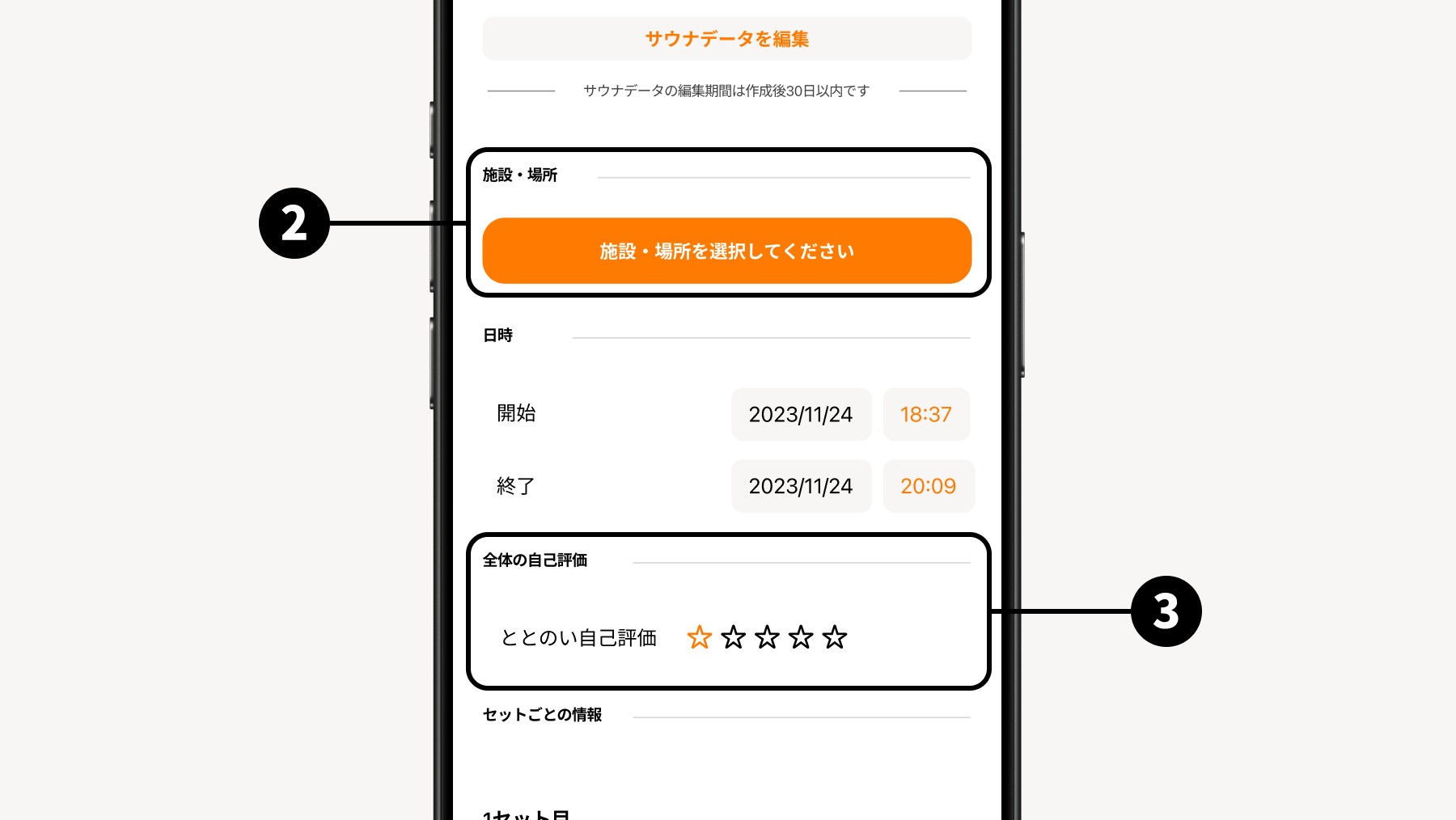
By entering or editing the required data items and tapping the "Submit" button, your Totonoi Log will be created, and you can view your T-Flow Score.
*Calculation of the T-Flow Score may take some time. You will be notified on your smartphone once the calculation is complete.
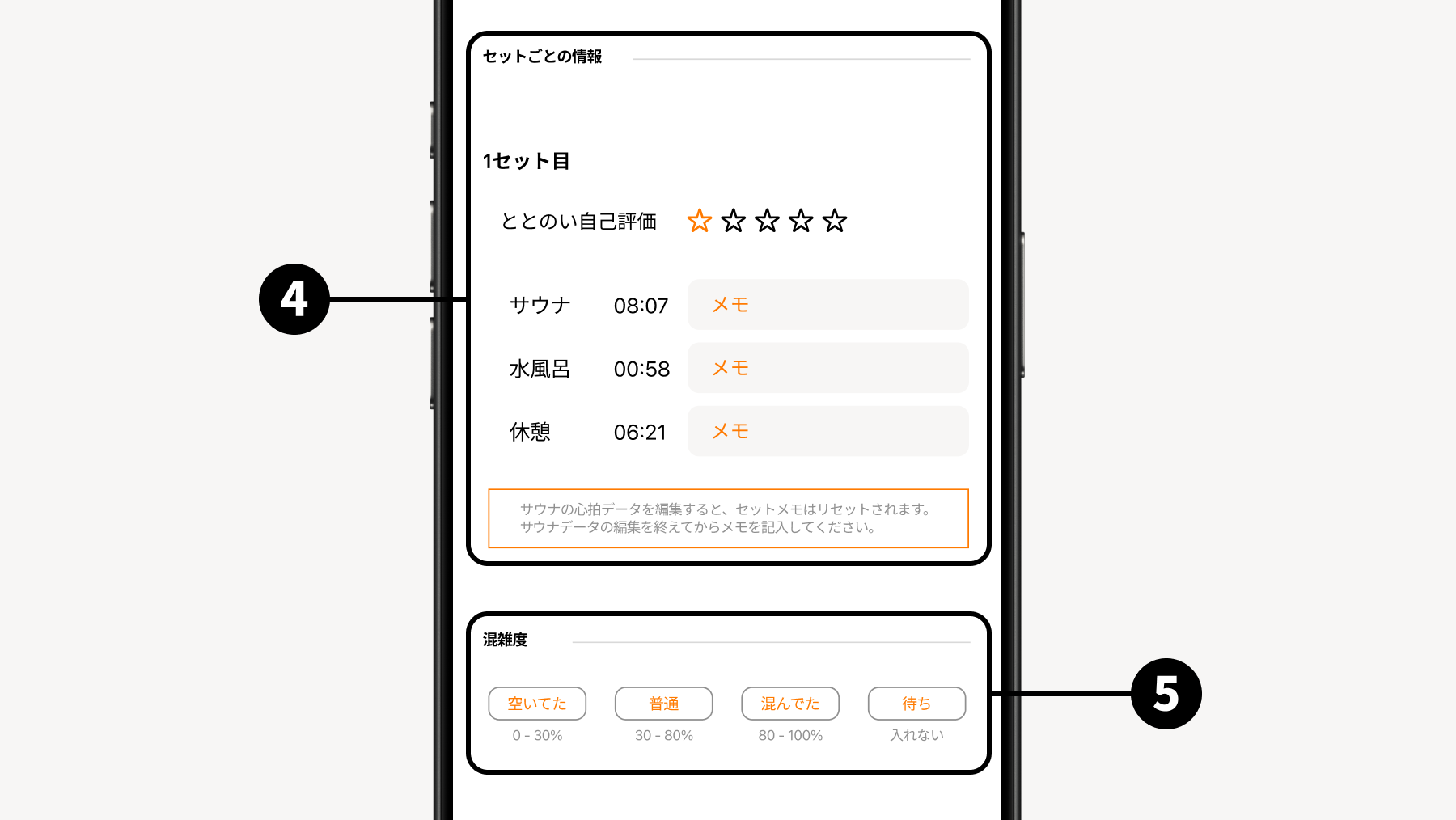
Sauna Data Data obtained by syncing with the watch will be displayed. For how to edit, here
Sauna facility you visited
Overall self-evaluation Rate how much you totonoi-ed overall across all Sets.
Totonoi Rating for each Set Rate how much you totonoi-ed for each Set.
Facility congestion level
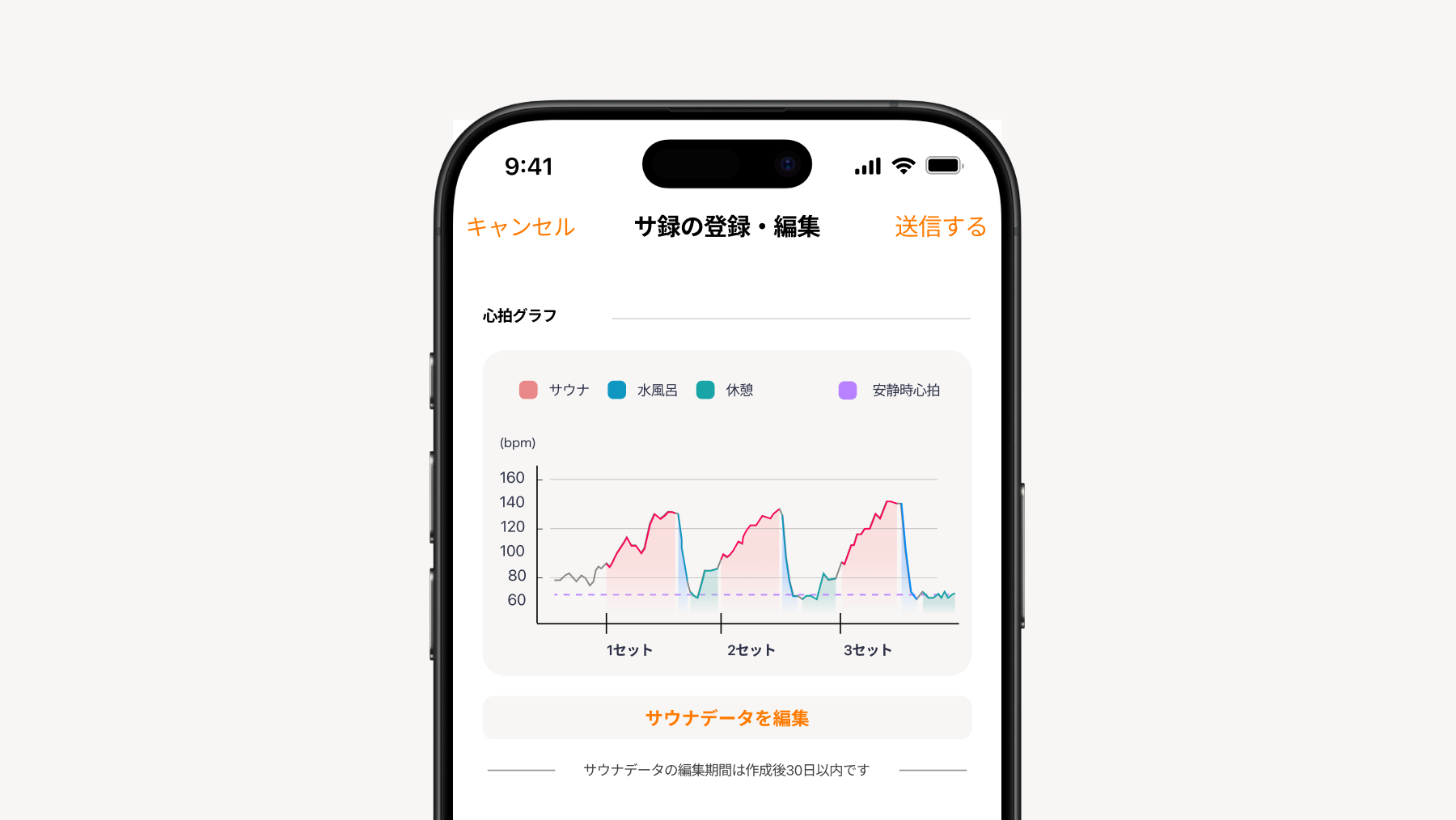
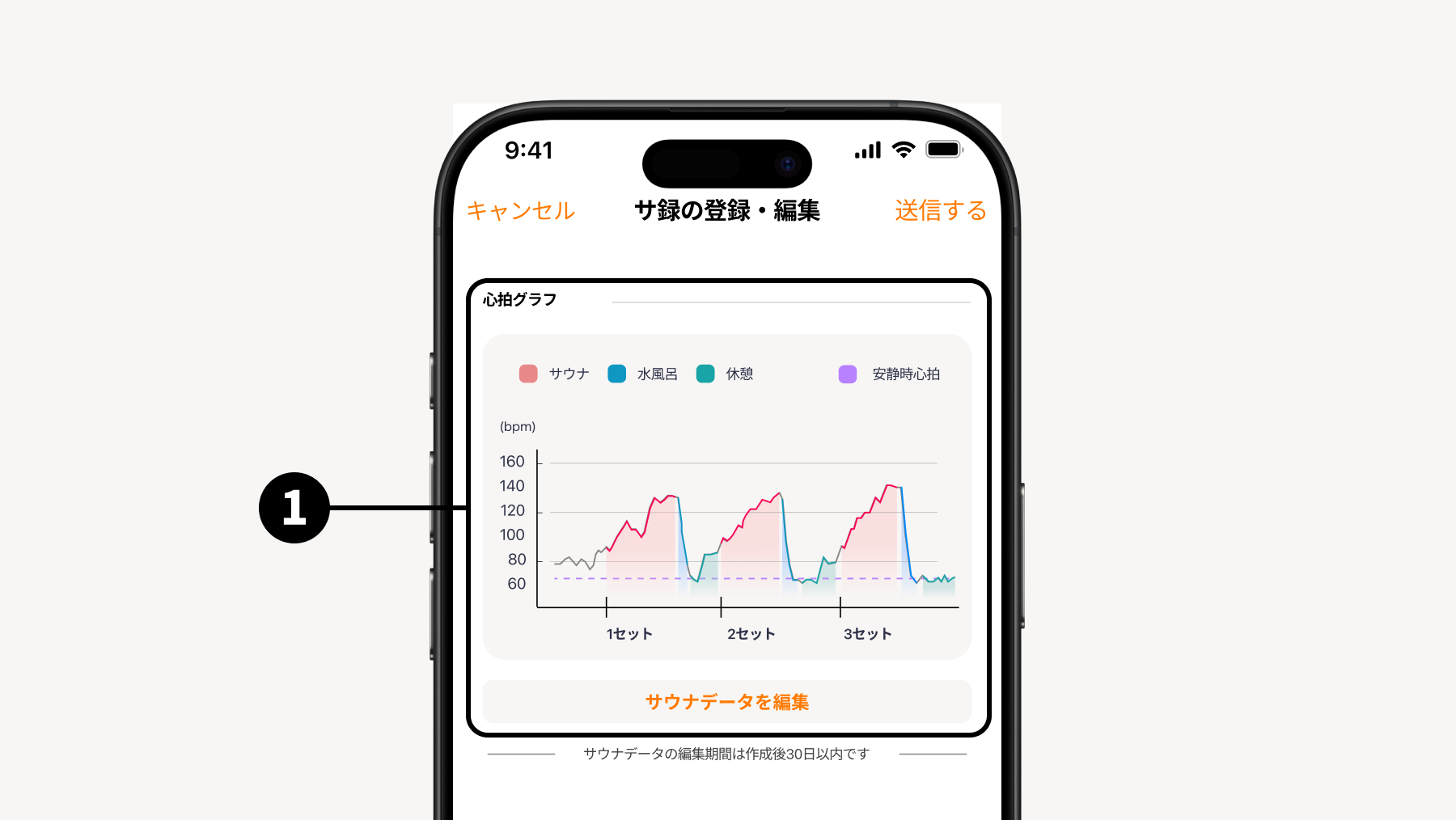
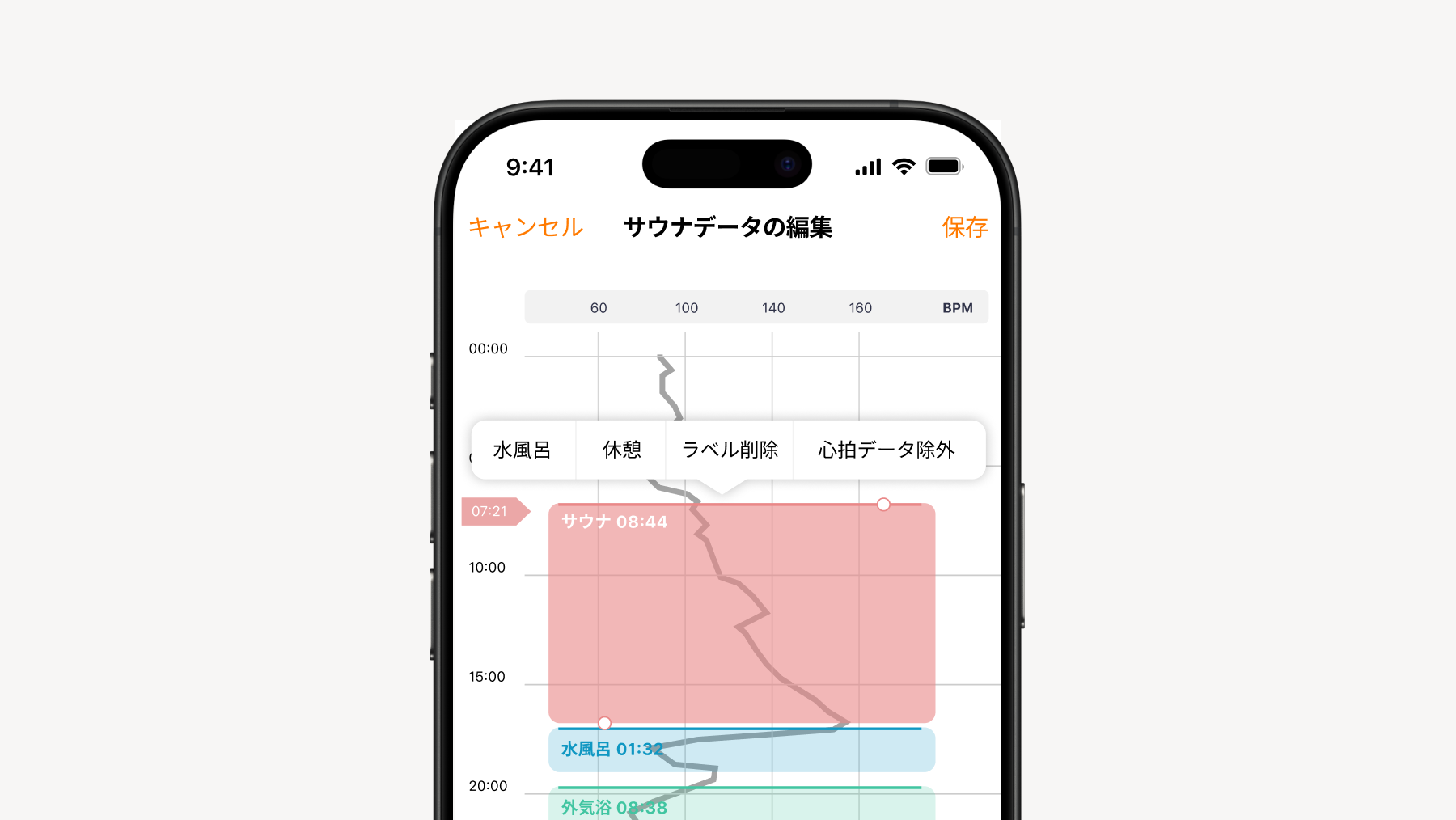
💡 How to edit heart rate data
"Edit heart rate data" to tap, and you will see each Scene (sauna room, cold plunge, rest) color-coded on the heart rate graph.
What you can do
Adding Scenes You can add a Scene by long-pressing an area where no Scene is displayed.
Changing Scenes / Changing positions or deleting Long-press each Scene to change or delete it. You can also drag it up or down while long-pressing to change its position.
Changing start/end times After selecting each Scene, drag the "⚪︎" handle up or down to change the start and end times.
Excluding heart rate data You can exclude portions containing unnecessary heart rate data from the recorded data.
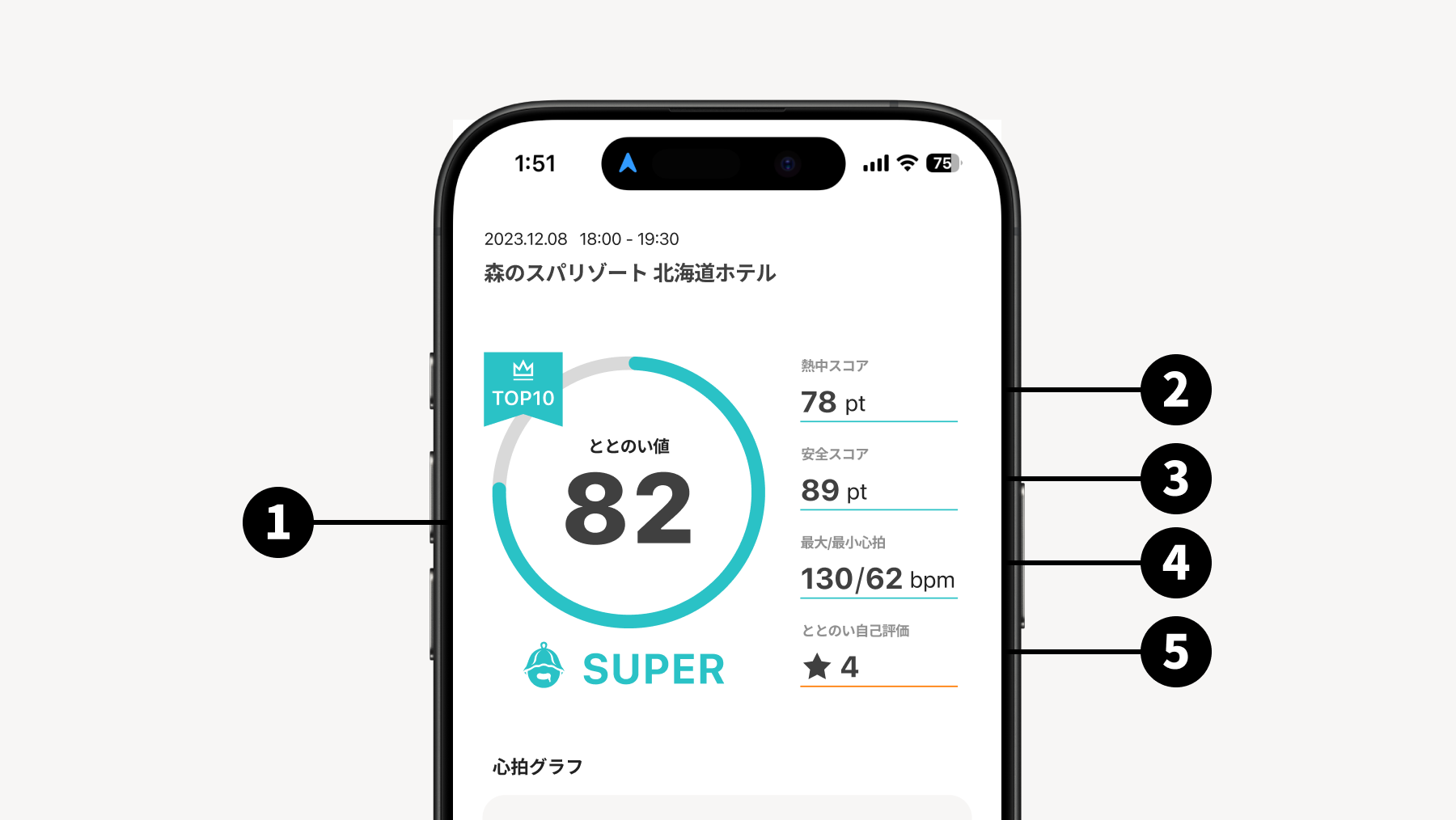
The T-Flow Score is analyzed and displayed based on the balance between your Immersion Score and Safety Score. Try analyzing the results alongside your actual experience to aim for a higher T-Flow Score.
T-Flow Score and Rating Displayed in five levels: MARVELOUS, SUPER, GOOD, BETTER, and WHOOPS.
Immersion Score A score that increases as you immerse yourself in the sauna, calculated based on the rise and fall of your heart rate while inside.
Safety Score Evaluates whether you are bathing safely, looking at factors such as how your heart rate rises and whether it went too high.