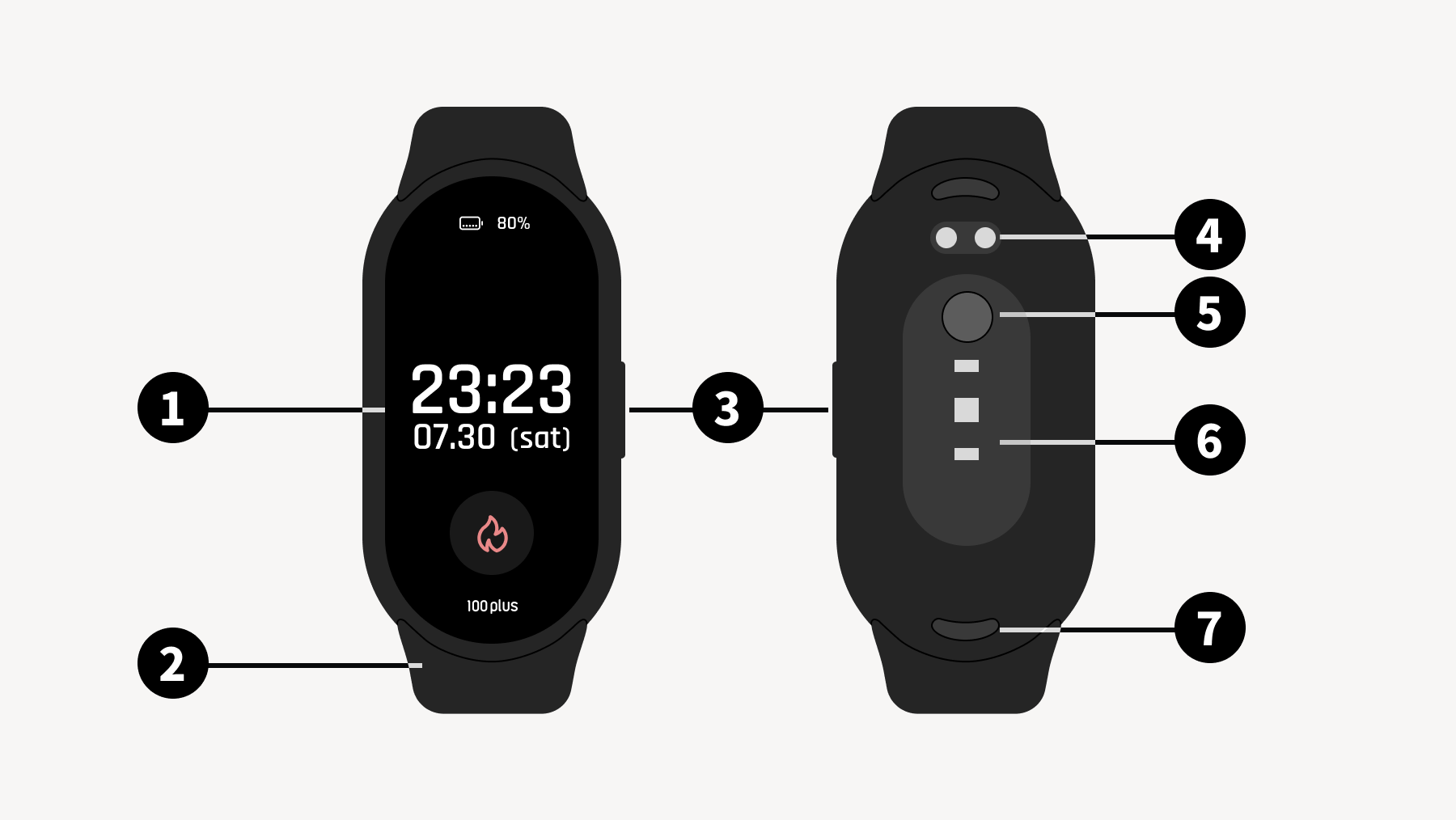
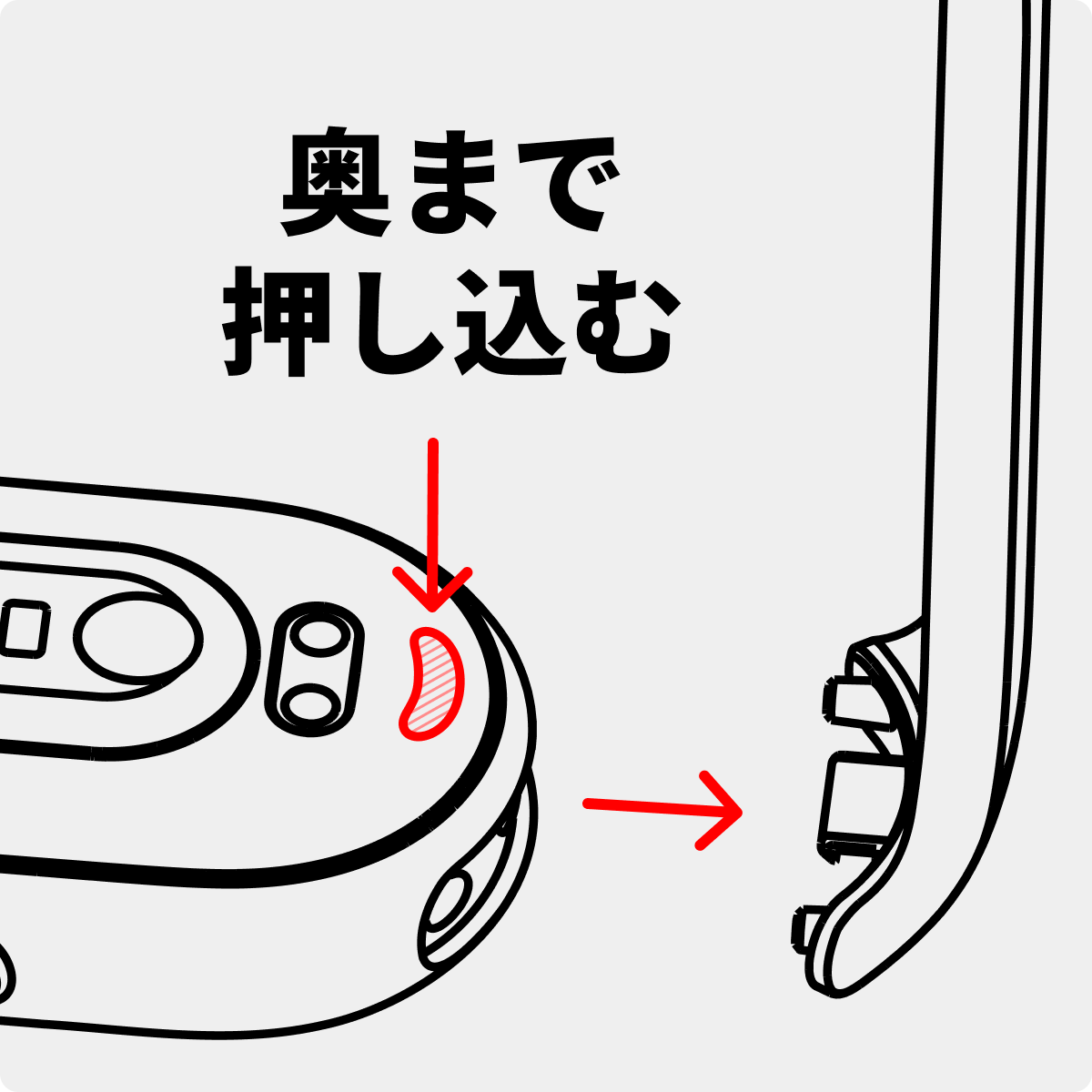
When removing the band, make sure to press the band clasp (release button) on the back of the device all the way in to remove it. Due to the mechanism, it cannot be removed without pressing the release button, so please do not pull it by force.
1.2 Turning on the Power
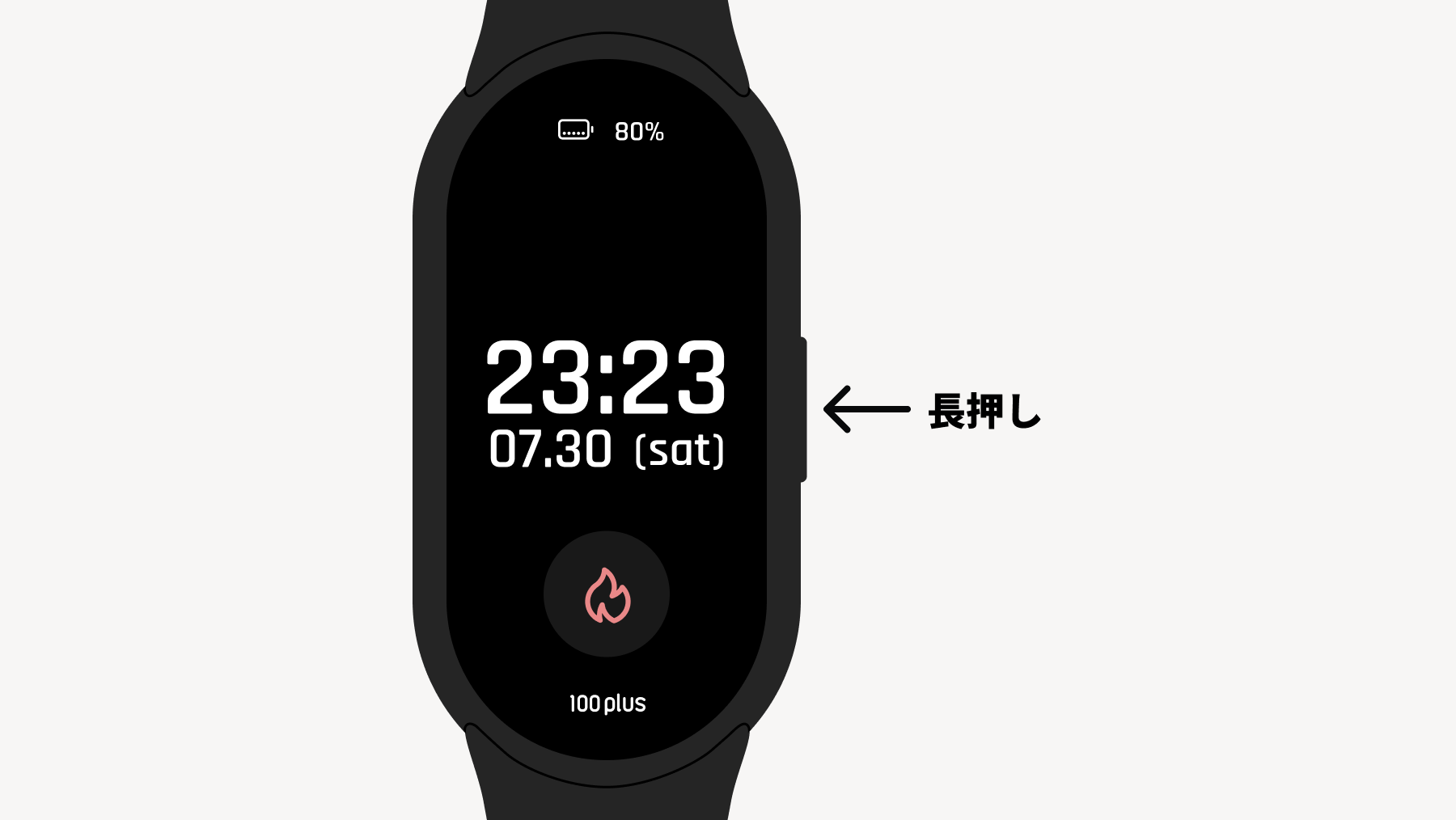
Press and hold the physical button to turn the power ON.
Immediately after unboxing, the device is in shipping mode. Charging it with the included charging cable will deactivate this mode and power it on.
1.3 Charging
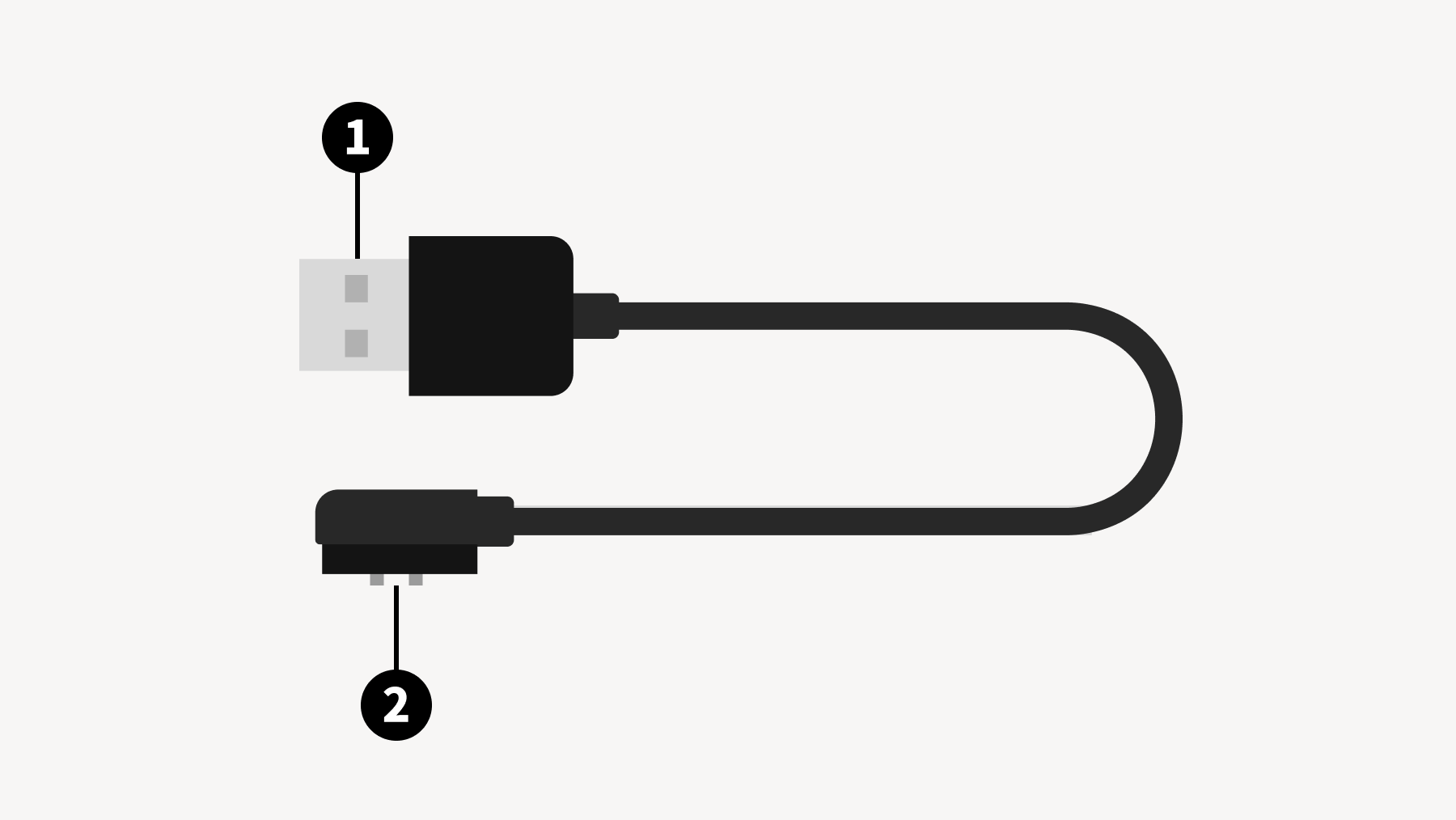
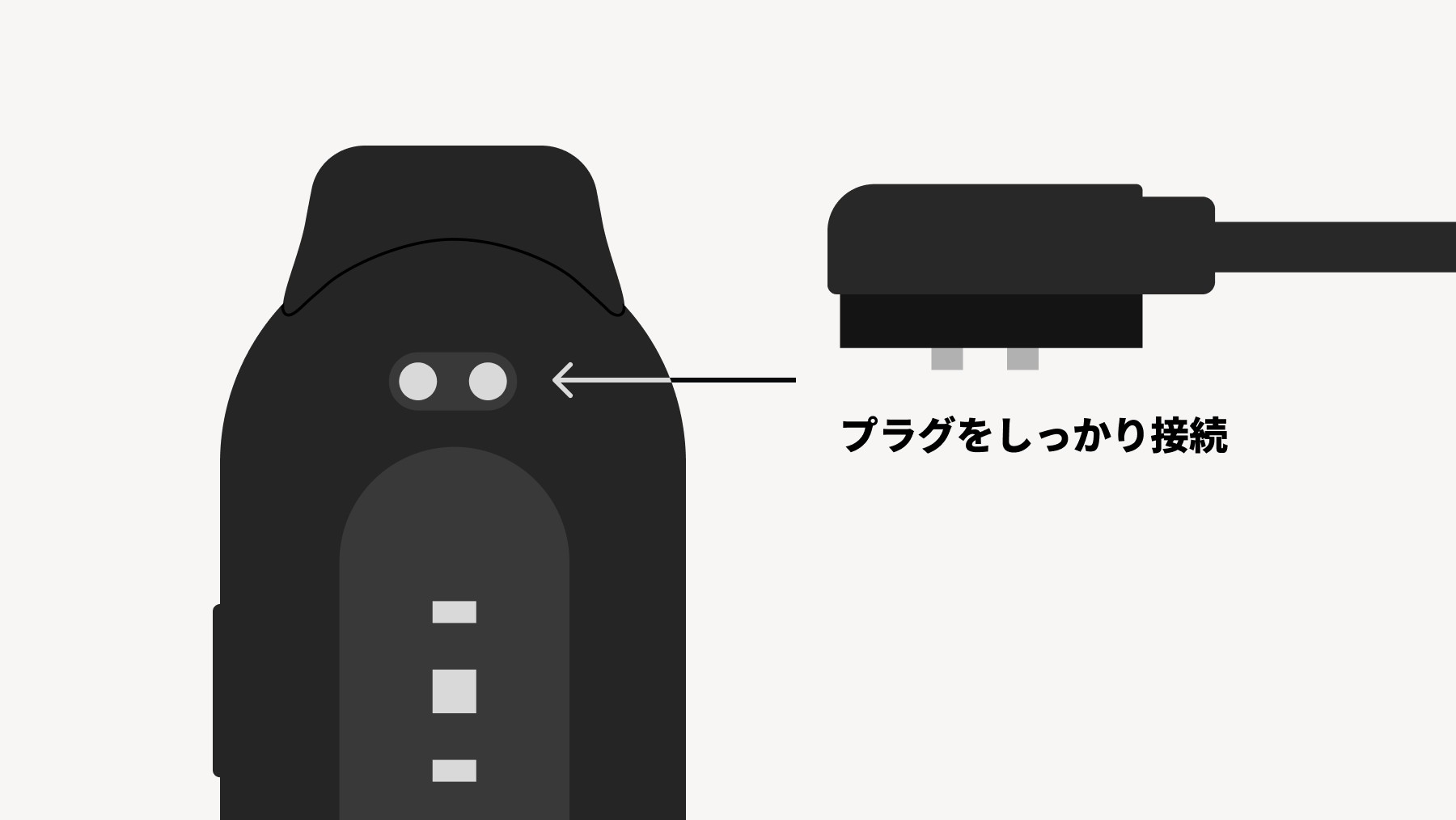
When charging, please make sure that the charging terminals of the main unit and the dedicated magnetic plug are in firm contact.
1.4 Description of Basic Operations
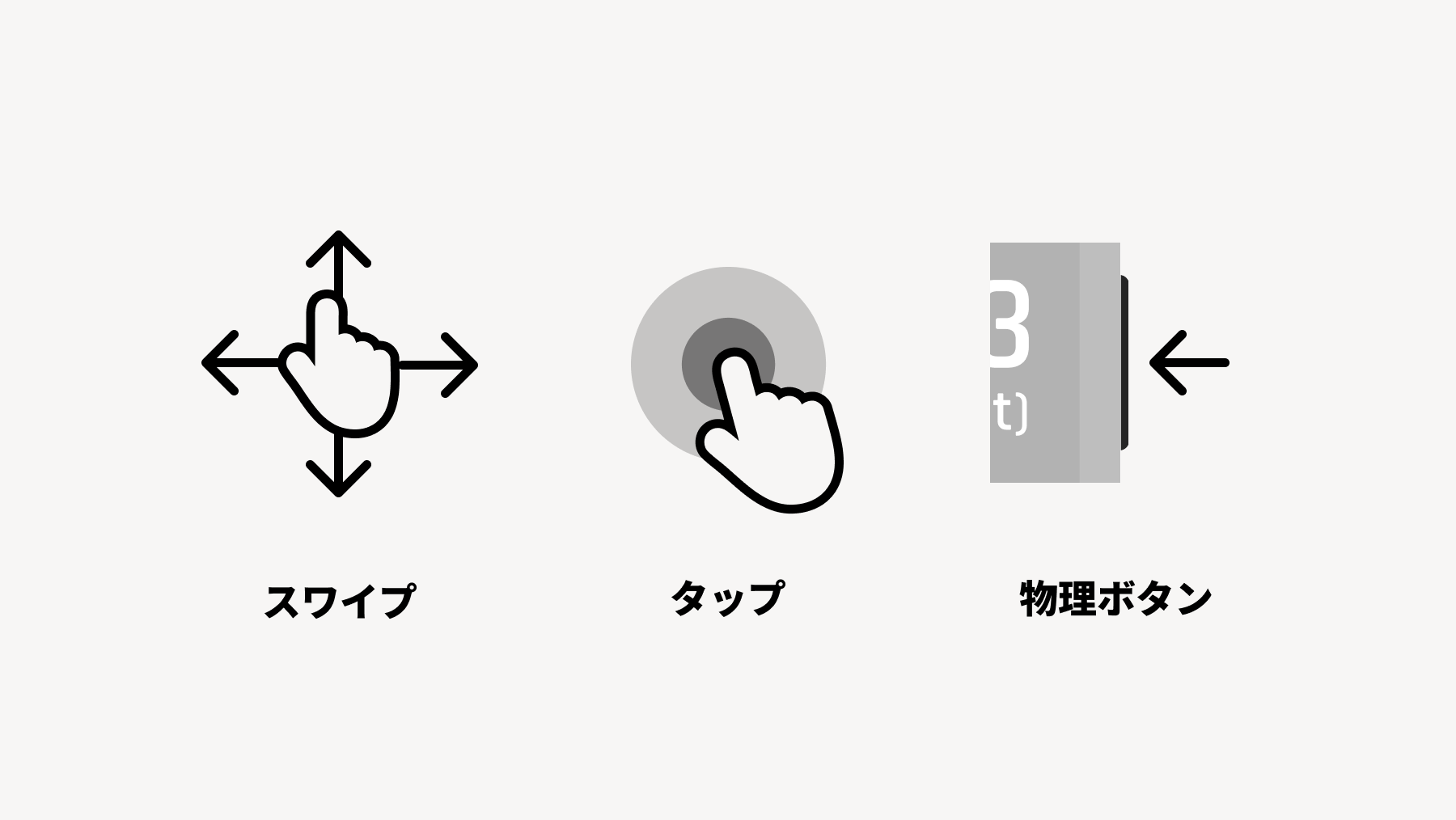
Types of Operations
Swipe
Swipe Left/Right
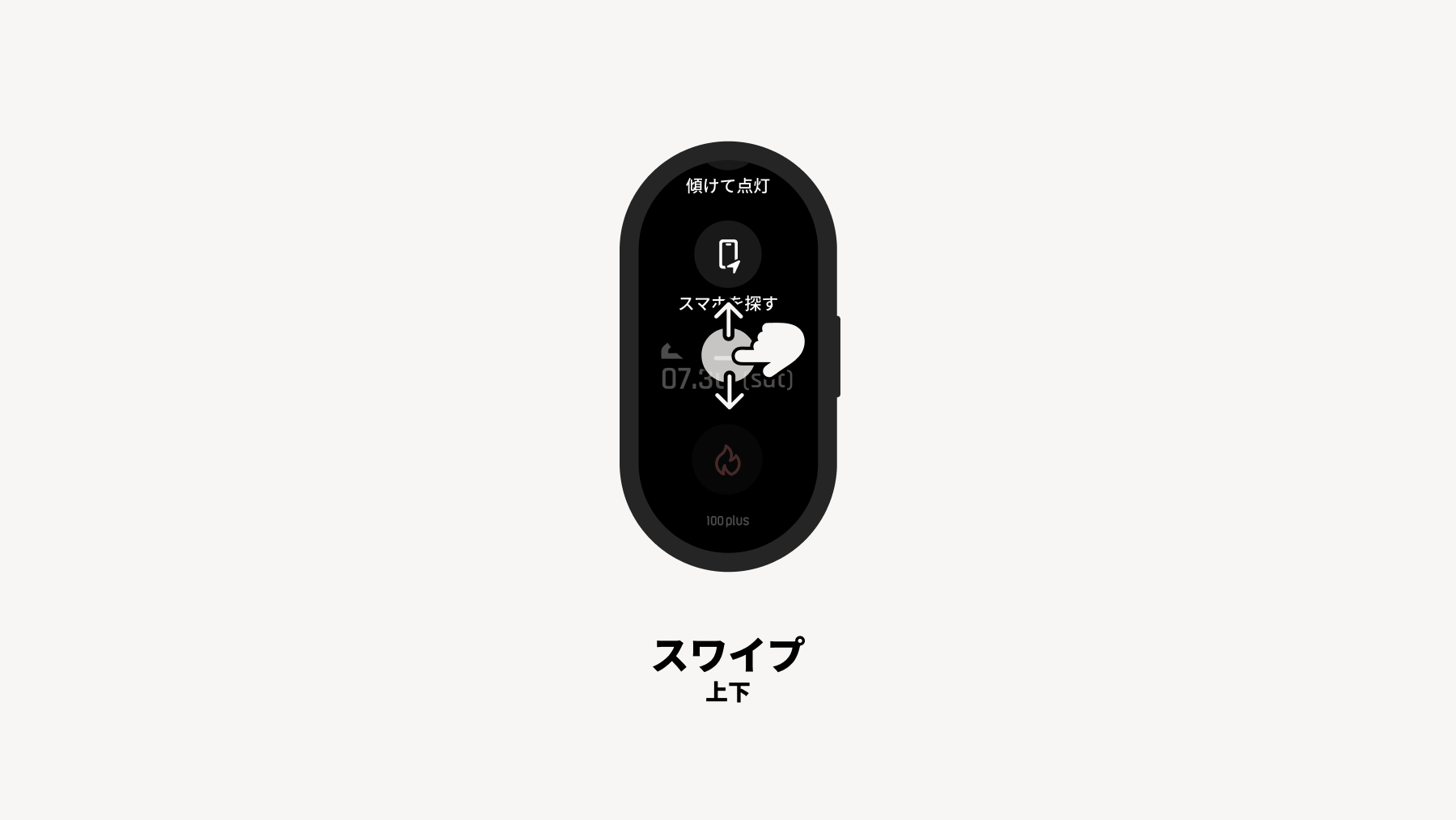
Swipe Up/Down
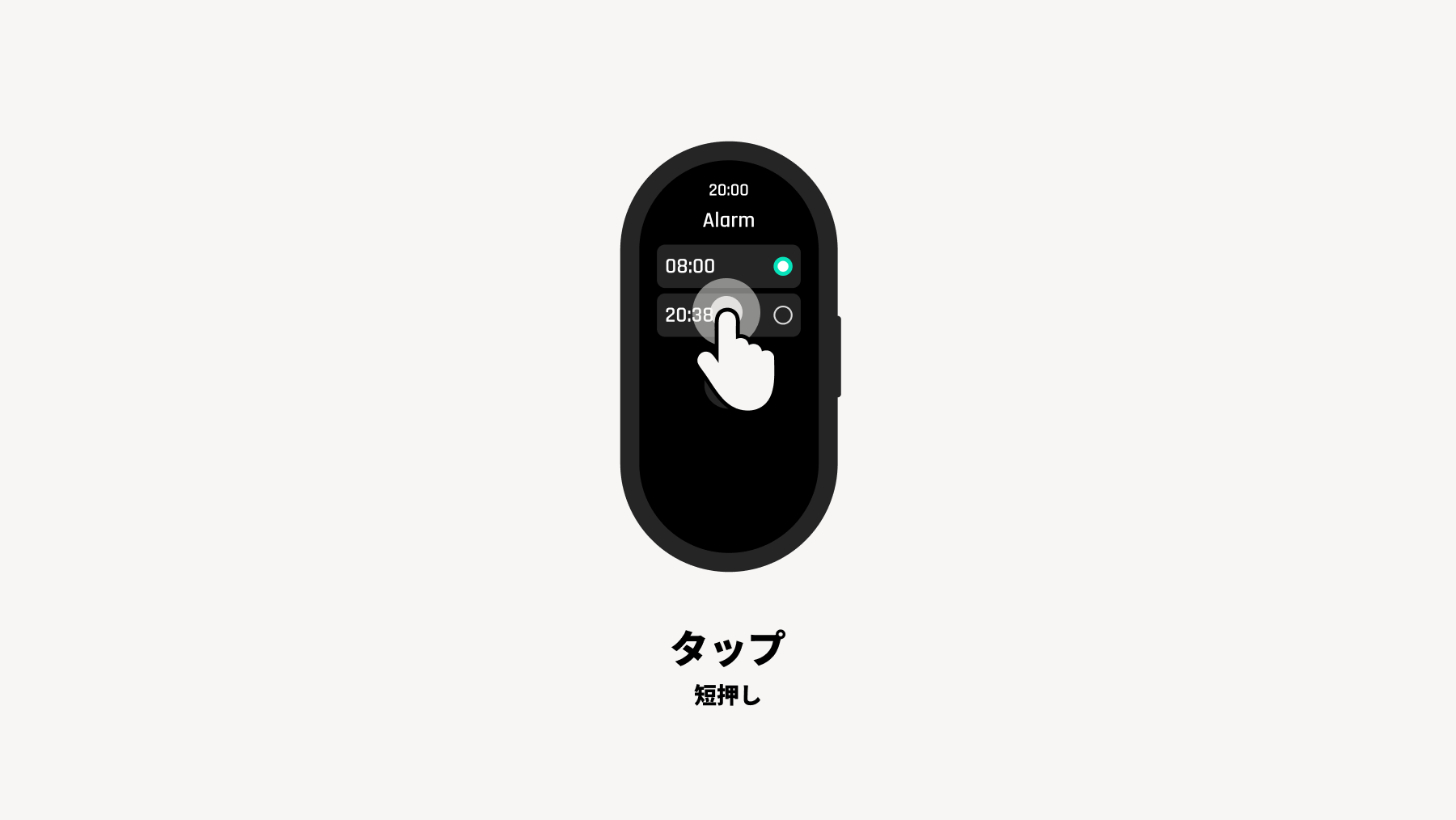
Tap
Short press
Long press (3 seconds)
Physical Button
Short press
Long press (3 seconds)
Basic Operations
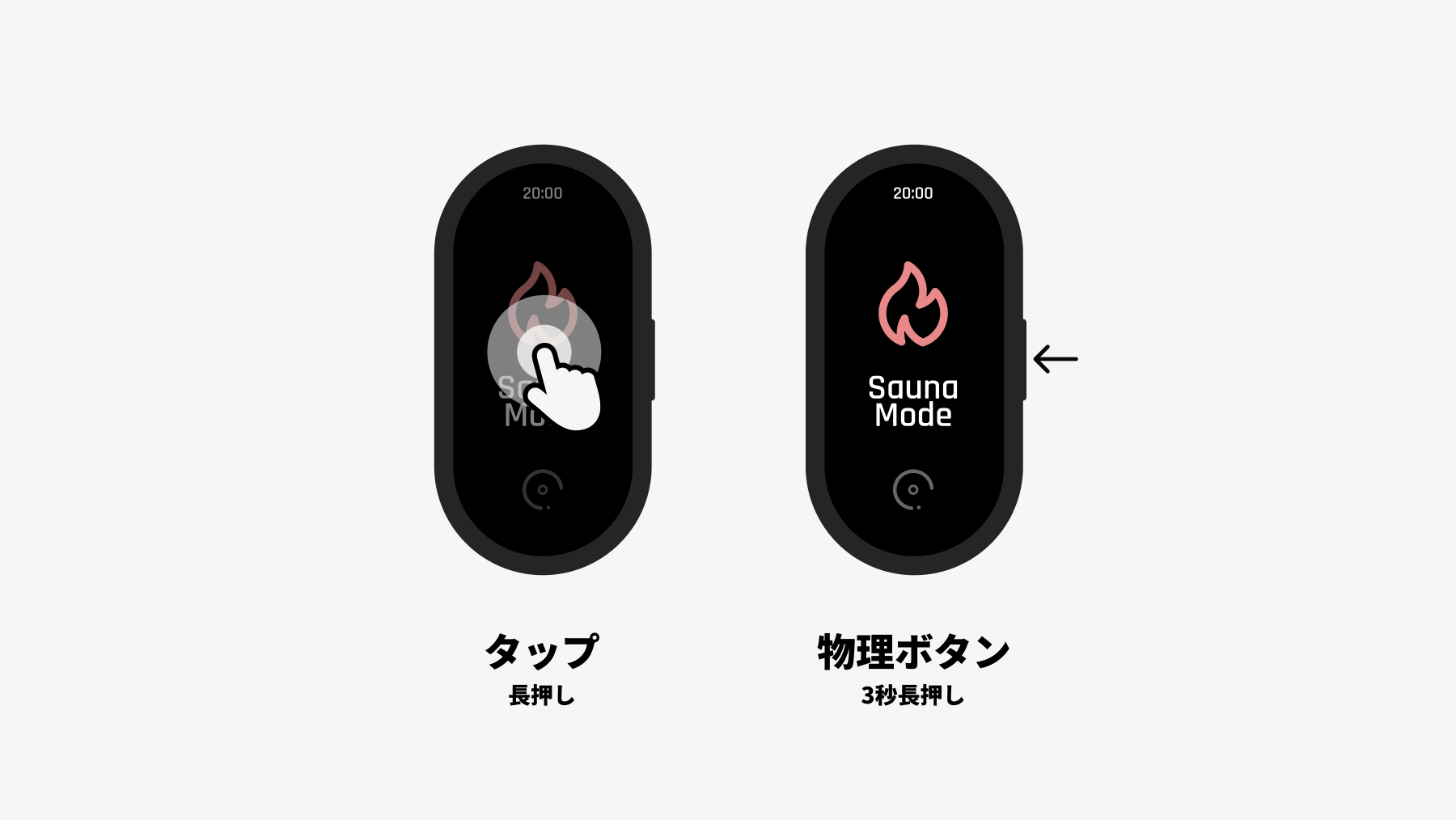
Enter/Exit Mode
Long press physical button (3 seconds) or long press tap
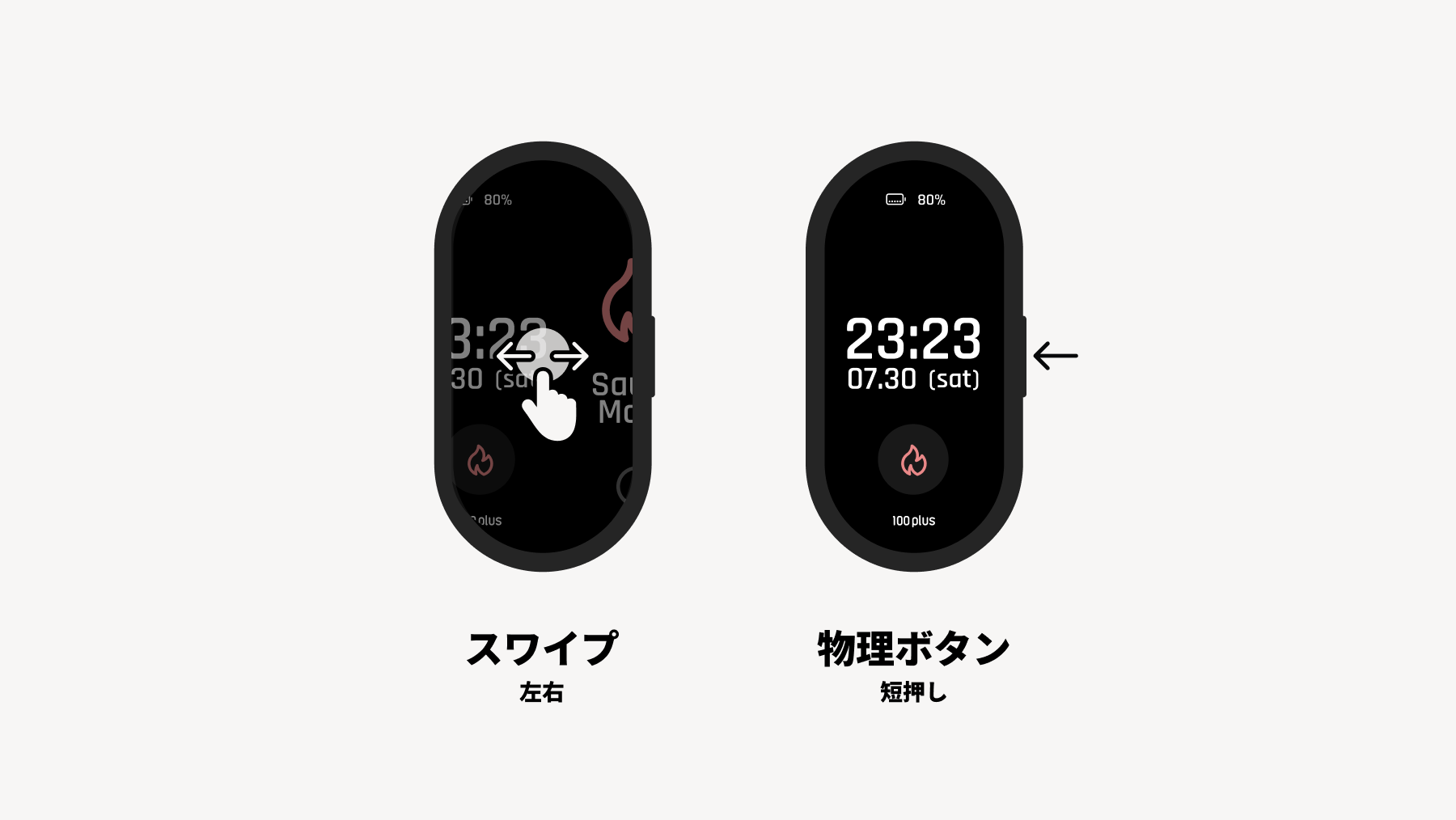
Navigation within the first level
Swipe left/right or short press physical button
Opening and closing modals
Swipe up/down
Select
Tap
2. Explanation of Functions and Modes
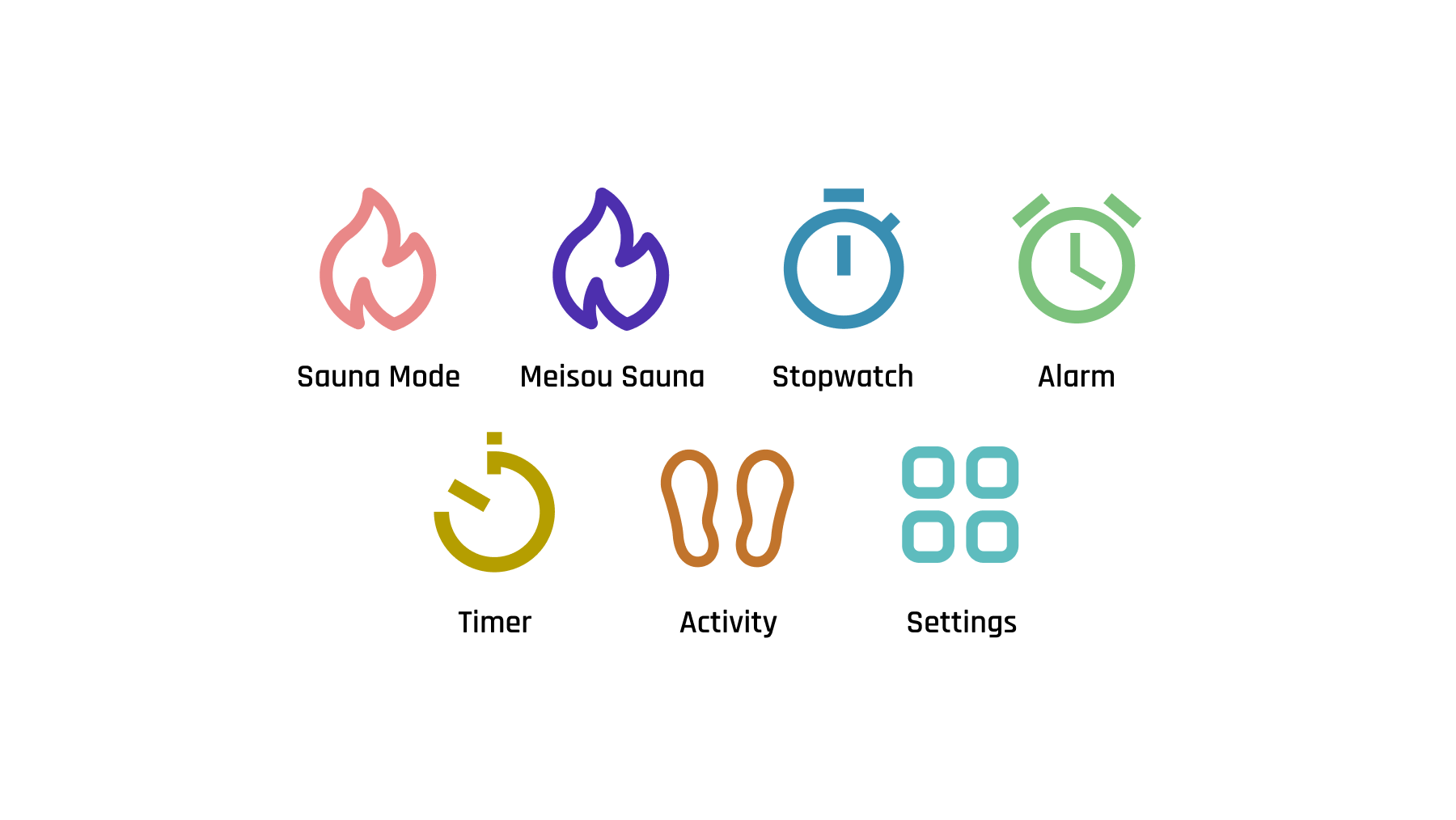
In addition to Home, there are 7 modes: Sauna Mode, Meditative Sauna Mode, Stopwatch, Alarm, Timer, Activity Measurement, and Settings.
*By default, all modes are displayed, but you can select which modes to show from "Settings" (for details, see section "2.9 Settings").
2.1 Watch Face (Home)
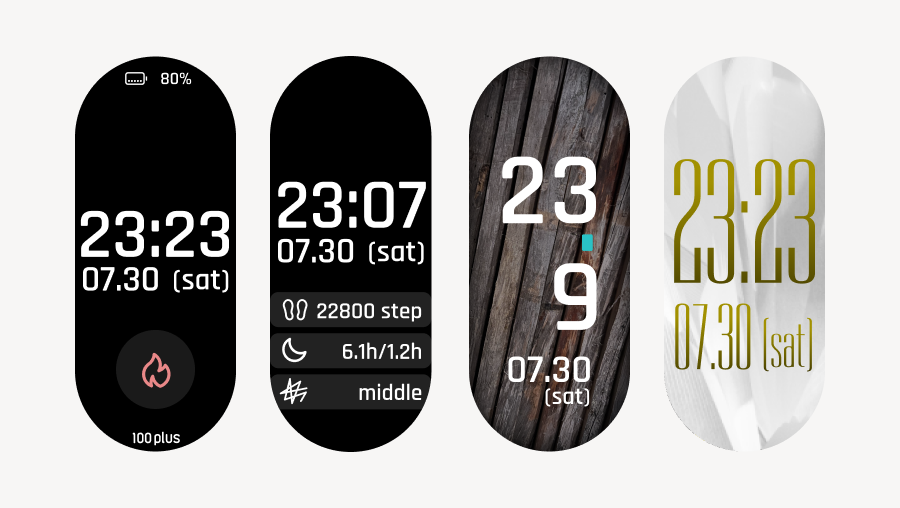
The watch face screen displays the date and time.
You can also choose a watch face design that displays sleep and Activity Summary.
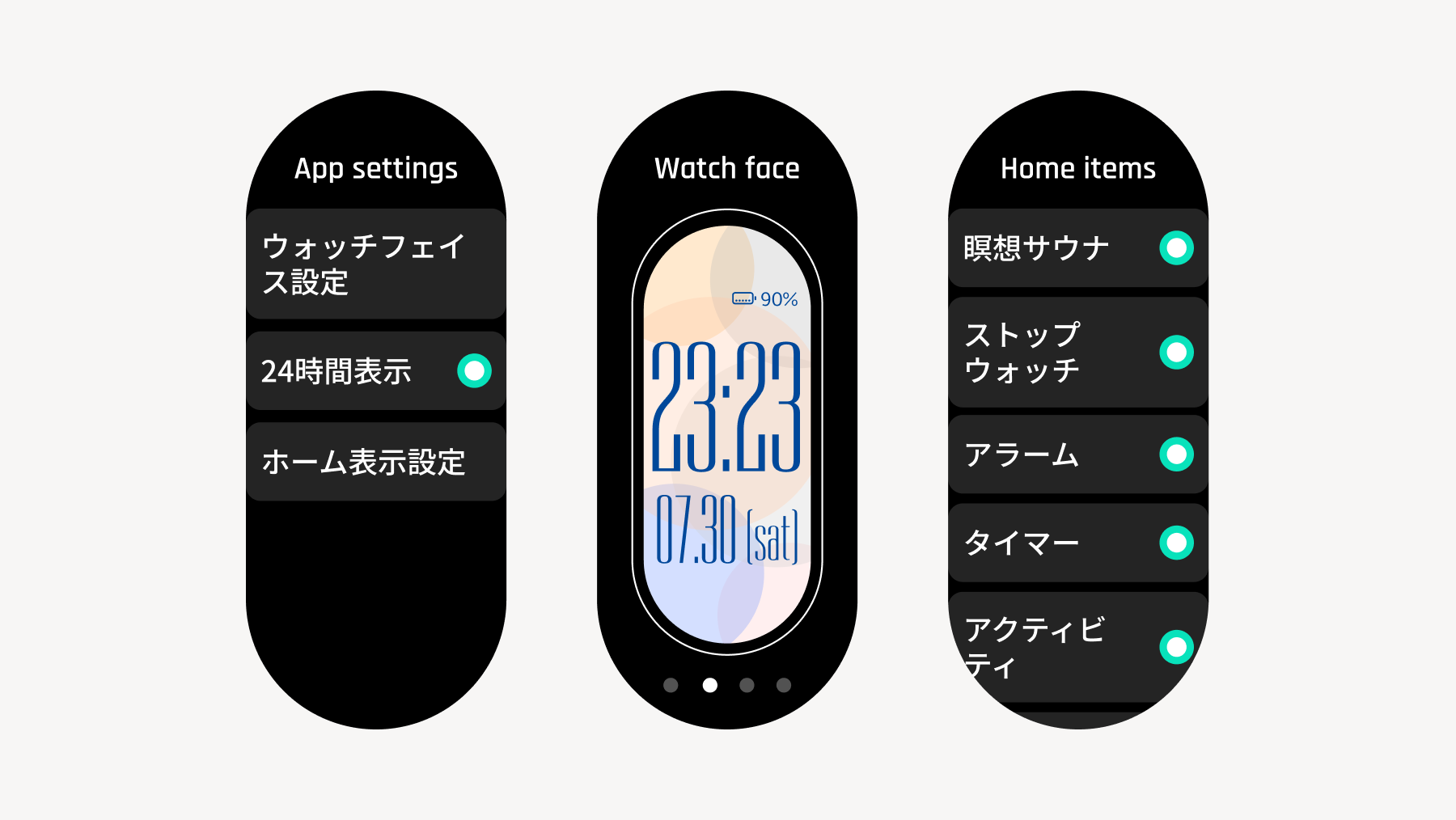
You can select the design from "Watch Face Settings" within "App Display Settings" under "Settings" (for details, see section "2.9 Settings").
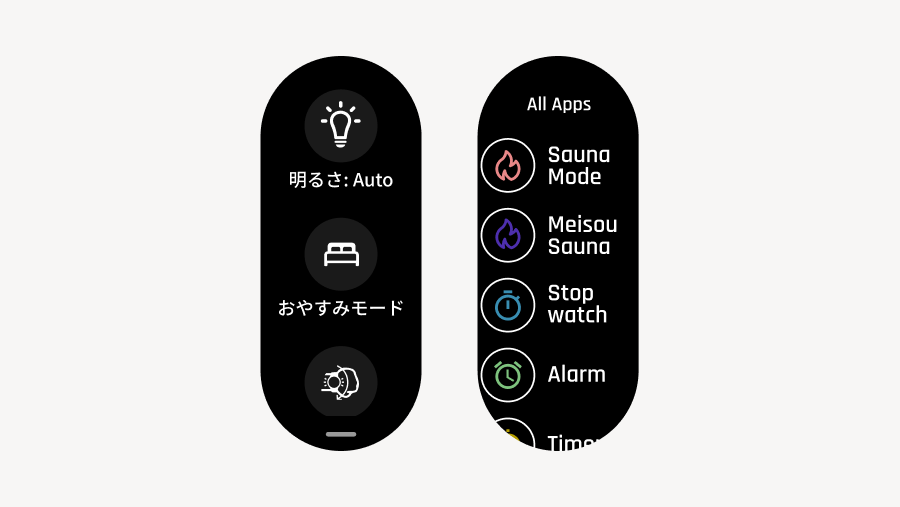
From the watch face screen, you can access two shortcut screens by swiping up or down on the screen.
Quick Access Screen
: Access by swiping down from the top of the screen
Settings such as screen brightness, Do Not Disturb mode, and tilt-to-wake can be changed with a single tap.
Find My Phone: When connected to the Sanokuni app, you can trigger a notification sound or vibration on your phone.
App List Screen
: Access by swiping up from the bottom of the screen
Function List: Displays the features of sauna device-3.
2.2 Sauna Mode
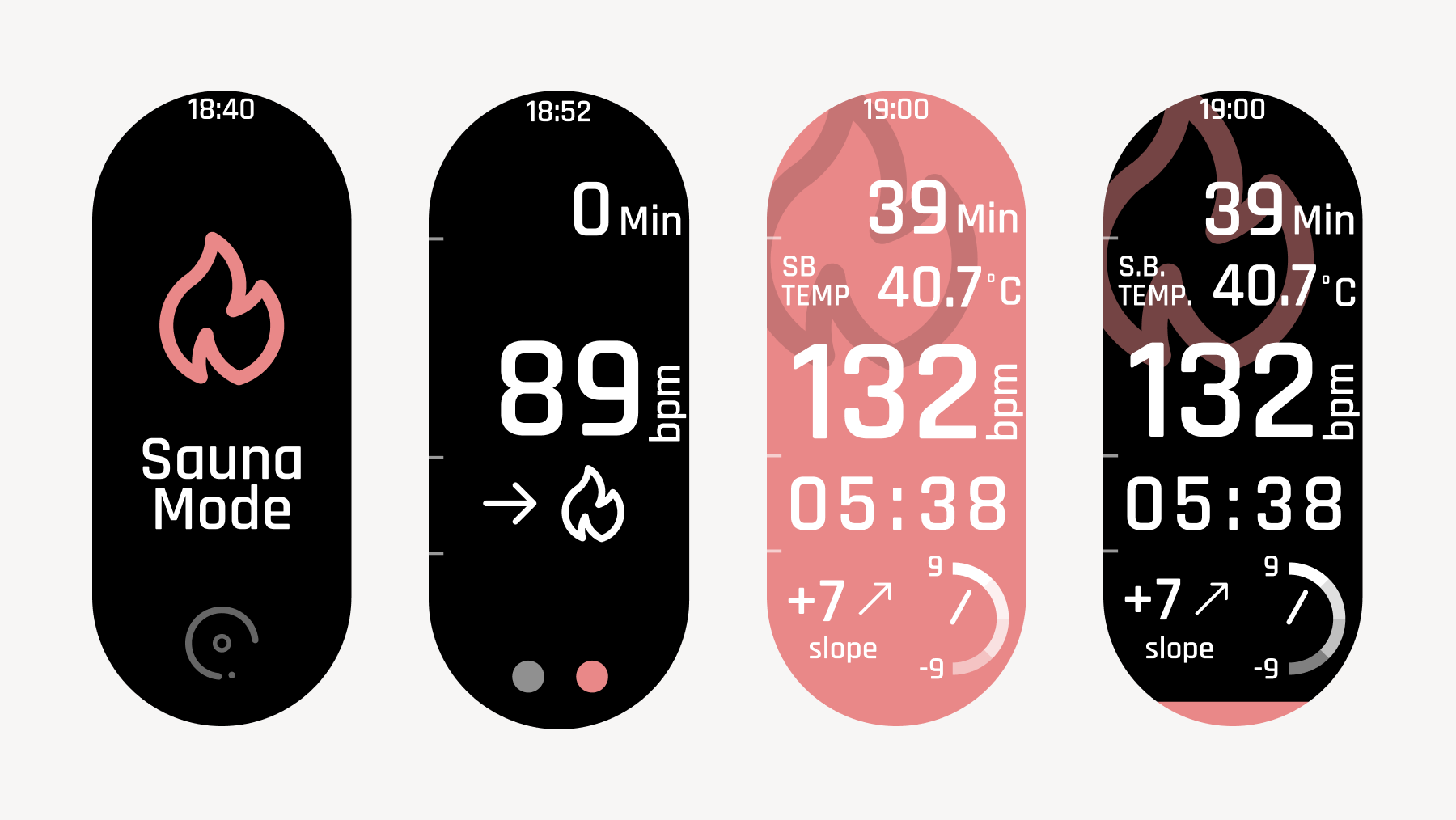
This mode measures and displays your heart rate, skin temperature, heart rate slope, and stress level for each action: sauna, cold bath, and rest. By linking with the "Sanokuni" app after recording, you can view and record your "T-Flow Score" and heart rate graph.
To start, press and hold the circle at the bottom of the touch screen for 3 seconds, or press and hold the physical button for 3 seconds on the top screen of Sauna Mode.
You can configure the sauna mode design from the "Sanokuni" app. (For details, refer to the "Setup" -> "Various Settings in the App" section.)
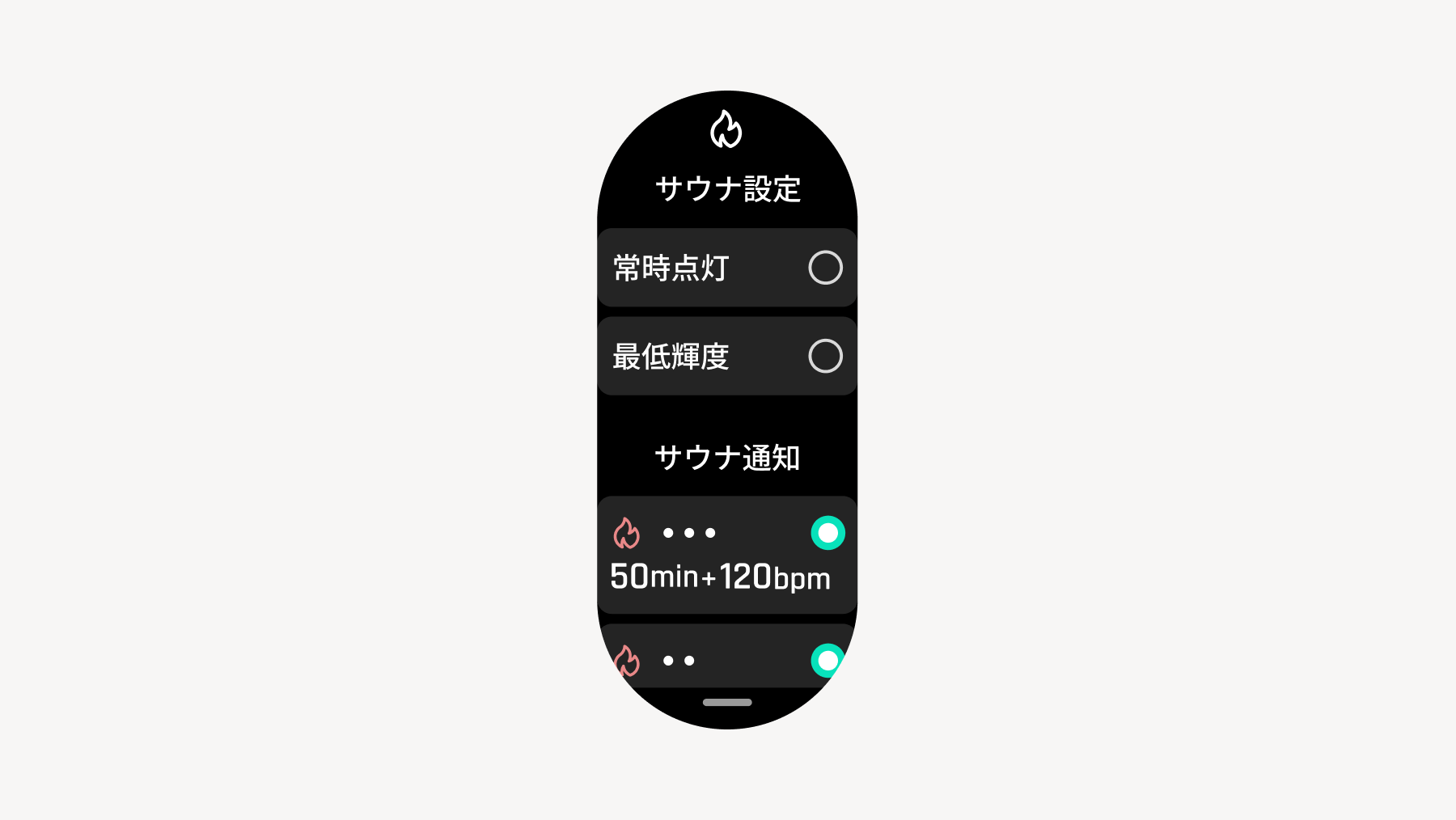
From the top screen of the sauna mode, you can open the settings screen related to the sauna mode.
Screen brightness during sauna mode and ON/OFF settings for always-on display
ON/OFF of sauna notification settings configured in the app
For details on how to use it, refer to the "4. Using in the Sauna" section.
[Detailed Specifications]
In sauna mode, measurement is possible for up to 8 hours at a time. The sauna mode will automatically end after 8 hours.
During sauna mode and meditation sauna mode, alarms and Do Not Disturb mode are deactivated.
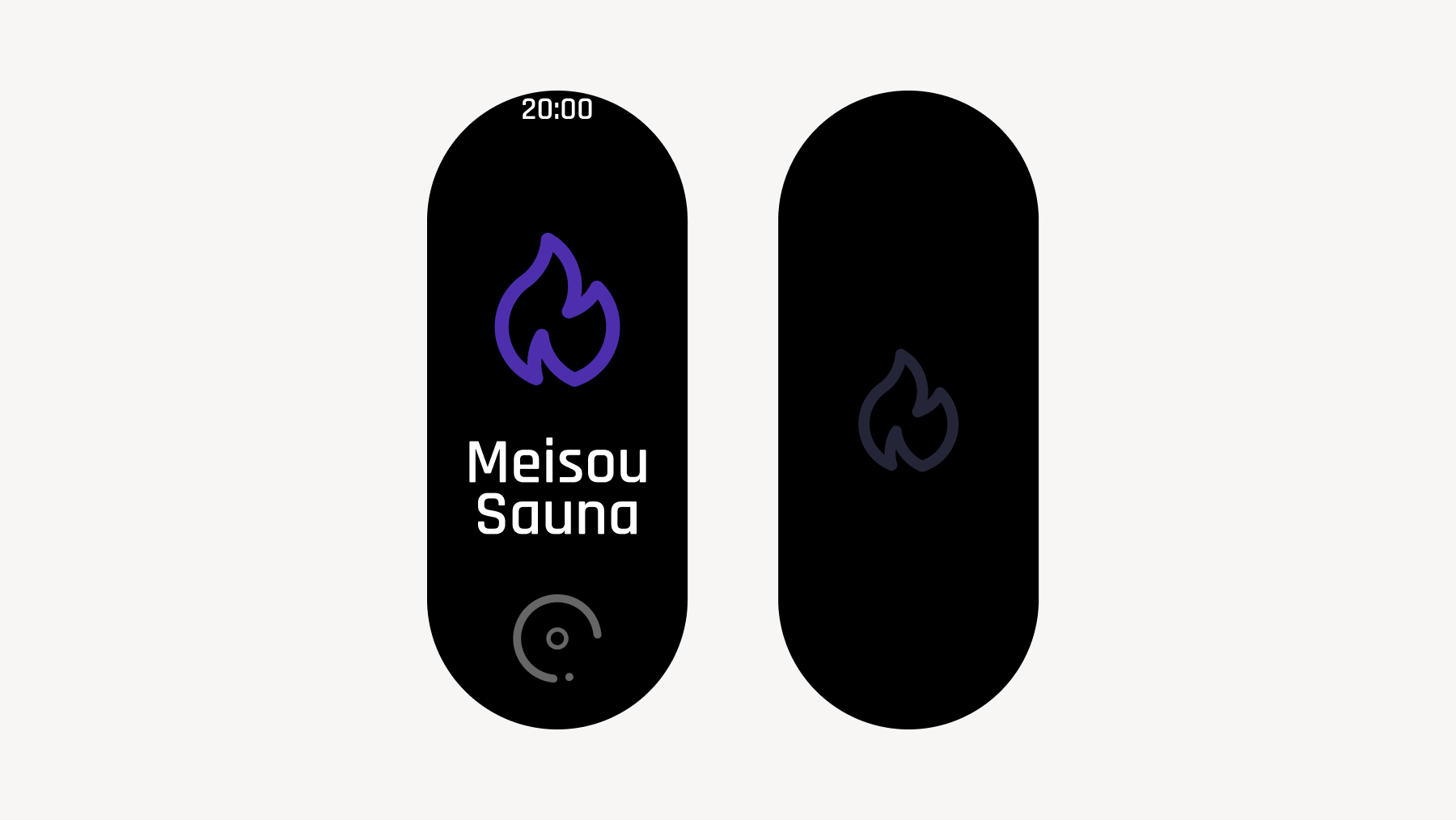
2.3. Meditation Sauna Mode
This mode is used when you want to take a sauna session without being restricted by heart rate or time.
The same data as in sauna mode can be acquired, but time and heart rate will not be displayed on the screen.
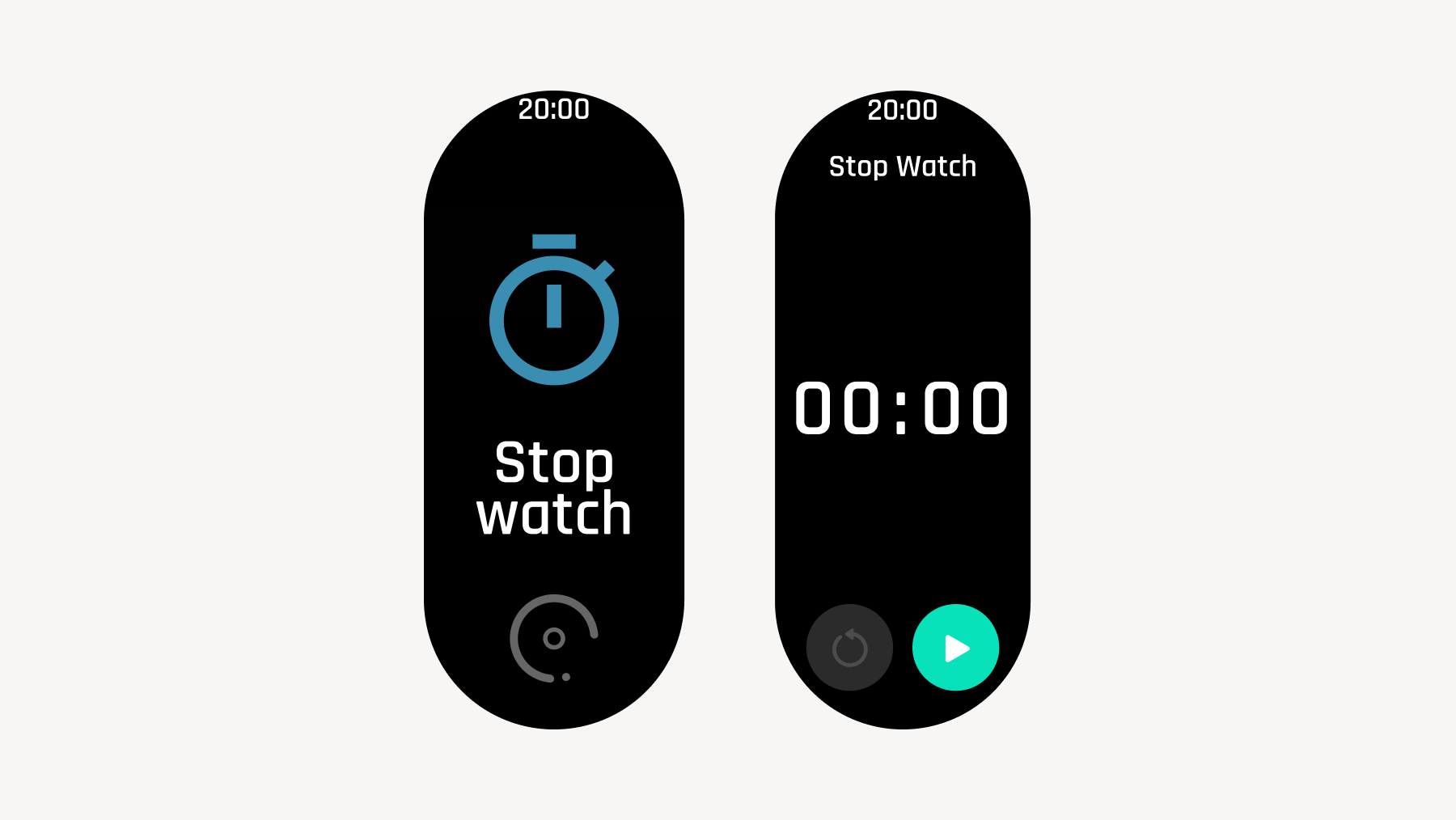
2.4 Stopwatch
Entering the stopwatch mode and pressing the start button starts the stopwatch, and pressing the pause button stops it.
Pressing the "Lap" button also allows you to measure lap times.
Press the "Reset" button to reset, then perform the exit operation to end the mode.
The measured times and laps are not saved or synced to the app. They will be lost when you exit the mode.
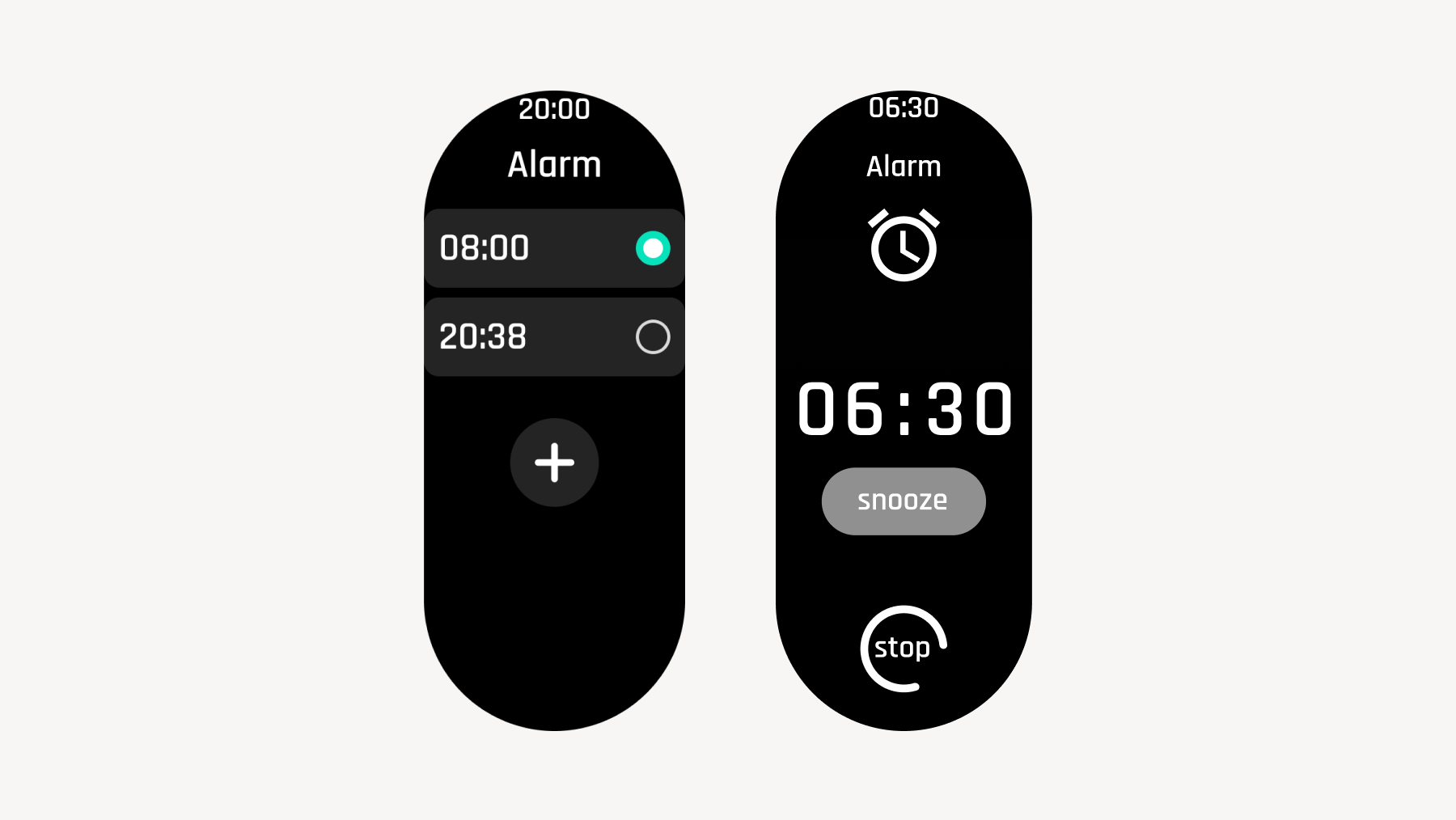
2.5 Alarm (Wake-up)
This is a feature that allows you to use the sauna device-3 as an alarm clock. You can set the alarm by pressing the plus button on the screen.
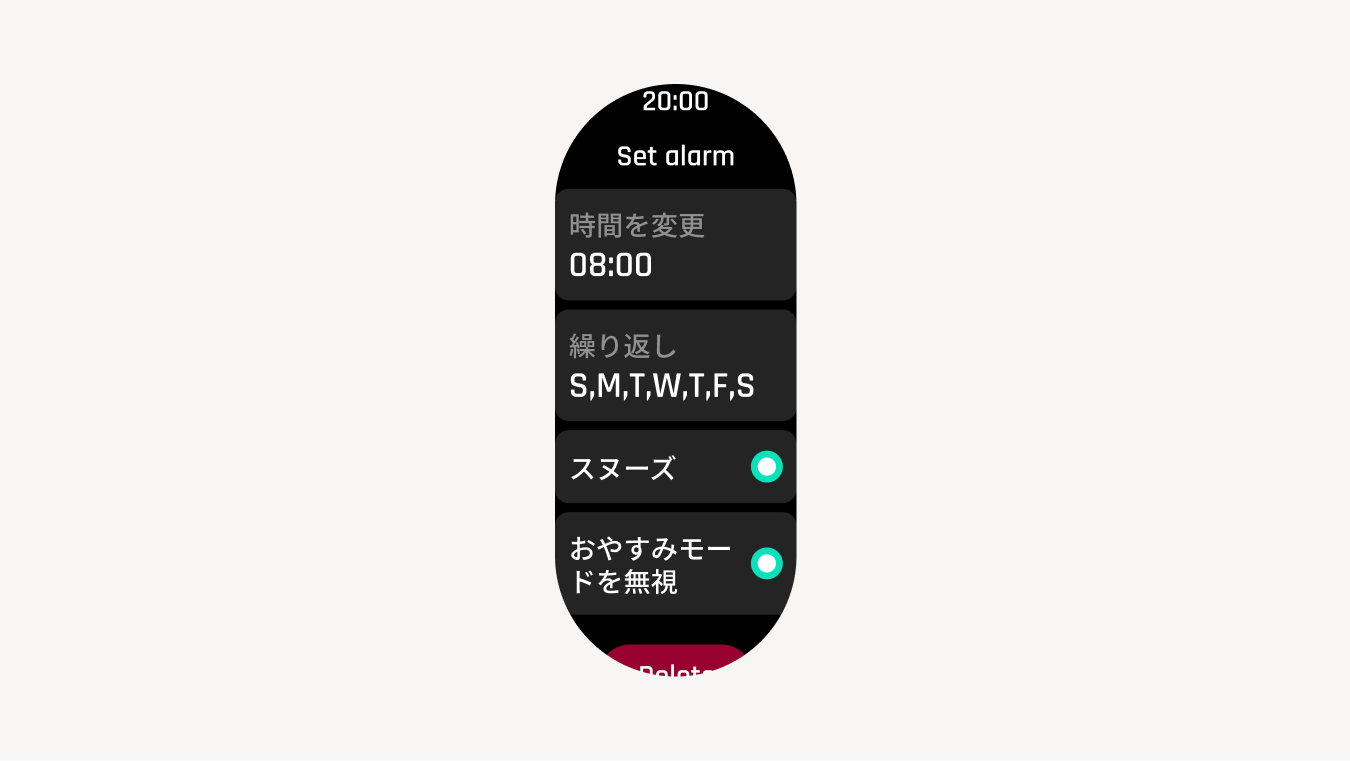
On the alarm settings screen, you can configure repeat settings, days of the week, snooze ON/OFF, etc. You can also delete alarms that are no longer needed.
If you turn Snooze ON, the alarm will go off at 5-minute intervals.
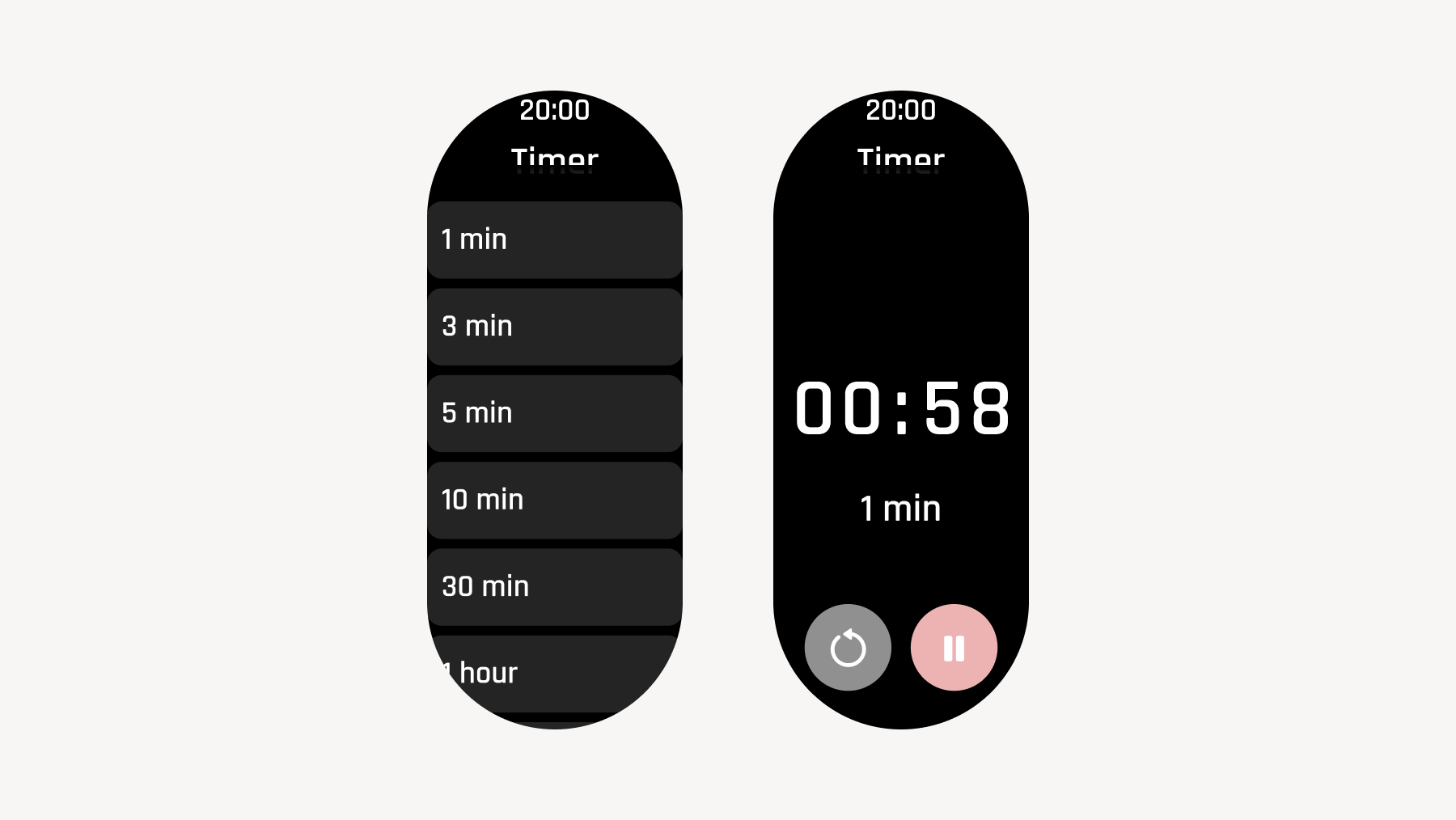
2.6 Timer
You can set the timer to any time you like. In addition to the default pre-set times, you can set custom times by pressing the plus button at the bottom of the screen.
[Detailed Specifications]
You cannot set a timer to the same time as an already existing default timer.
The maximum number of timers is 30. If you create a 31st timer, the oldest one will be automatically deleted.
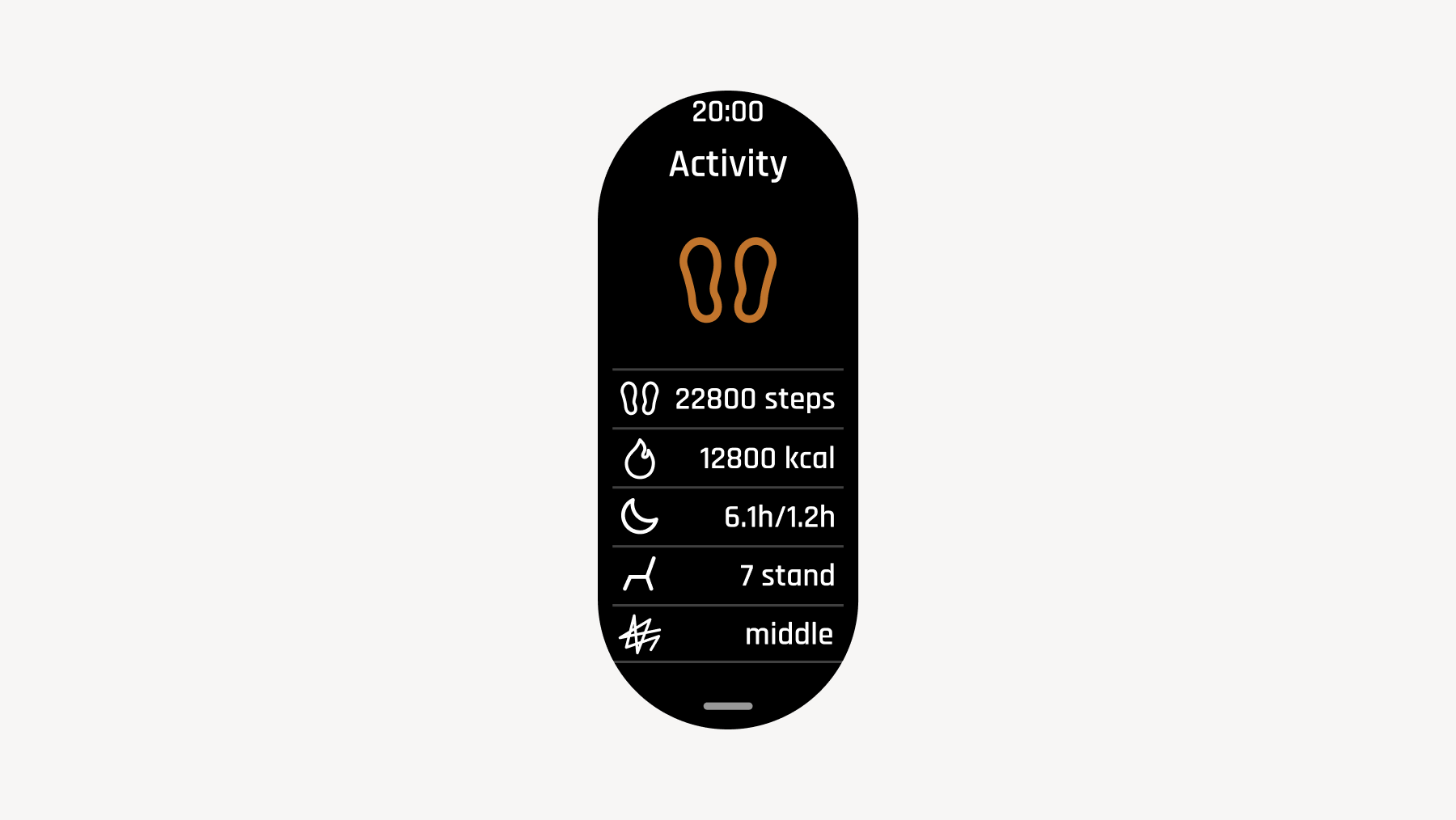
2.7 Activity Tracking
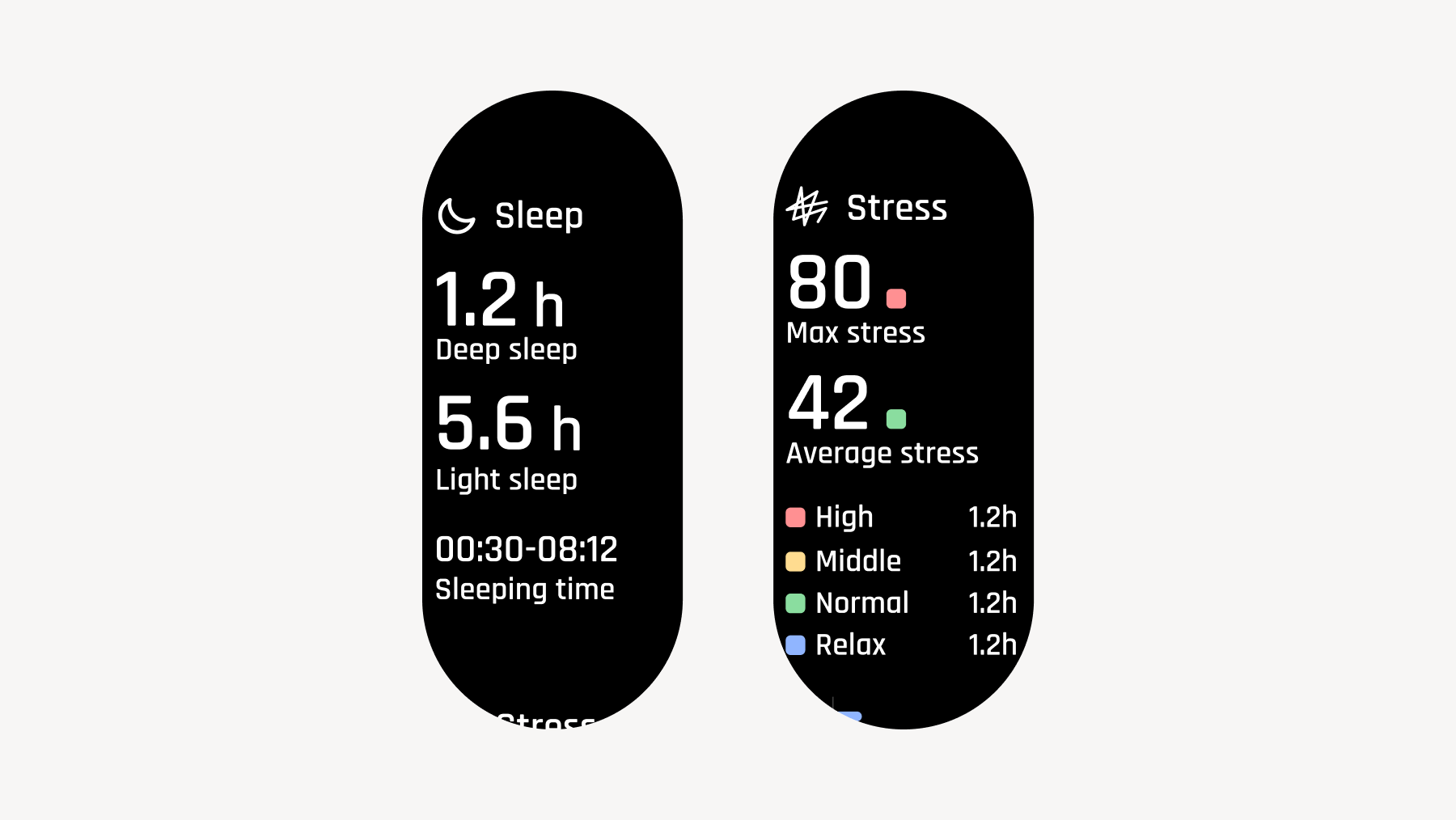
You can check your step count, calories burned, sleep duration, number of times you stood during the day, and stress level.
Step Count (Updated in real-time)
Calories Burned (Updated in real-time)
Total Sleep Duration: Calculated when waking up is detected in the morning
Stand Count: Calculated hourly. Counted as 1 stand if you stand at least once within an hour
Stress Level: The most recently measured stress level
If you scroll down, you can view details of your sleep duration and daily stress levels.
Sleep Duration: On the watch, total sleep duration, deep sleep, and light sleep times are displayed. For details on sleep data, please check 'Sleep Log' in the 'Sanokuni' app.
Stress: Displays daily stress levels. Because it retrieves representative values every hour, please refer to them as highlights of that hour.
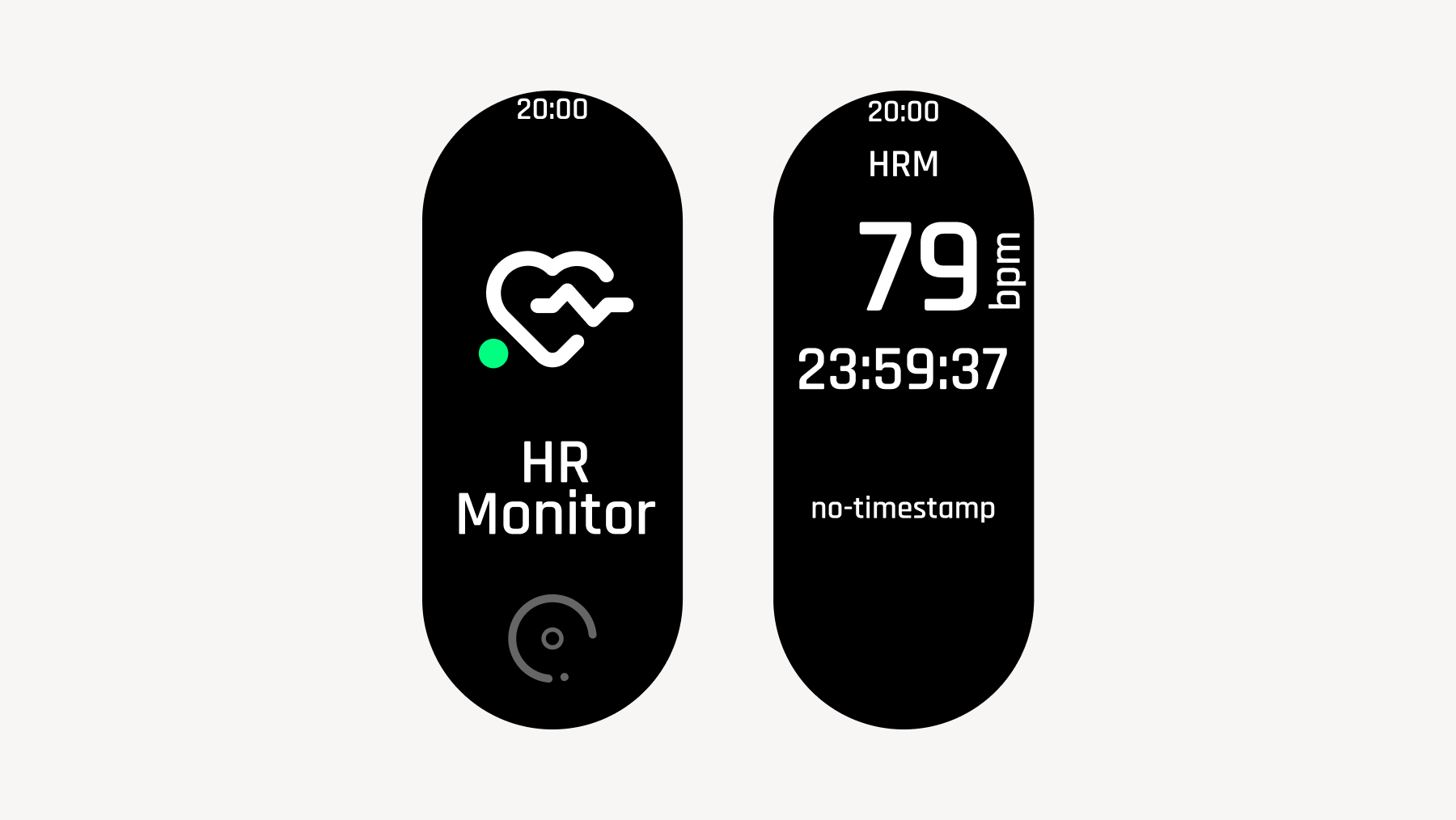
2.8 HR Monitor
This function allows you to freely measure heart rate and lap times even during activities other than sauna sessions.
Up to 20 lap times can be measured; any further laps will automatically overwrite the oldest ones.
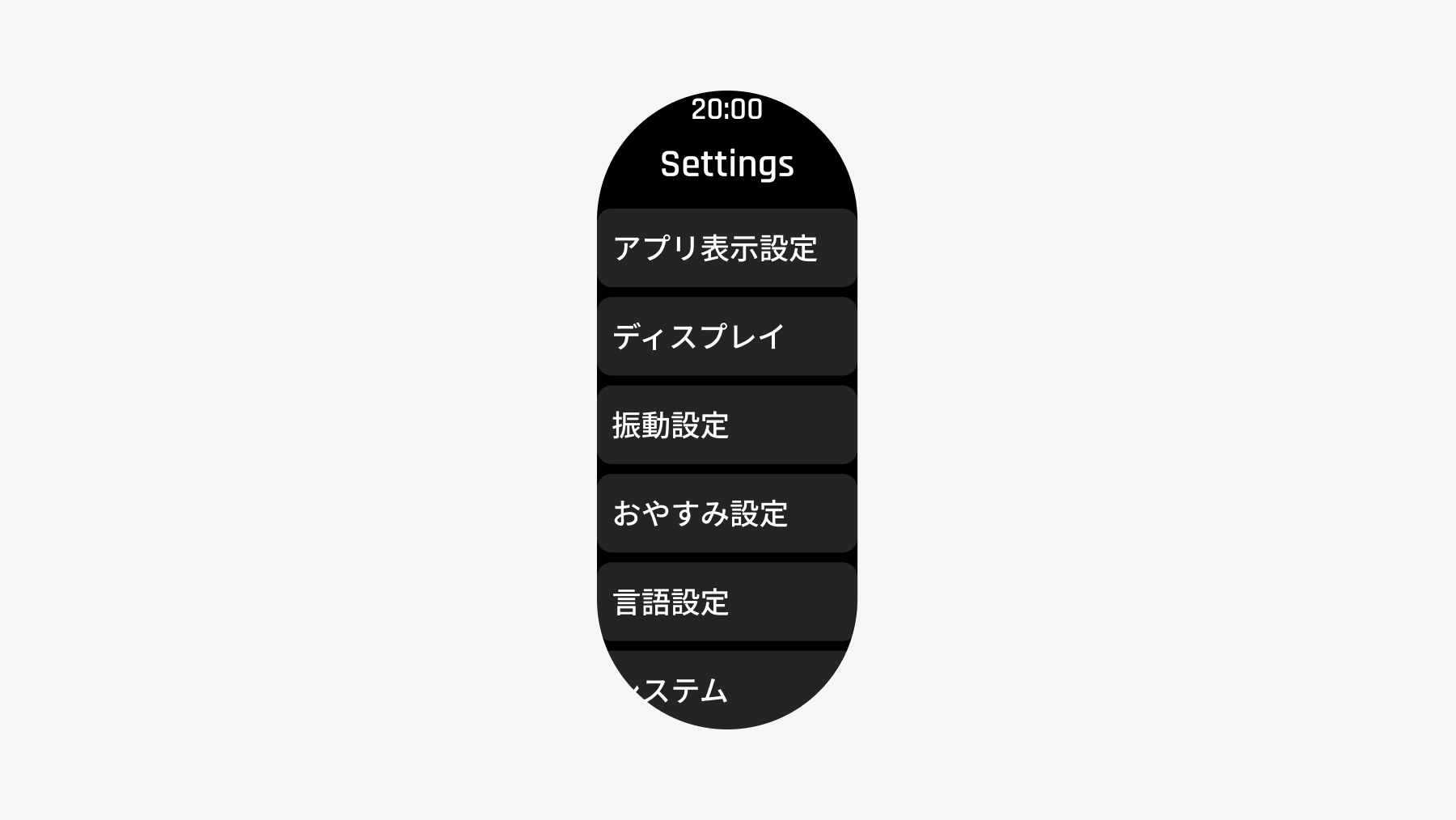
2.9 Settings (Watch Settings)
App Display Settings:
Configure watch face and Home display (the mode displayed in the Home screen layout) settings.
Display:
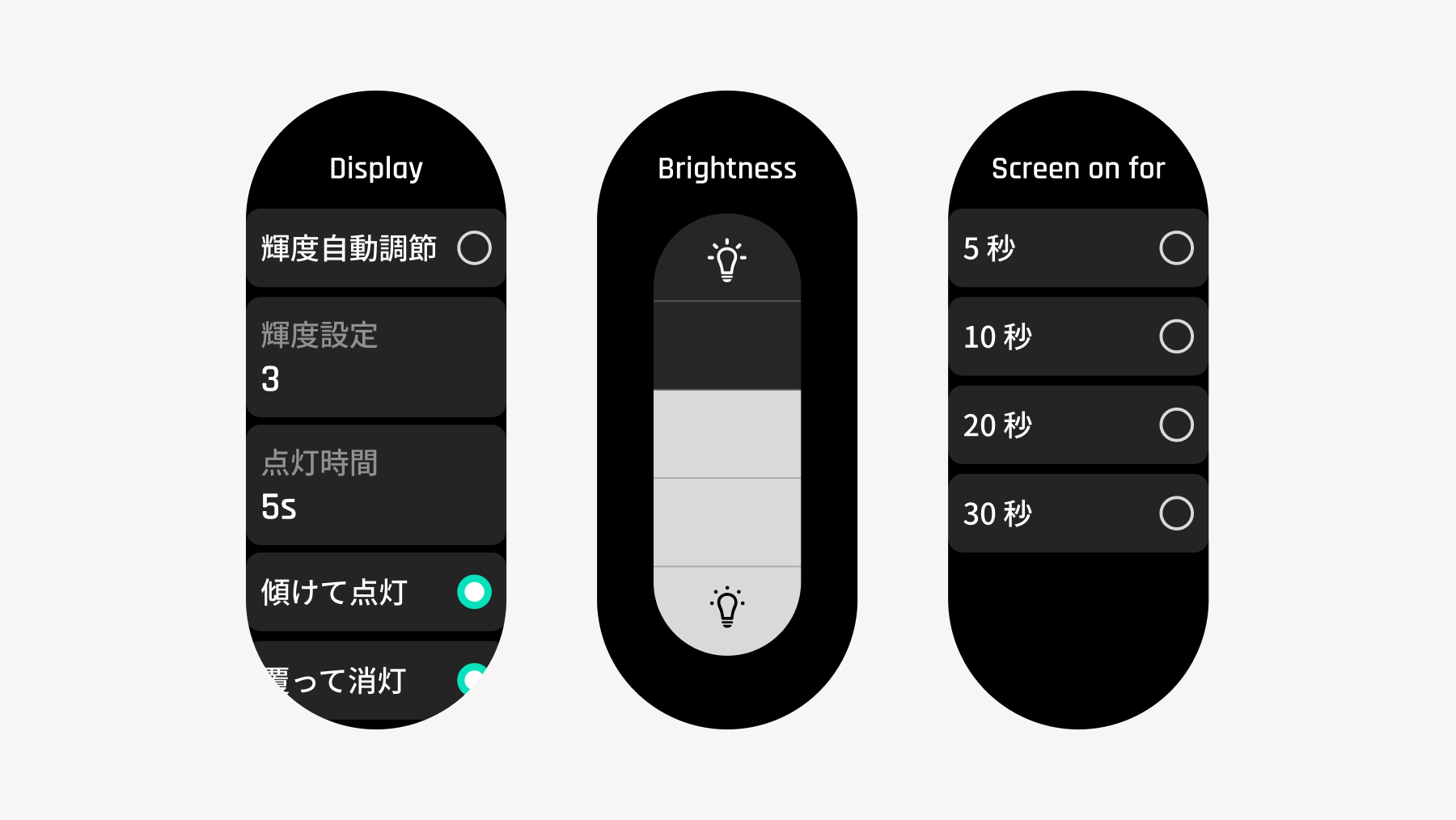
Watch display brightness, screen-on time, and ON/OFF settings for "Tilt to Wake" and "Cover to Sleep".
With "Auto" brightness, the display brightness is adjusted automatically according to the ambient light.
Vibration Settings:
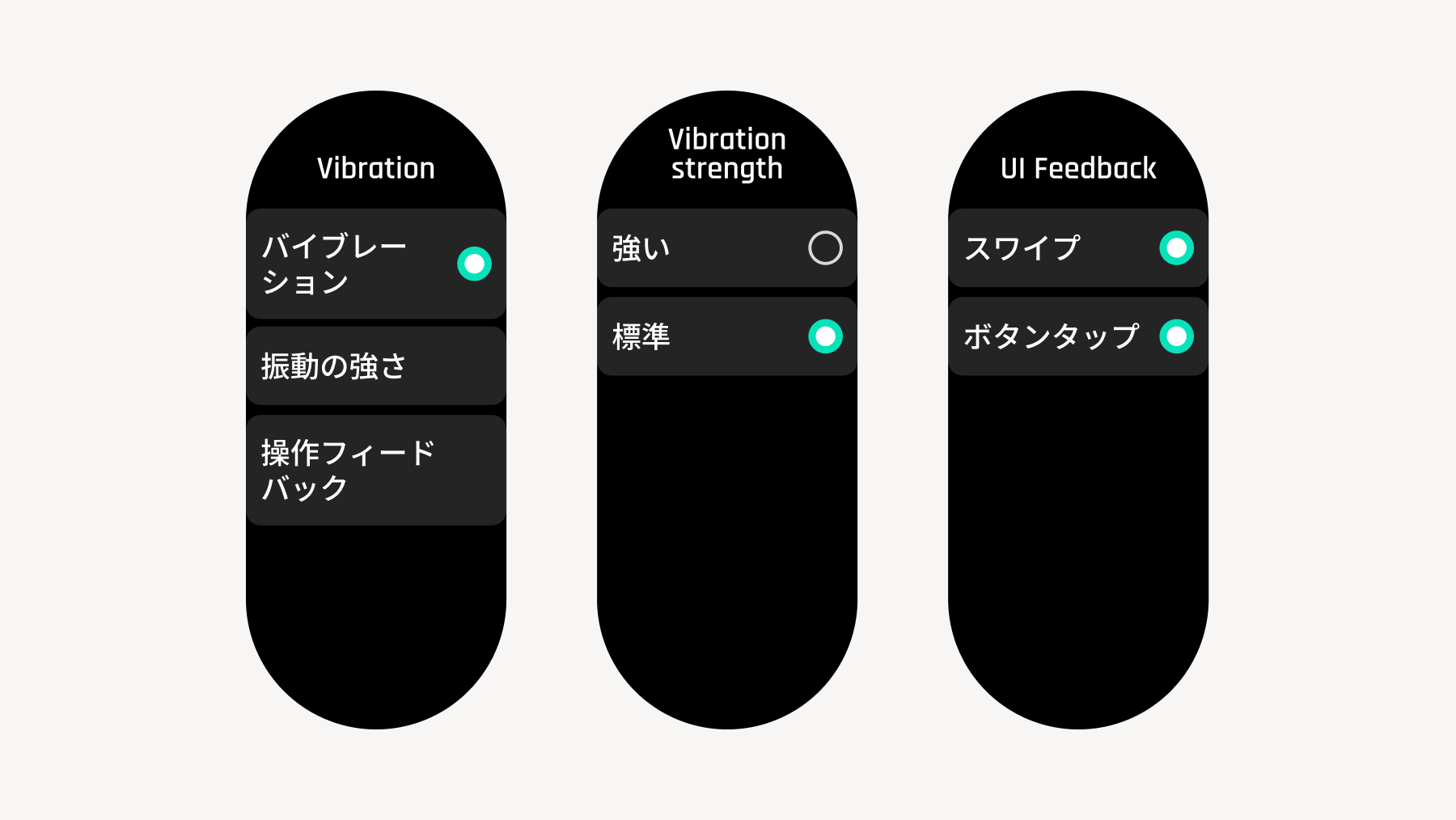
Configure vibration ON/OFF, strong/weak intensity, and haptic feedback settings.
Do Not Disturb Settings:
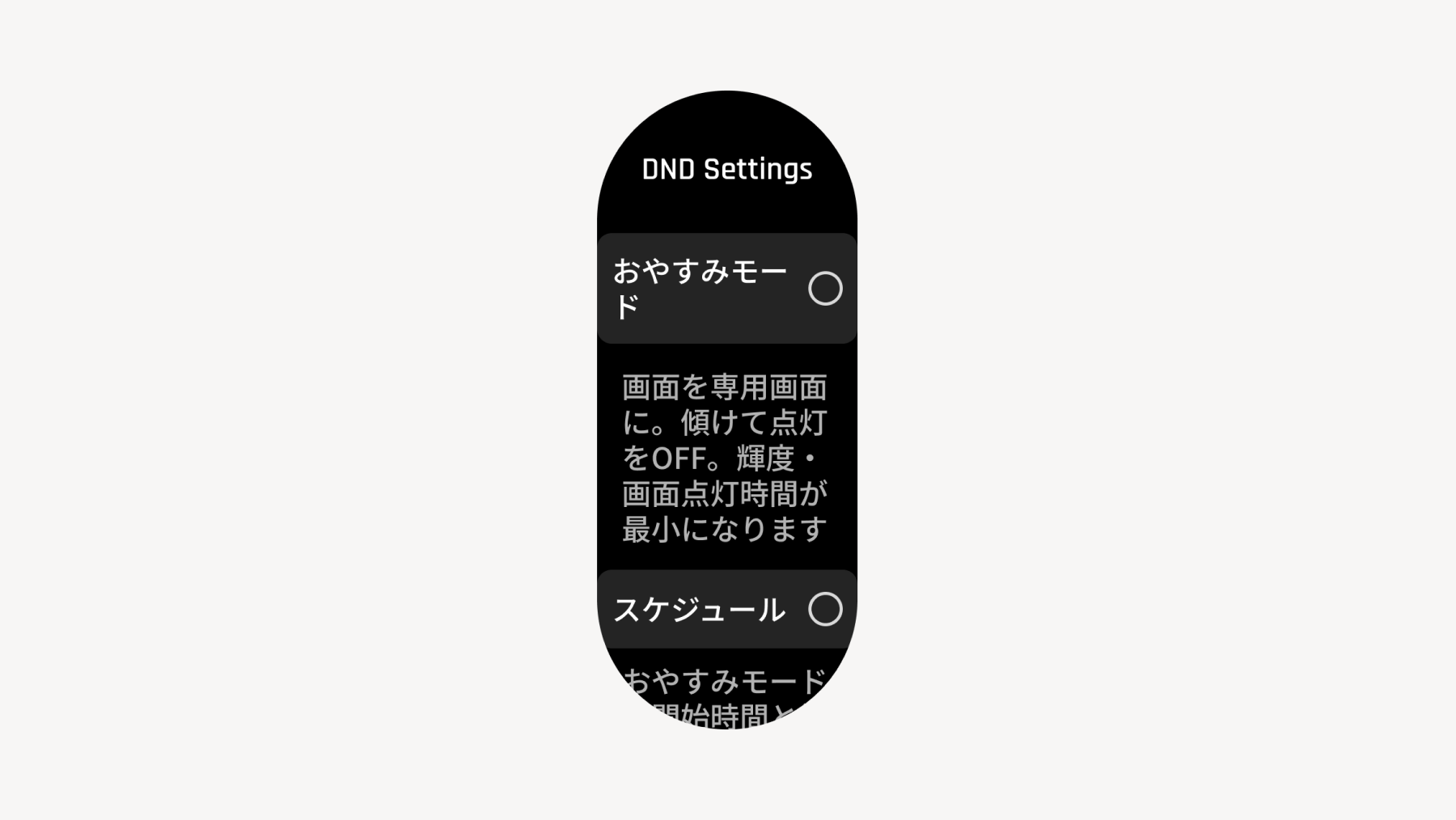
Configure Do Not Disturb settings.
Schedule: Enters Do Not Disturb mode at scheduled times.
Sleep Detection: Automatically enters Do Not Disturb mode when sleep (prolonged inactivity) is detected.
Language Settings:
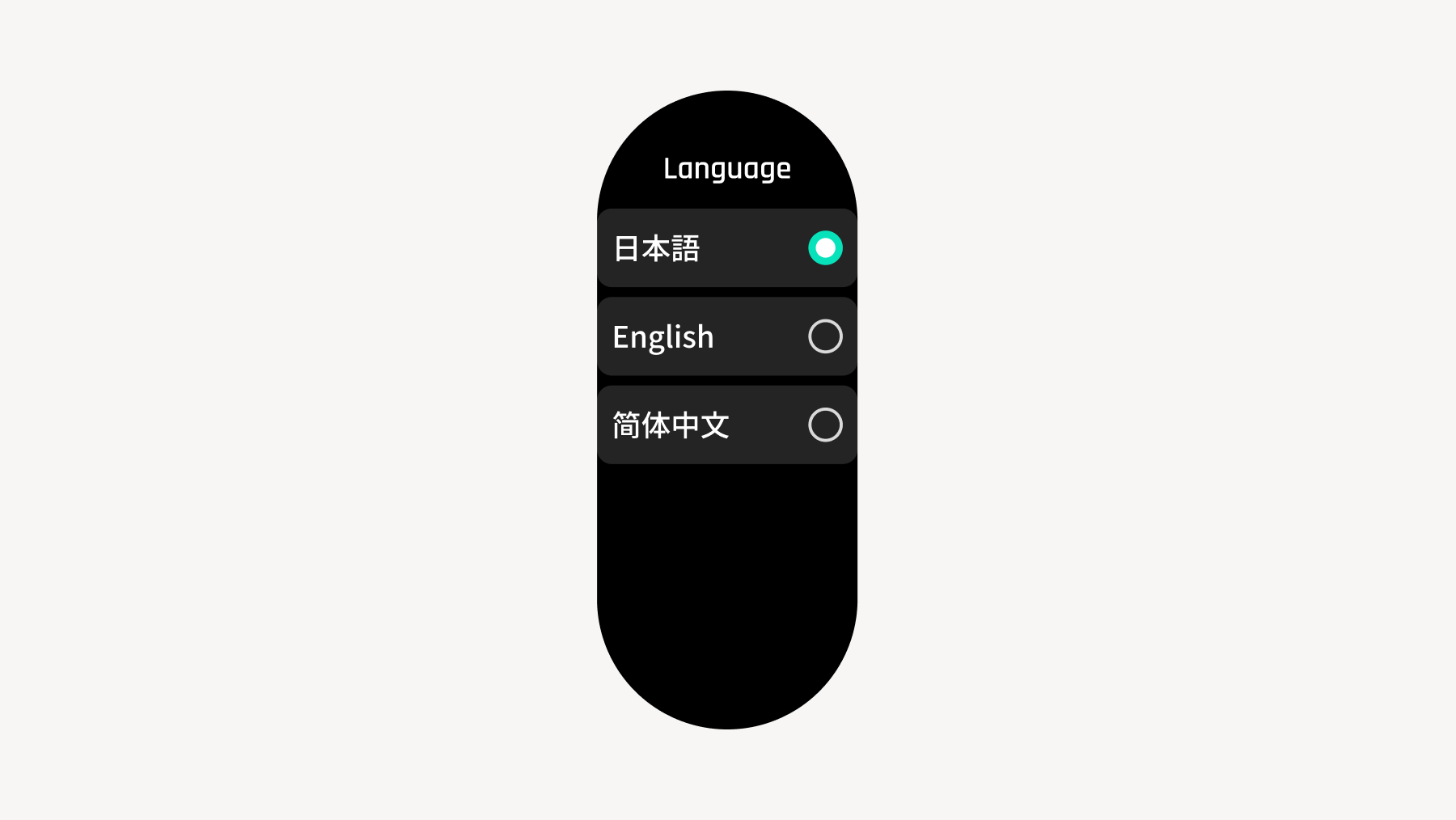
You can select from Japanese, English, Simplified Chinese, and Traditional Chinese.
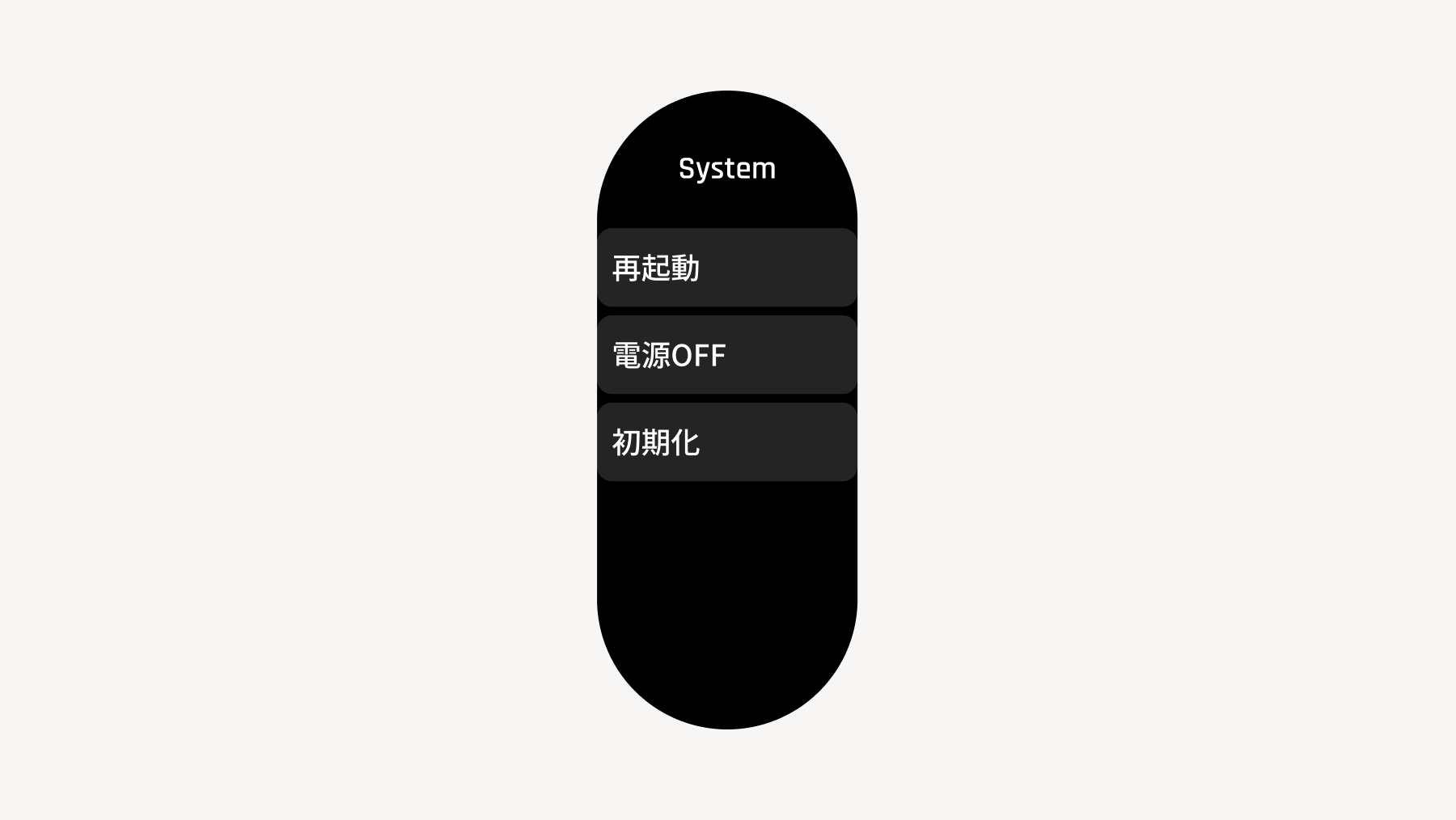
System:
Restart, Power Off, Reset
Initializing will delete all data on the watch.
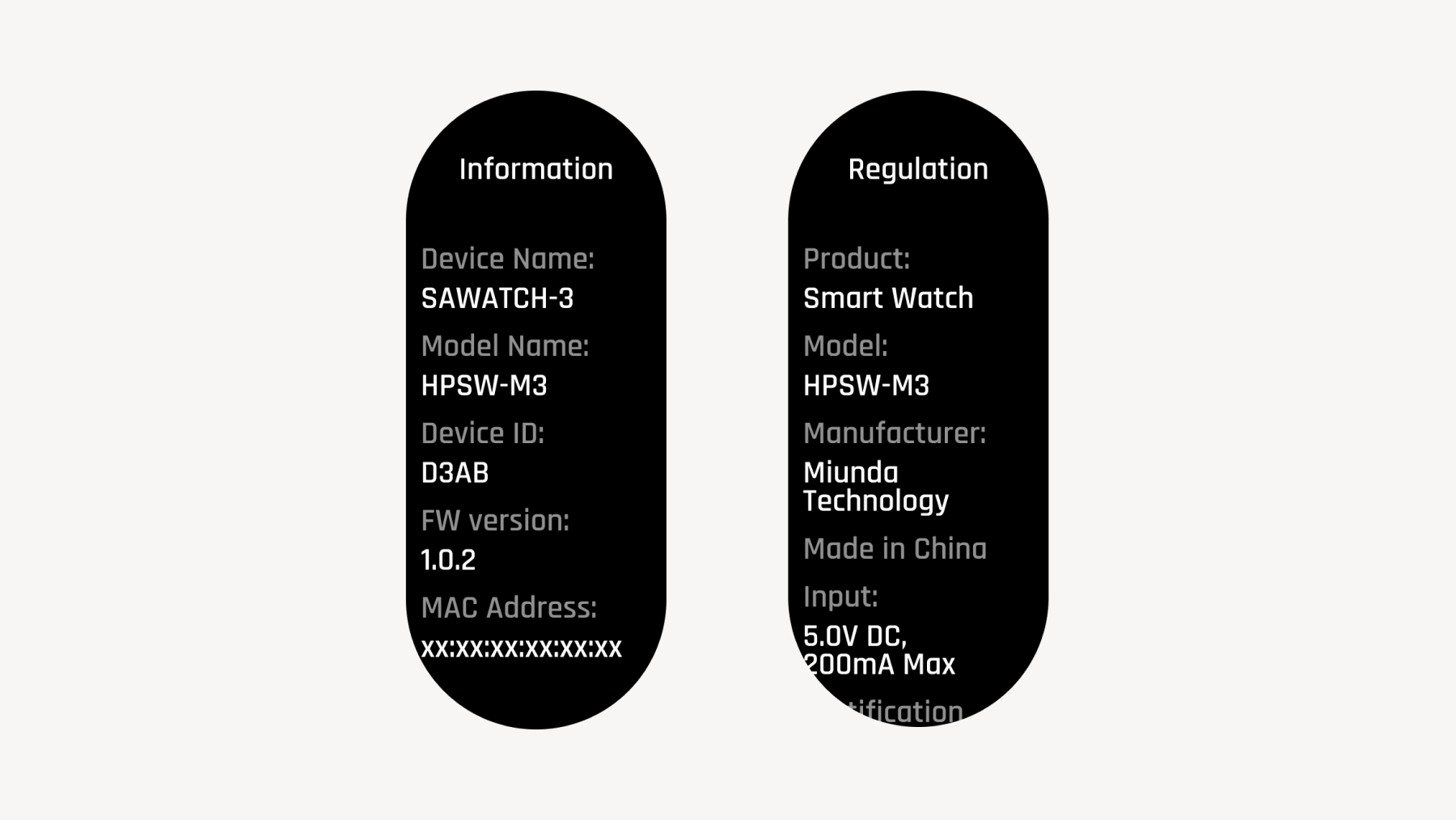
Device Info:
You can check your device ID, firmware version, and various regulatory information.
2.10 Sleep Mode
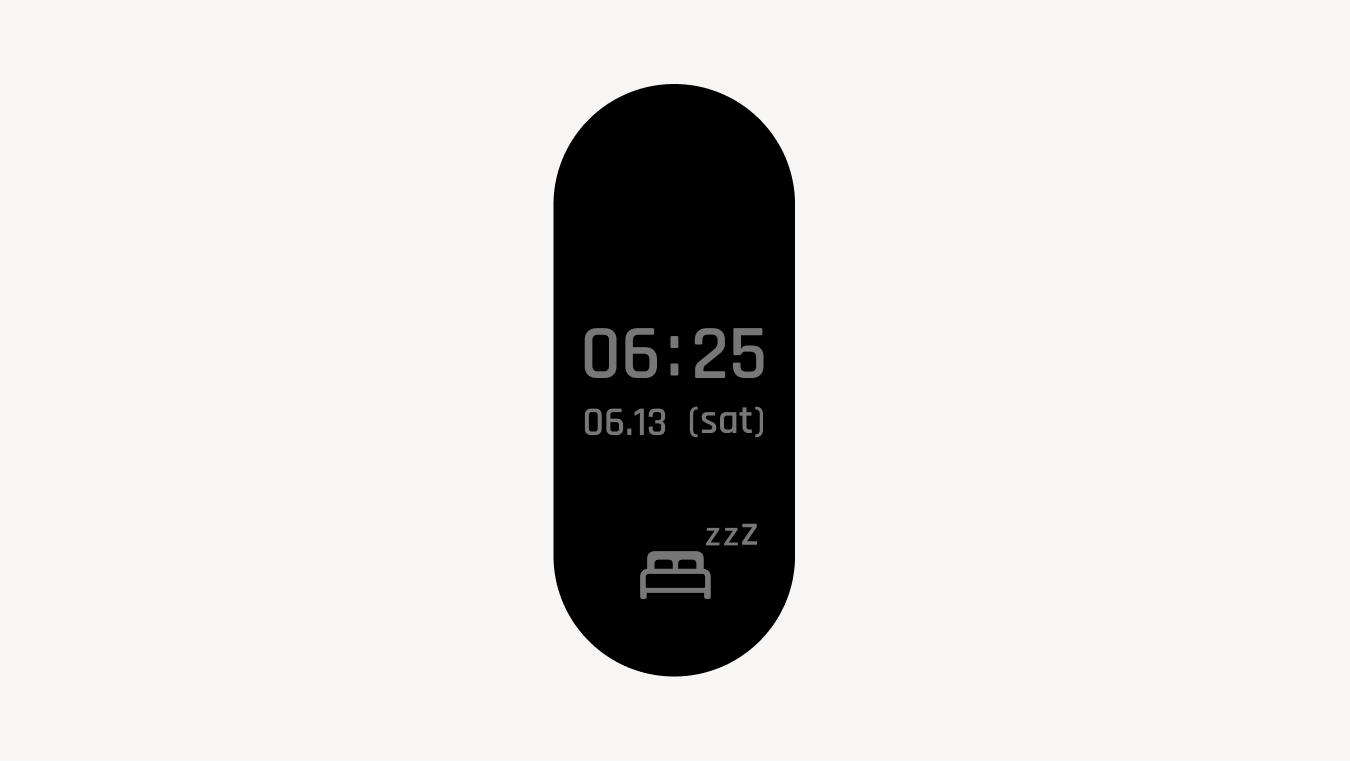
Sleep Mode is a mode that dims the screen during sleep.
Turns off tilt-to-wake. Brightness and screen timeout will be set to minimum. Other operations are not available.
Press and hold the physical button to cancel.
By default, the device is set to automatically enter Sleep Mode when sleep detection (detecting a long period of inactivity) occurs. You can also configure it to enter sleep mode at a scheduled time, so please adjust the settings according to your usage.
Sleep Mode will not activate during dedicated modes such as Sauna Mode, Meditation Sauna Mode, or Stopwatch.
By default, alarms are set not to sound in Sleep Mode. You can change this so that an alarm sounds even during Sleep Mode by turning ON "Ignore Sleep Mode" in the individual alarm settings.
3. Setup
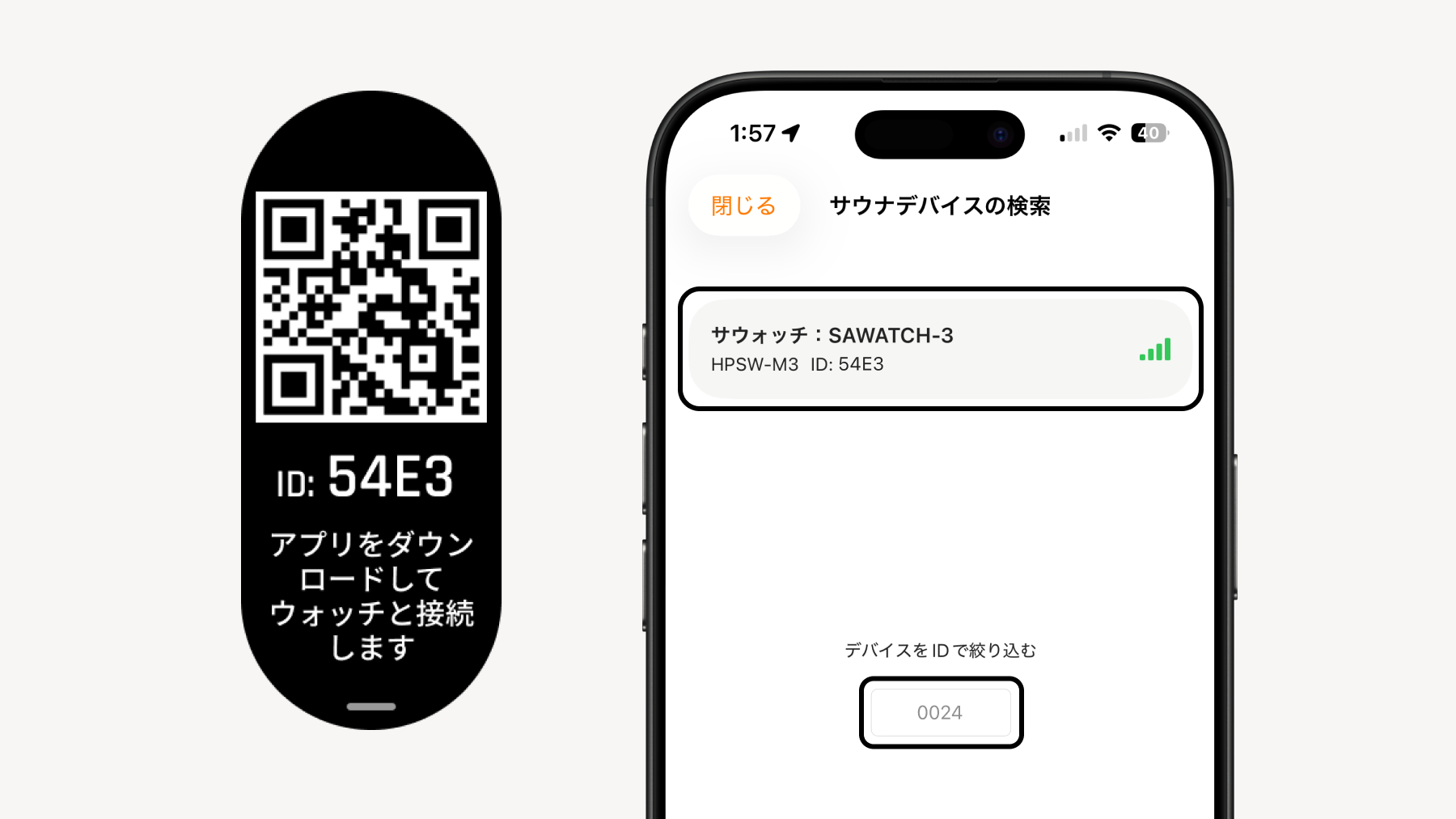
3.1 Connecting the Watch and the "Sanokuni" App
Scan the QR code displayed on the watch
Download the "Sanokuni" app and create an account (Skip if you already have an account)
Connect to the device with the 4-digit ID displayed on the watch You can filter by device ID
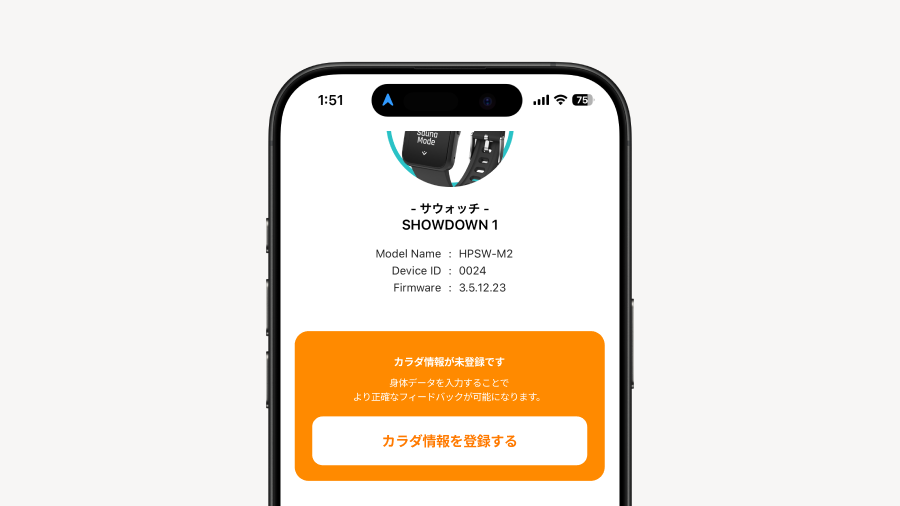
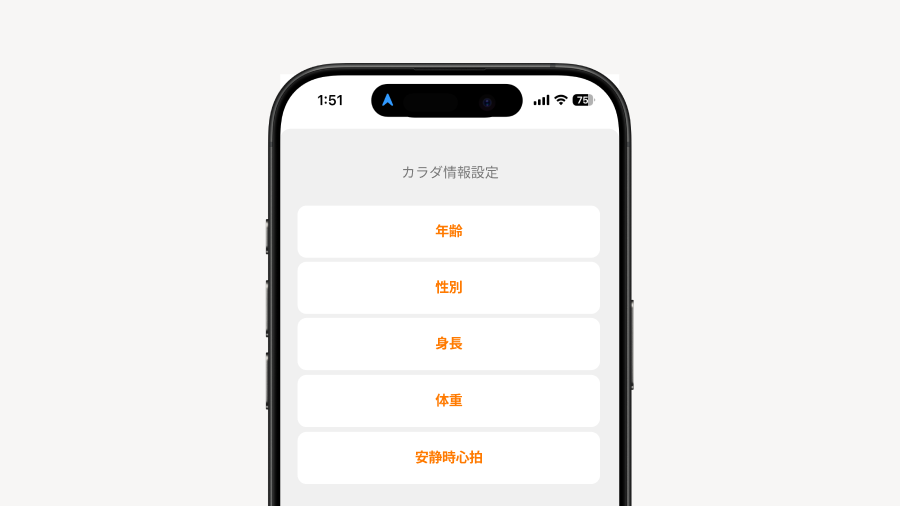
3.2 Register Personal Info
Register your personal info to improve the accuracy of your T-Flow Score.
Tap "Register Personal Info". You can also register and edit from My Page.
Enter 5 items of Personal Info.
🫀 How to measure resting heart rate After resting your body, operate the sauna device to switch to heart rate mode.
3.3 Sauna Device Settings in the Sanokuni App
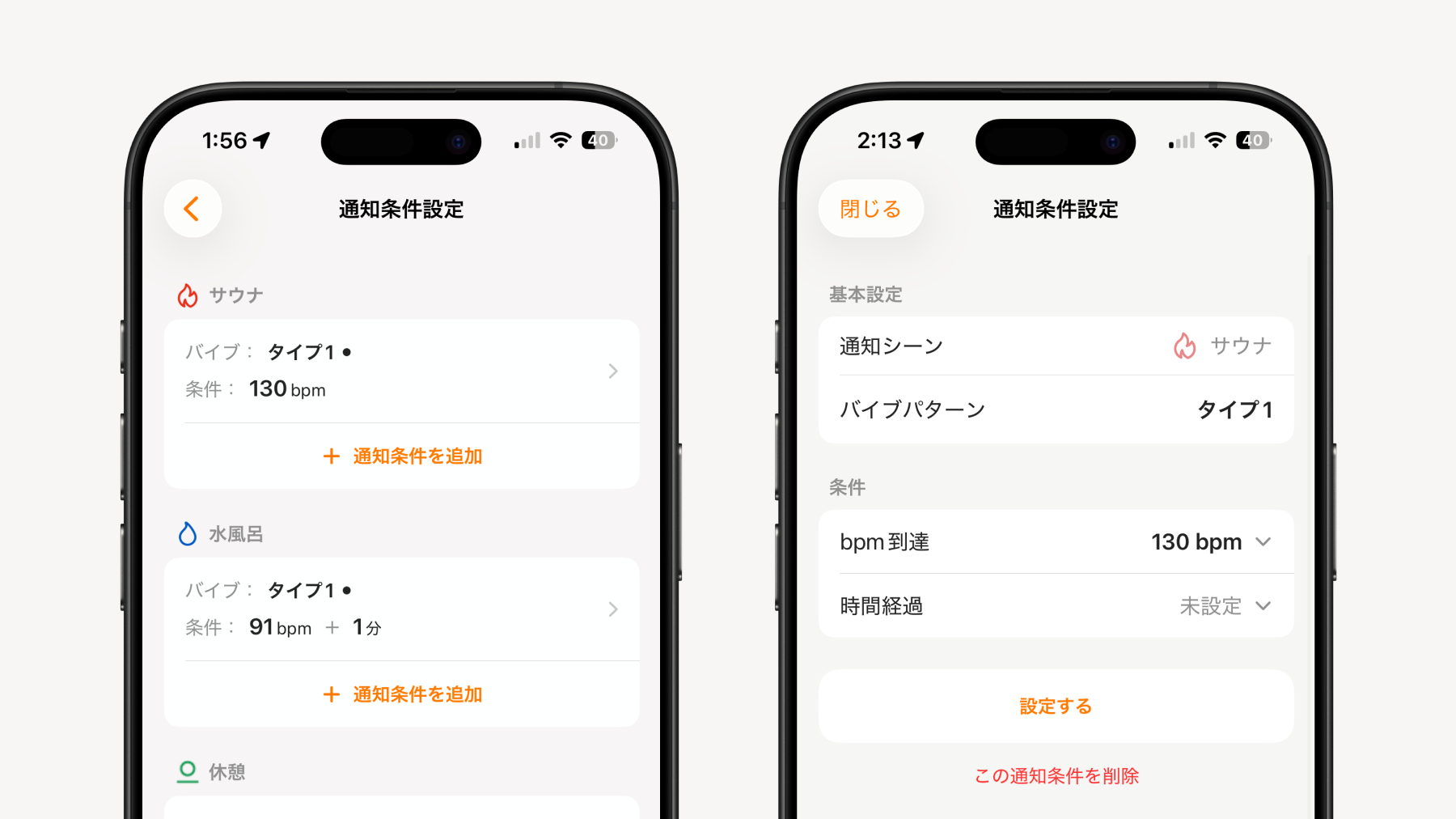
Notification Conditions
Notifications can be set by combining time and heart rate for each of sauna, cold plunge, and rest
Settings can be made from 3 types of vibration patterns
Up to 20 notifications can be created
ON/OFF of created notifications can also be configured from the sauna mode settings modal in the watch
Sauna Mode Screen Settings
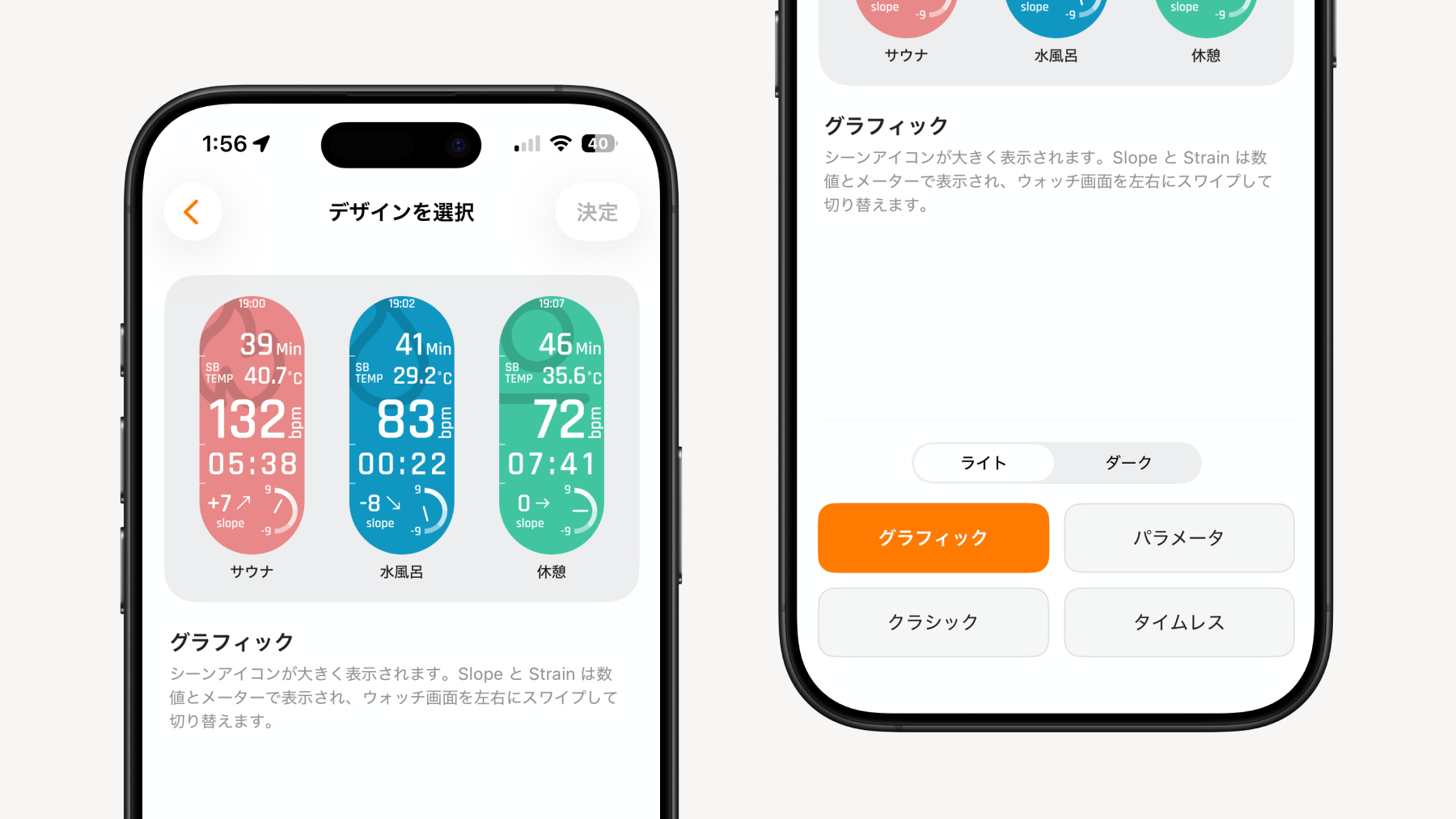
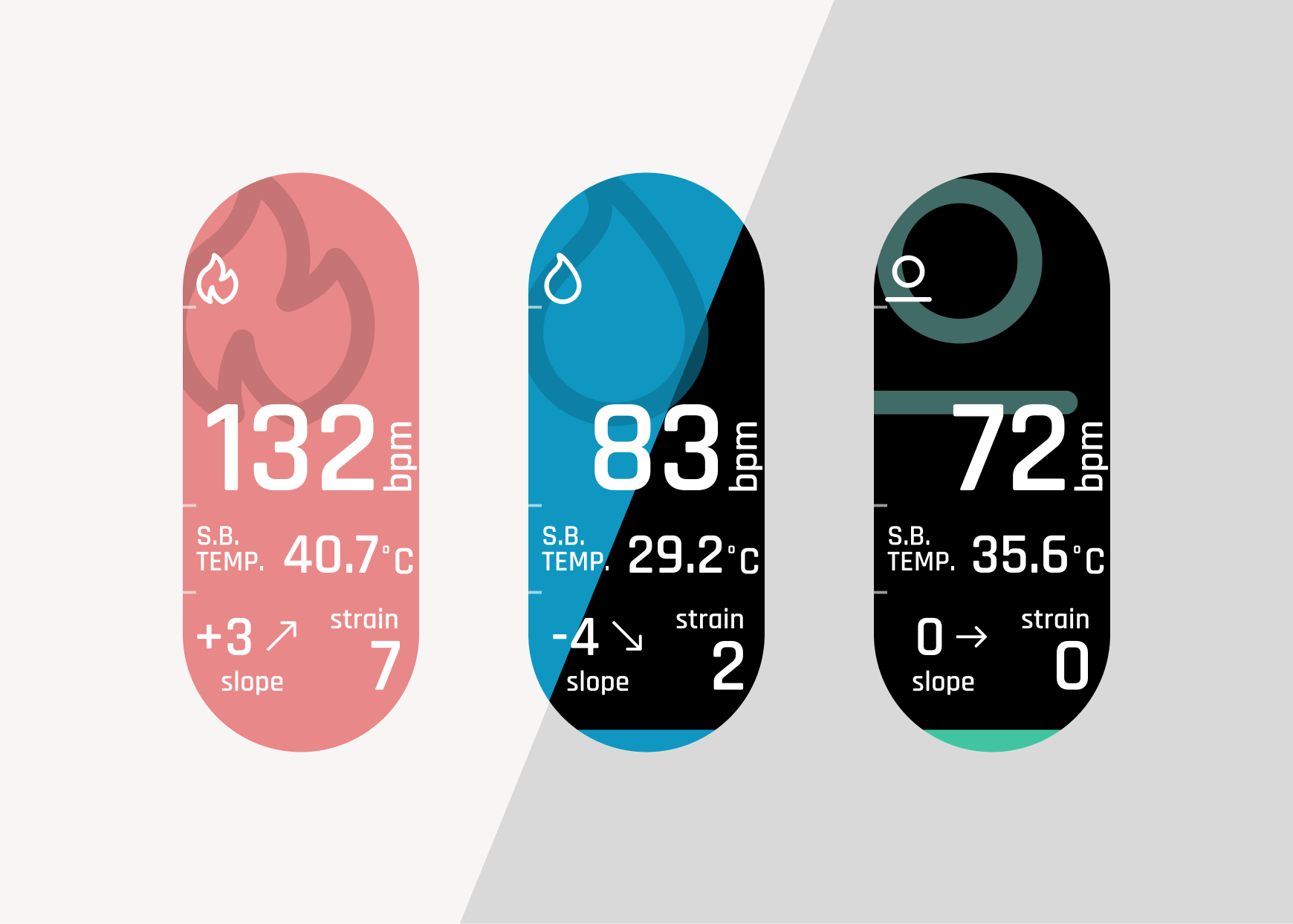
Design: You can select the UI during sauna mode from 4 types
Dark Mode: If you are concerned about the screen brightness during the sauna, you can switch to a black-based screen
Design
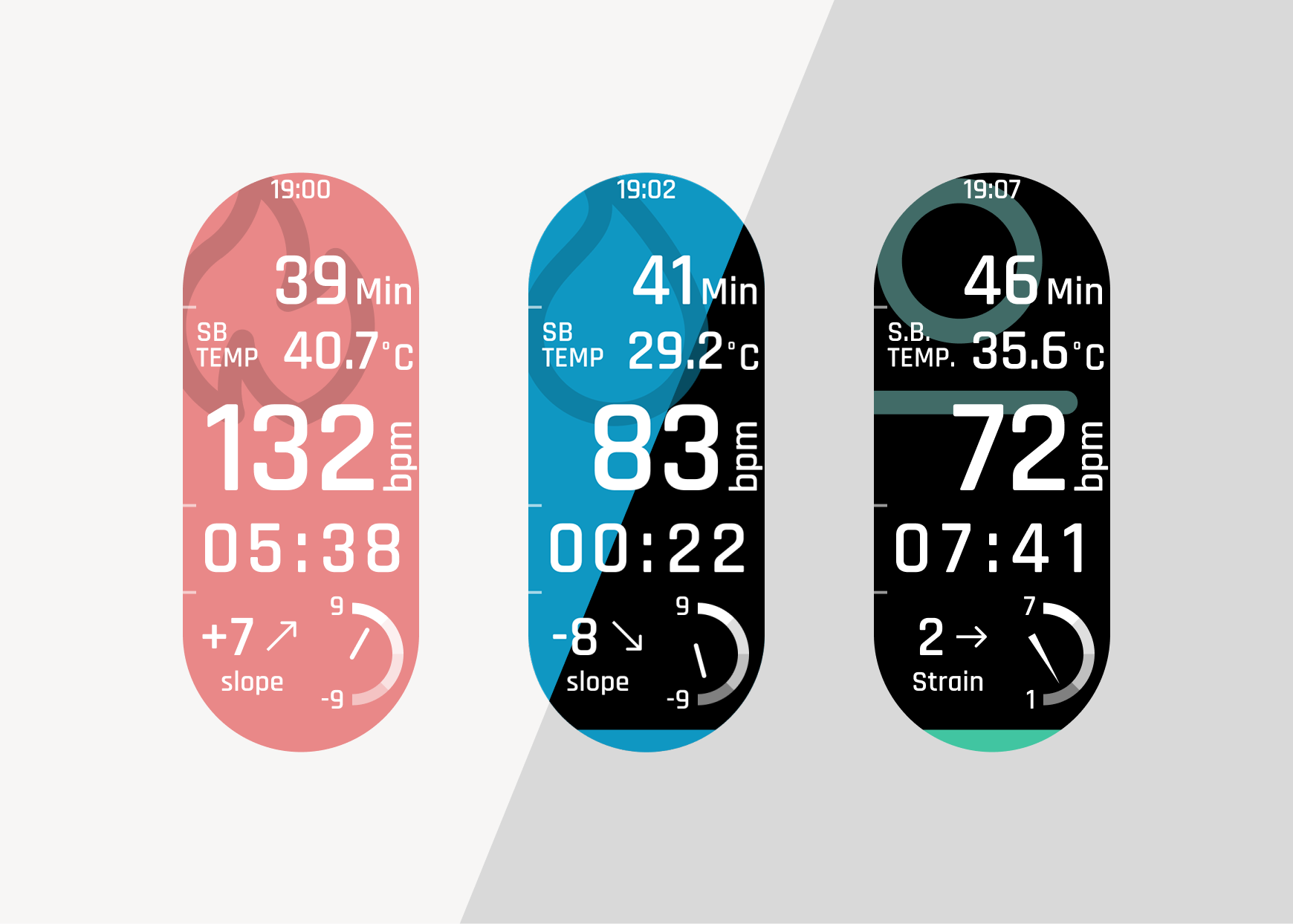
[Graphic]
Scene icons are displayed larger. Slope and Strain display values on a meter, which can be switched by swiping the watch screen left or right.
[Parameters]
A design with high information visibility. Displays all information such as heart rate, Slope, and Strain on one screen.
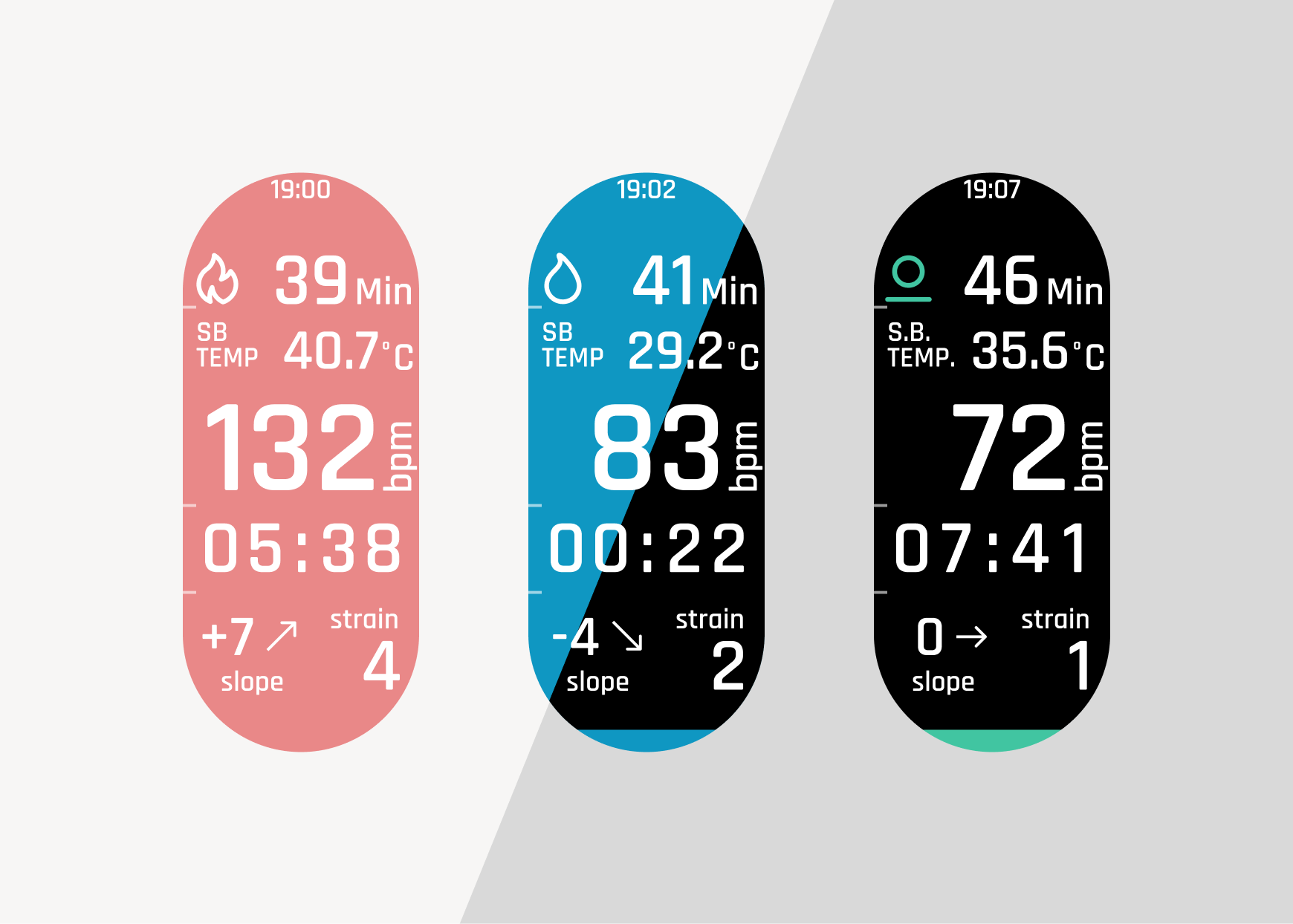
[Classic]
Displays the same content as SHOWDOWN 1. Use this if you prefer a familiar screen.
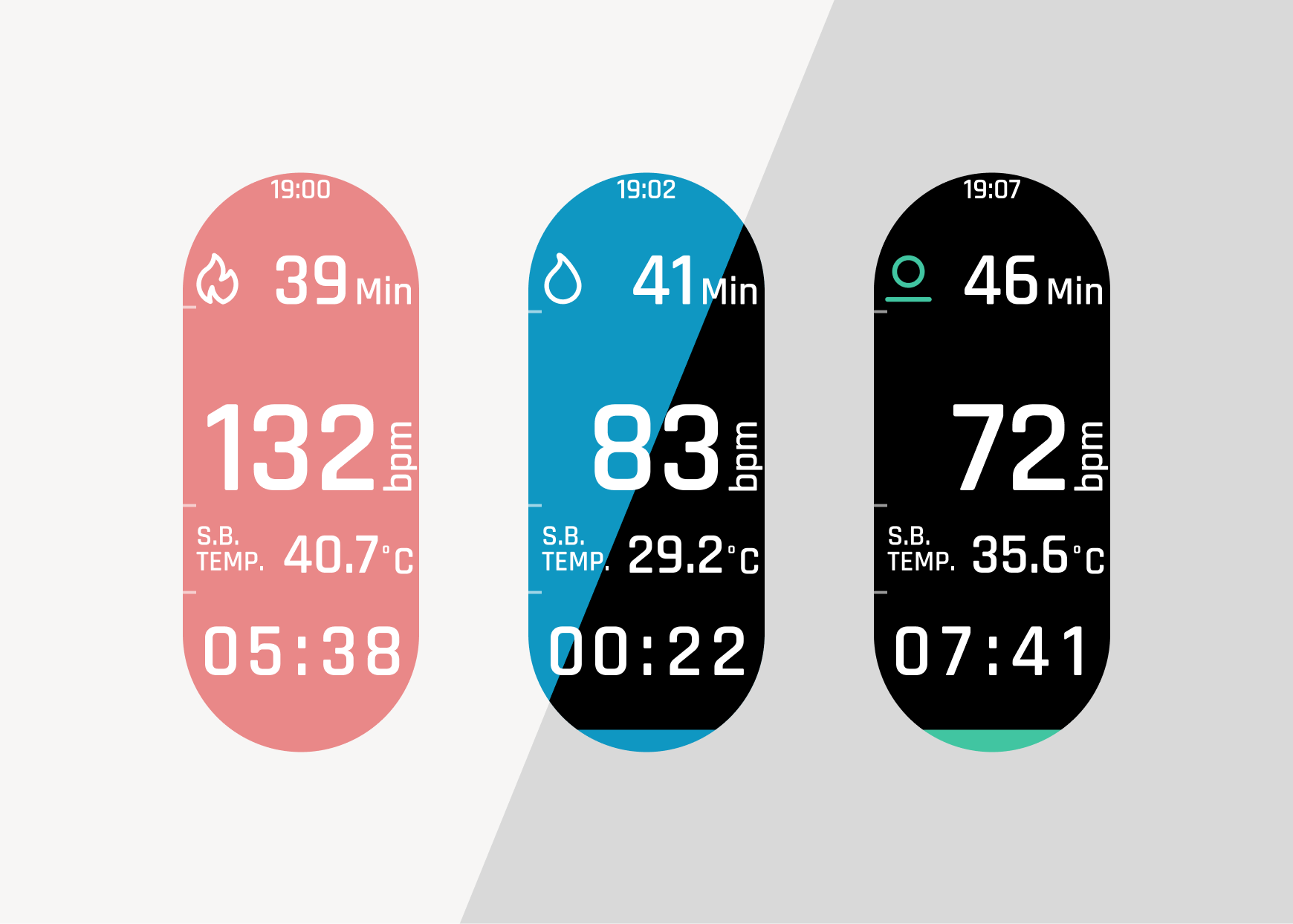
[Timeless]
It does not display the elapsed time or the current time. This design is for those who want to step away from "time" and face their own body.
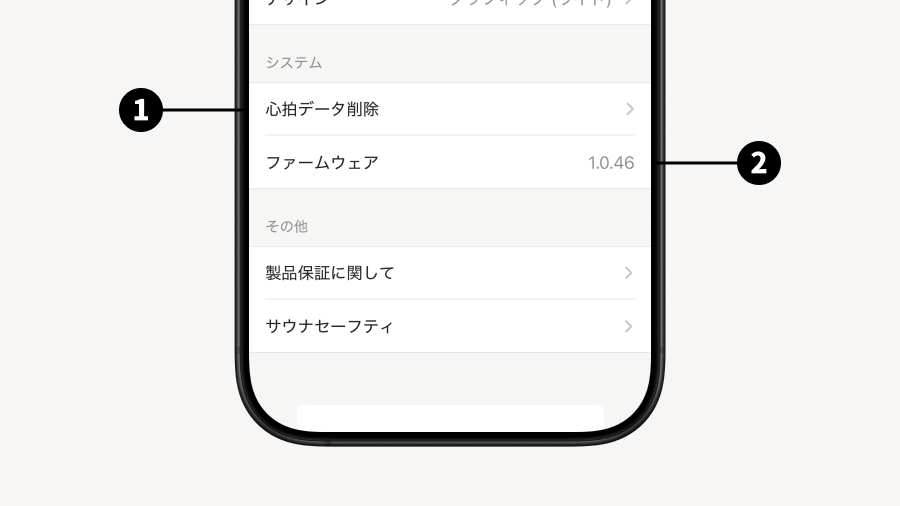
System
Delete Heart Rate Data:
Firmware: You can check the current firmware version of the watch.
4. Using in the Sauna
4.1 Basic Usage
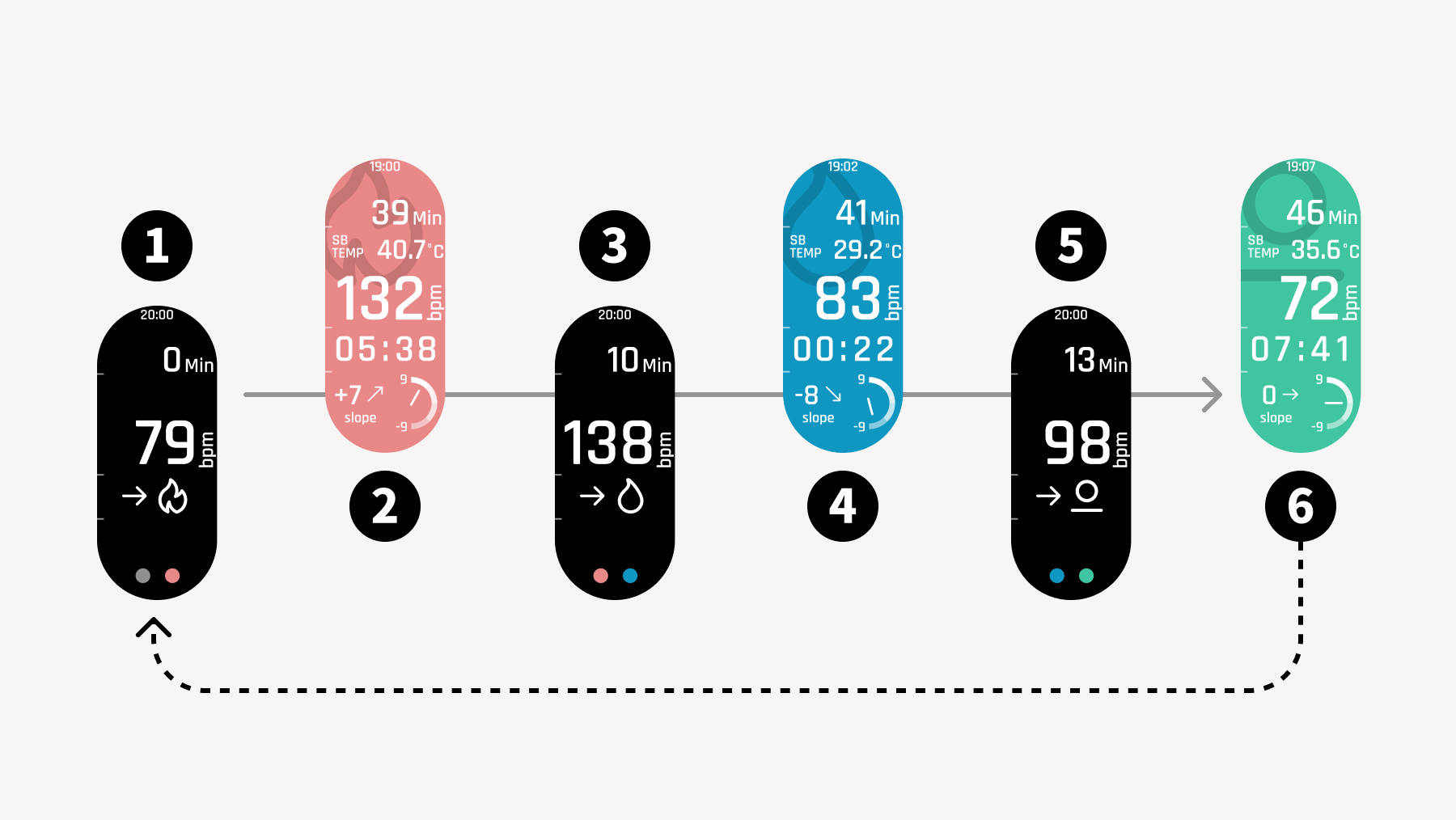
When you start Sauna Mode, your heart rate recording begins. Switch Scenes to match sauna, cold bath, and rest. Use the physical buttons to switch.
With sauna, cold bath, and rest as one Set, you can repeatedly record your heart rate.
Screen when starting Sauna Mode Once switched to this screen, heart rate recording begins. It will continue to be recorded until you end Sauna Mode.
Screen during sauna Once you enter the sauna and are ready, switch the screen.
Between sauna and cold bath Before leaving the sauna, switch the Scene.
Screen during cold bath Once you enter the cold bath, switch the Scene.
Between cold bath and rest Switch the screen right before leaving the cold bath.
Rest Find a place to rest, and switch to the rest Scene when you are settled.
When you exit Sauna Mode, the data will be registered as an individual Totonoi Log. If you wish to measure multiple Sets, please remain in Sauna Mode.
4.2 New Metrics: Strain and Slope
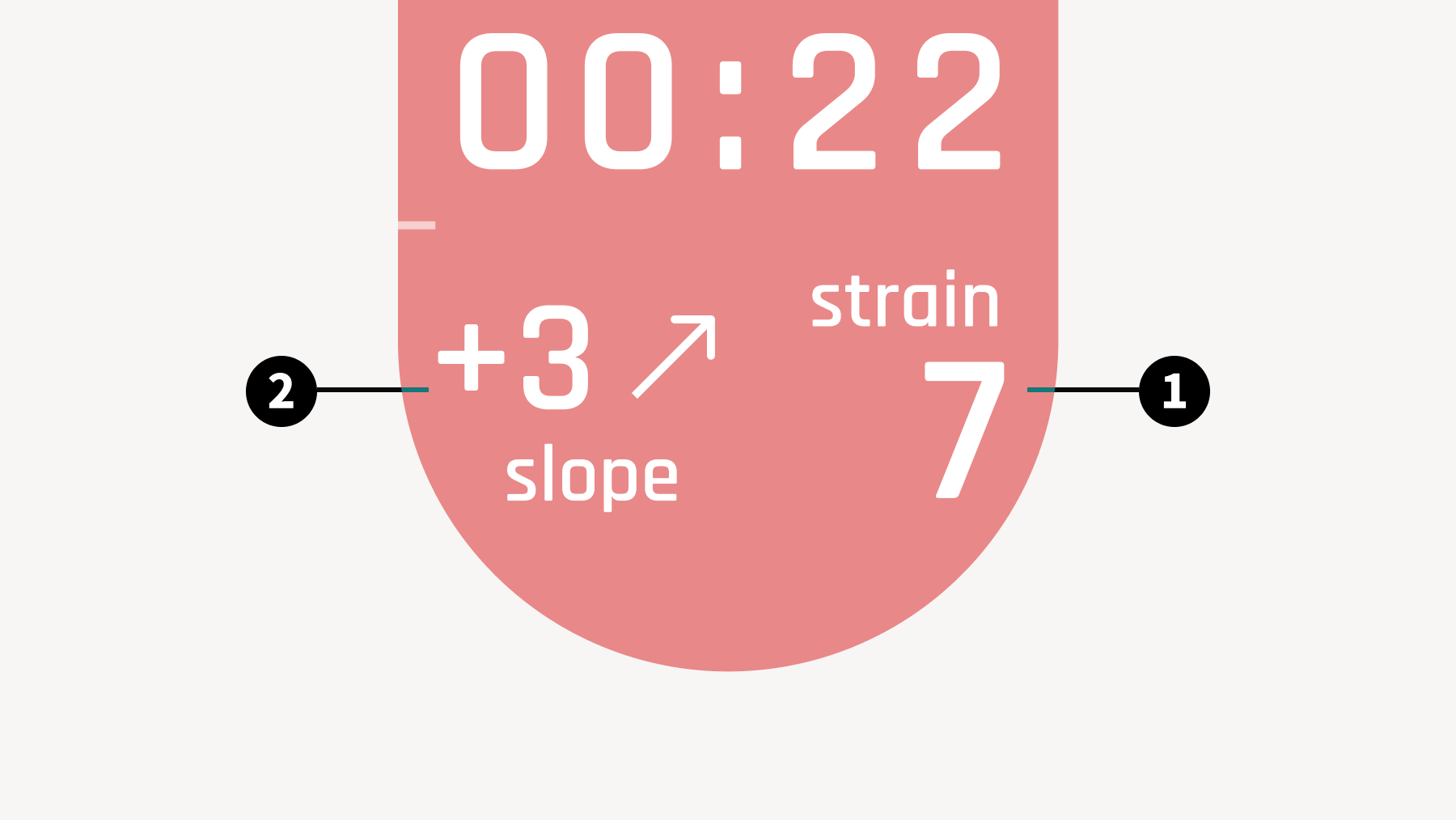
Sauna Mode Design: Explanation with Parameters
Strain
This feature displays the status of your autonomic nervous system in real time during sauna, cold bath, and rest sessions.
By looking at Strain, you can check whether there is excessive load in the sauna room or cold bath, and whether you are relaxed during rest.
Min: 1 ~ Max: 7
Slope
This feature displays the slope of your heart rate in real time.
It can be used to check how much load and at what speed it is being applied before it becomes an excessive load, allowing you to prevent excessive load beforehand.
Lower limit: -9 ~ Upper limit: +9
[Display Timing]
Both metrics are reset every time you change the Scene. In the sauna and rest, measured values will be displayed after calculation is performed for 1 to 2 minutes after entering the Scene. During measurement, '0' will be displayed.
4.3 Exiting Sauna Mode
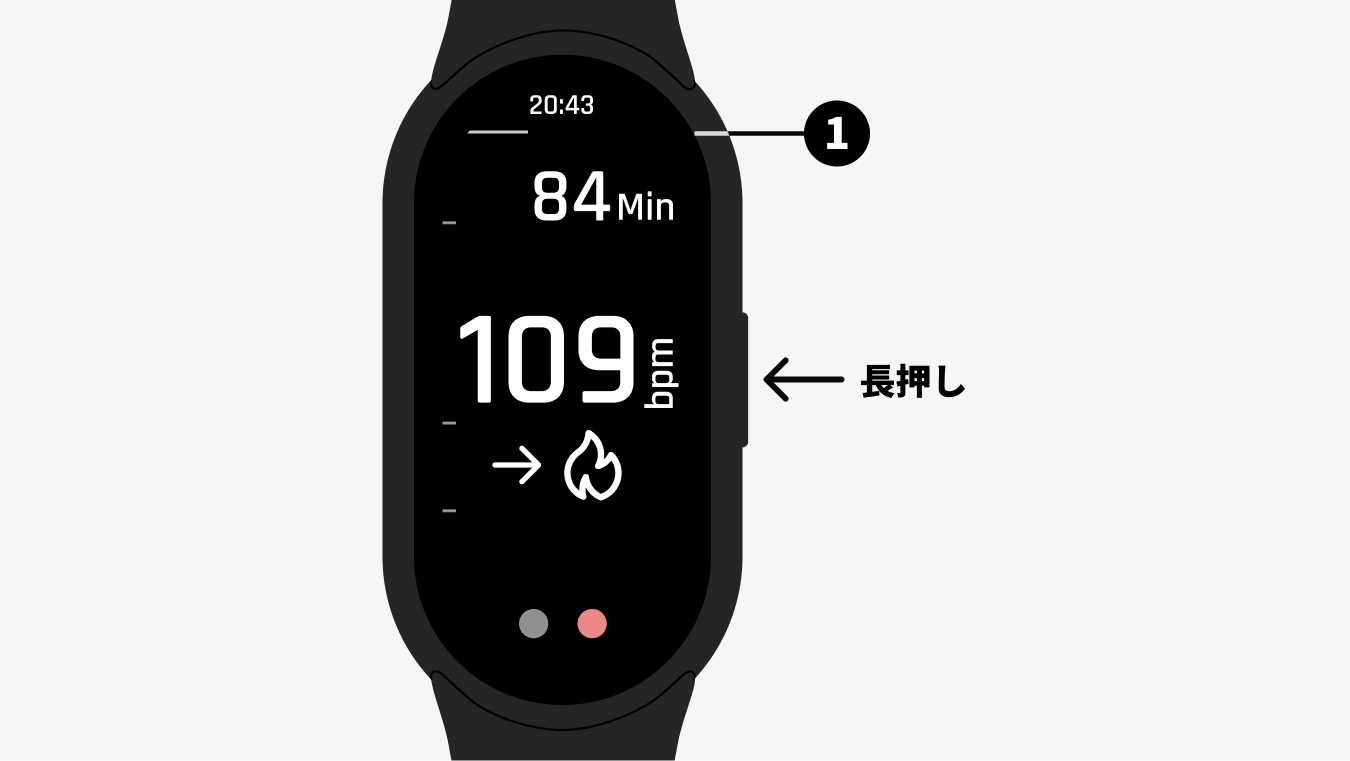
Regardless of which screen you are on in Sauna Mode, you can exit by pressing and holding the physical button for 3 seconds.
*1 When you press and hold the physical button, an indicator extending from left to right will appear below the time display. Please keep pressing until the indicator extends all the way to the edge of the screen.
5. Create a Totonoi Log and view your T-Flow Score
5.1 Syncing your device and the app
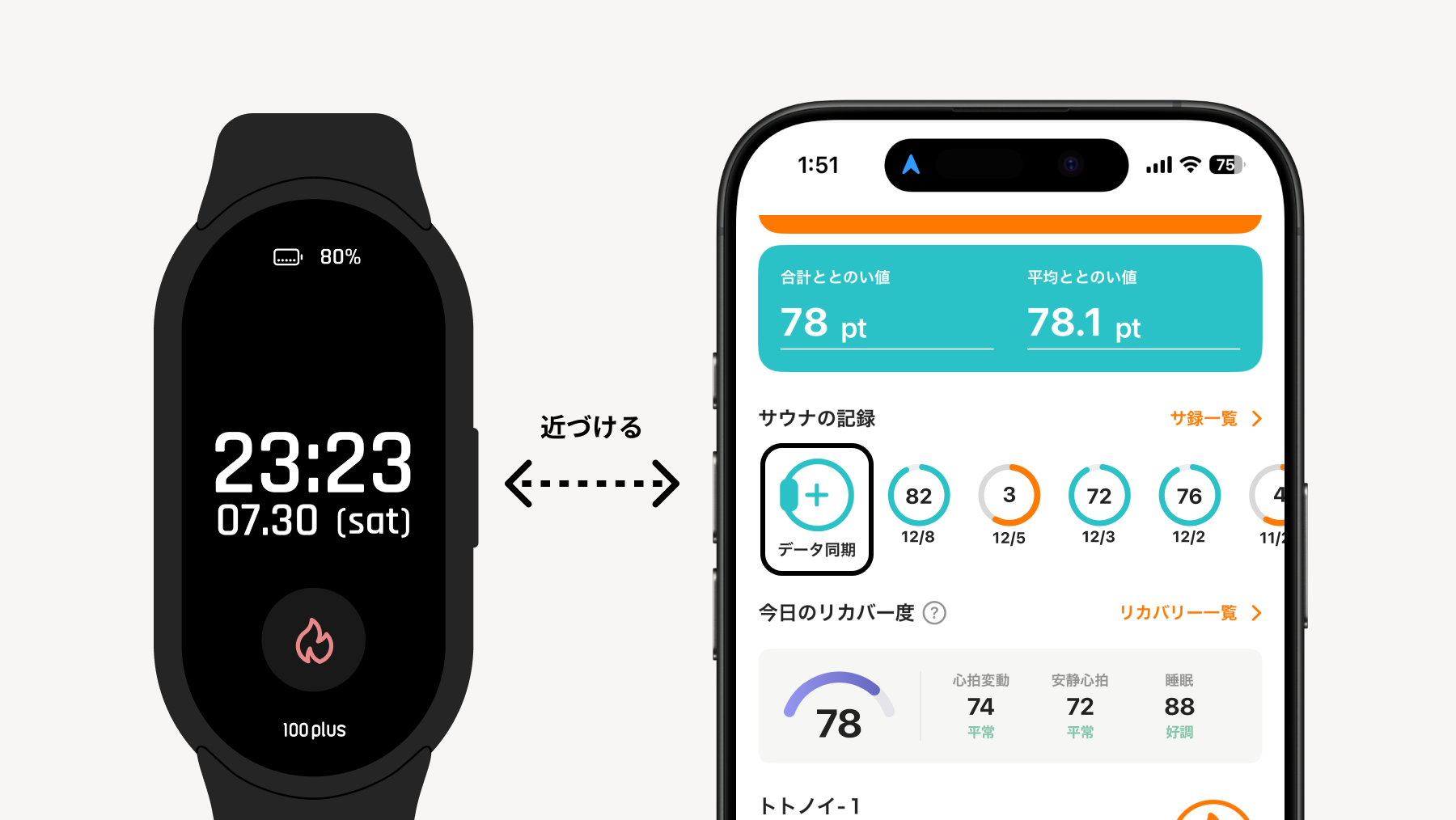
Bring your device and the app close together, and tap the 'Data Sync' button on the app's Home.
Once the data is synced, the Totonoi Log registration screen will be displayed.
5.2 Entering and Submitting Data
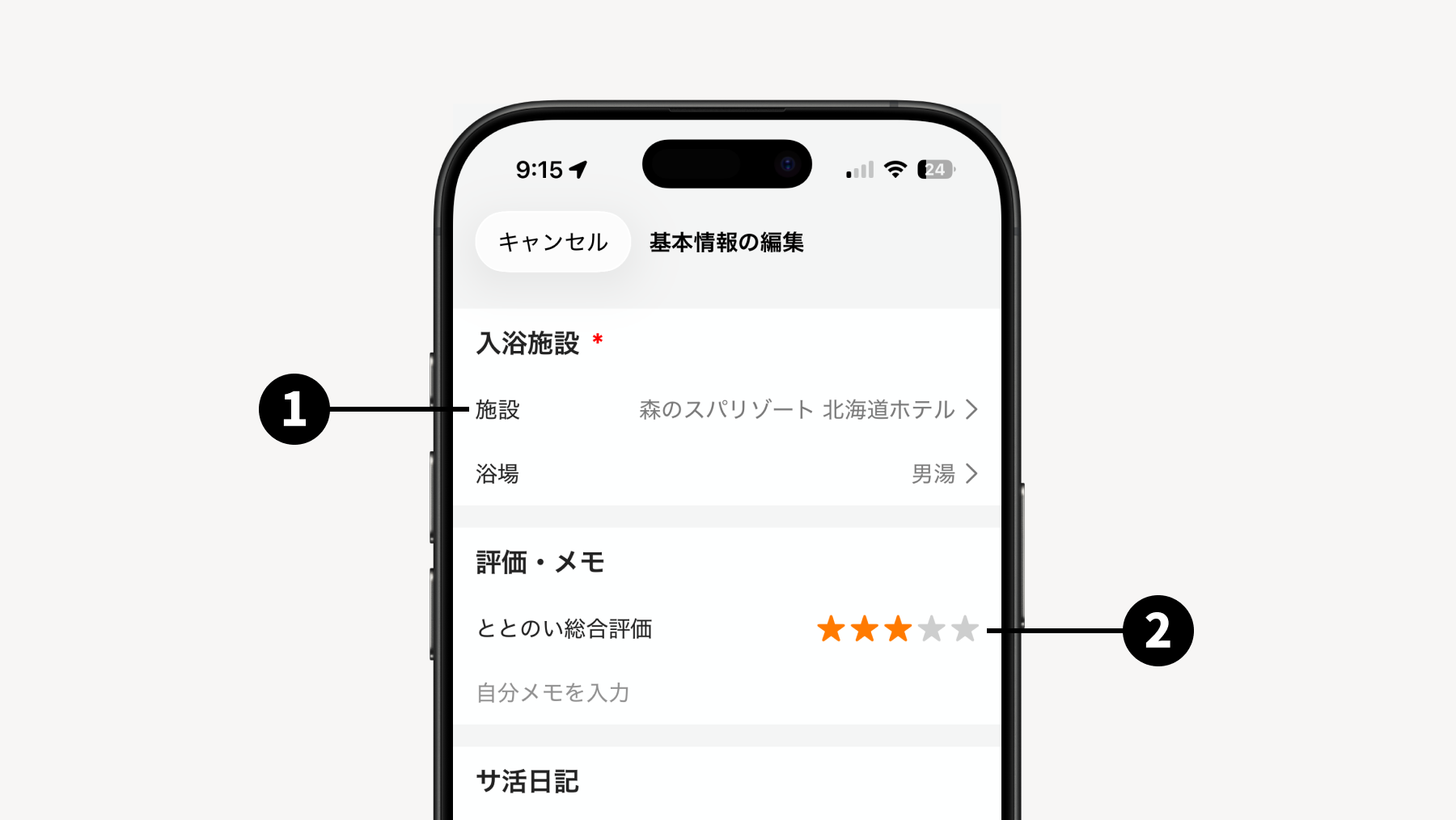
By entering or editing the required data fields and tapping the "Submit" button, a sauna log will be created, and you can view your T-Flow Score.
*It may take some time to calculate the T-Flow Score. You will be notified on your smartphone once the calculation is complete.
The visited Sauna Facility
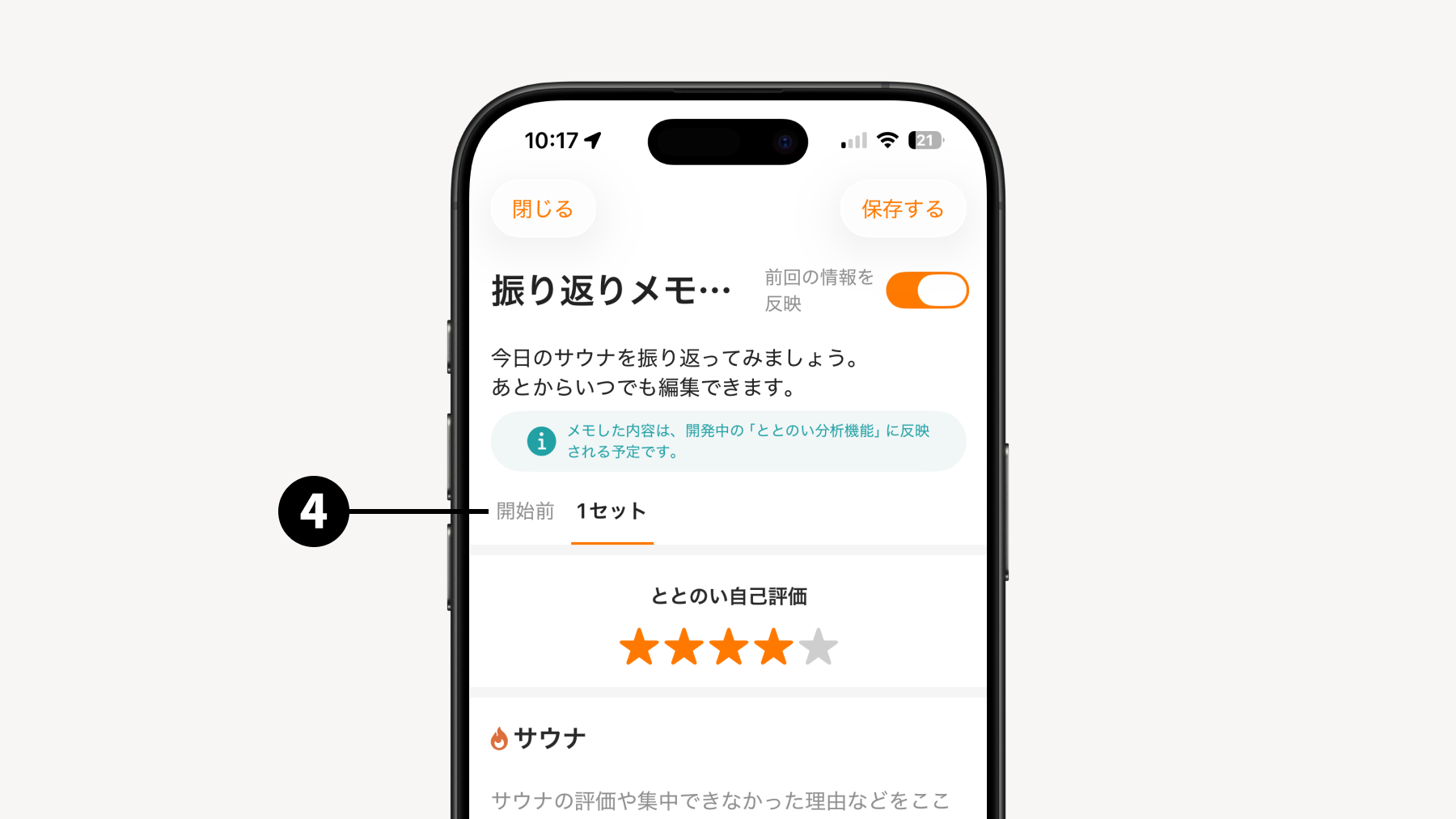
Overall Self-Evaluation Evaluate how much you achieved totonoi across all Sets overall.
Sauna Data Data retrieved by syncing with your sauna device will be displayed.
Reflection Memo You can leave detailed memos on your condition before starting the sauna, how much you achieved totonoi for each Set, and how it was for each Scene.
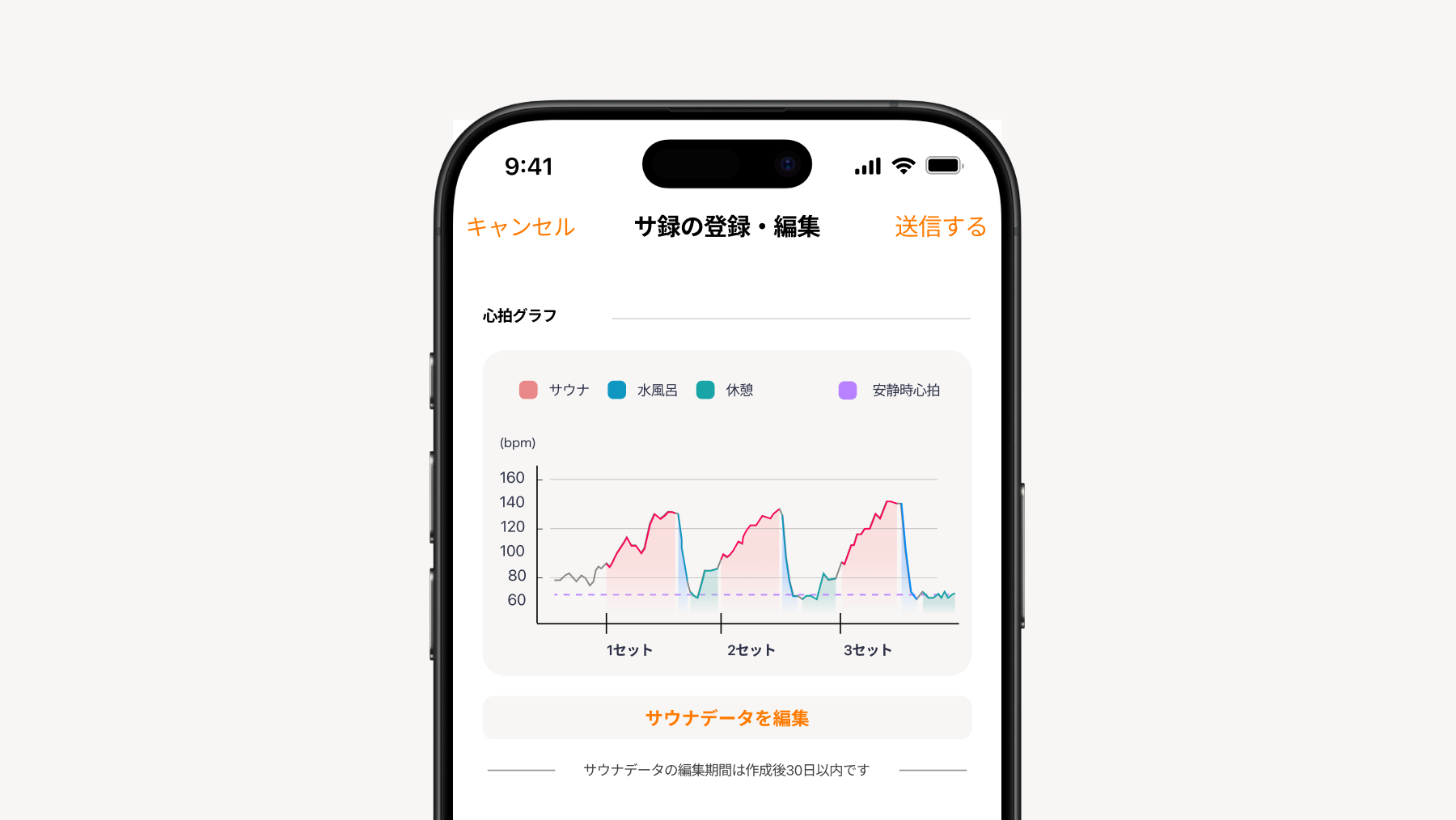
💡 How to Edit Heart Rate Data
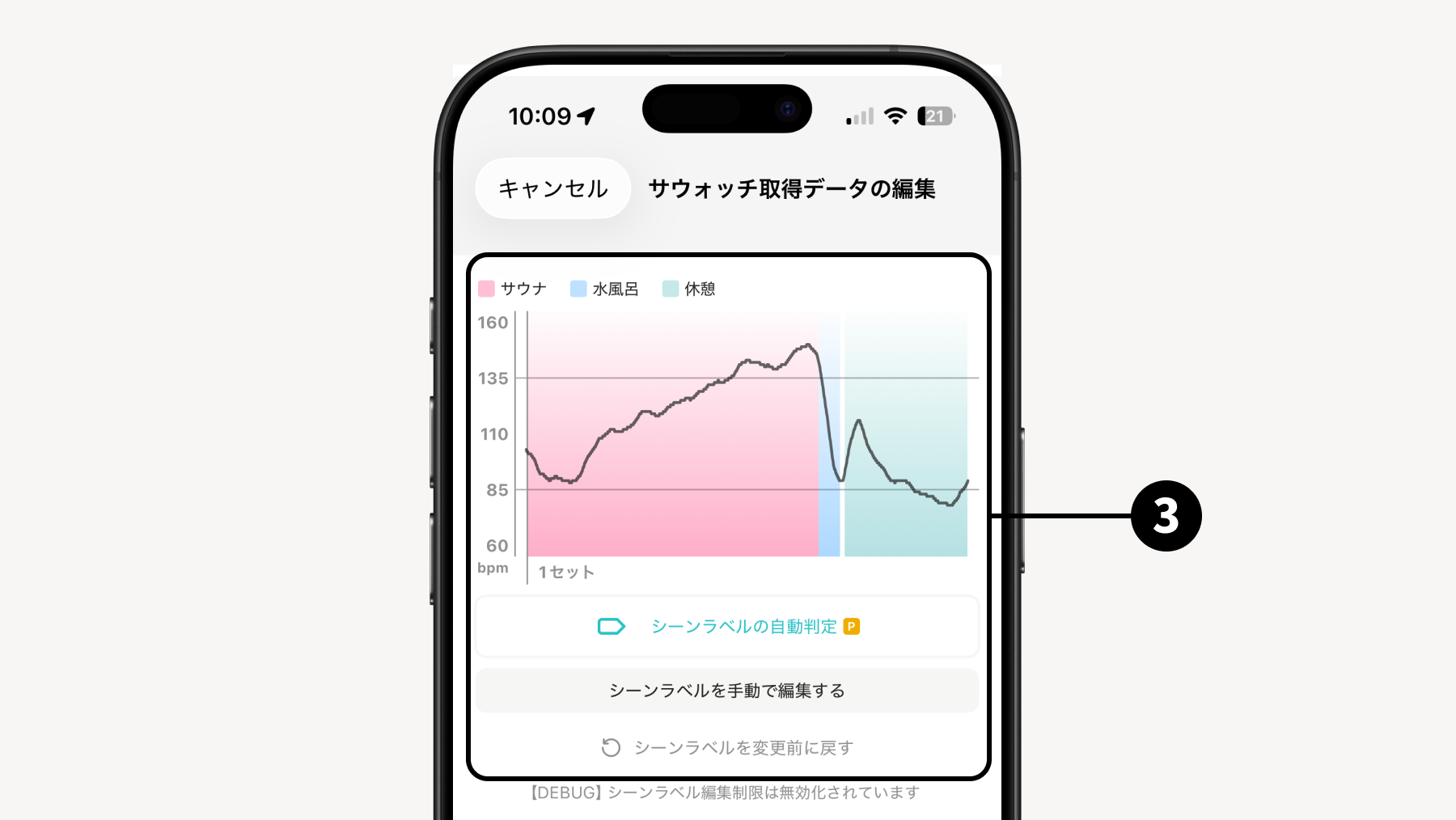
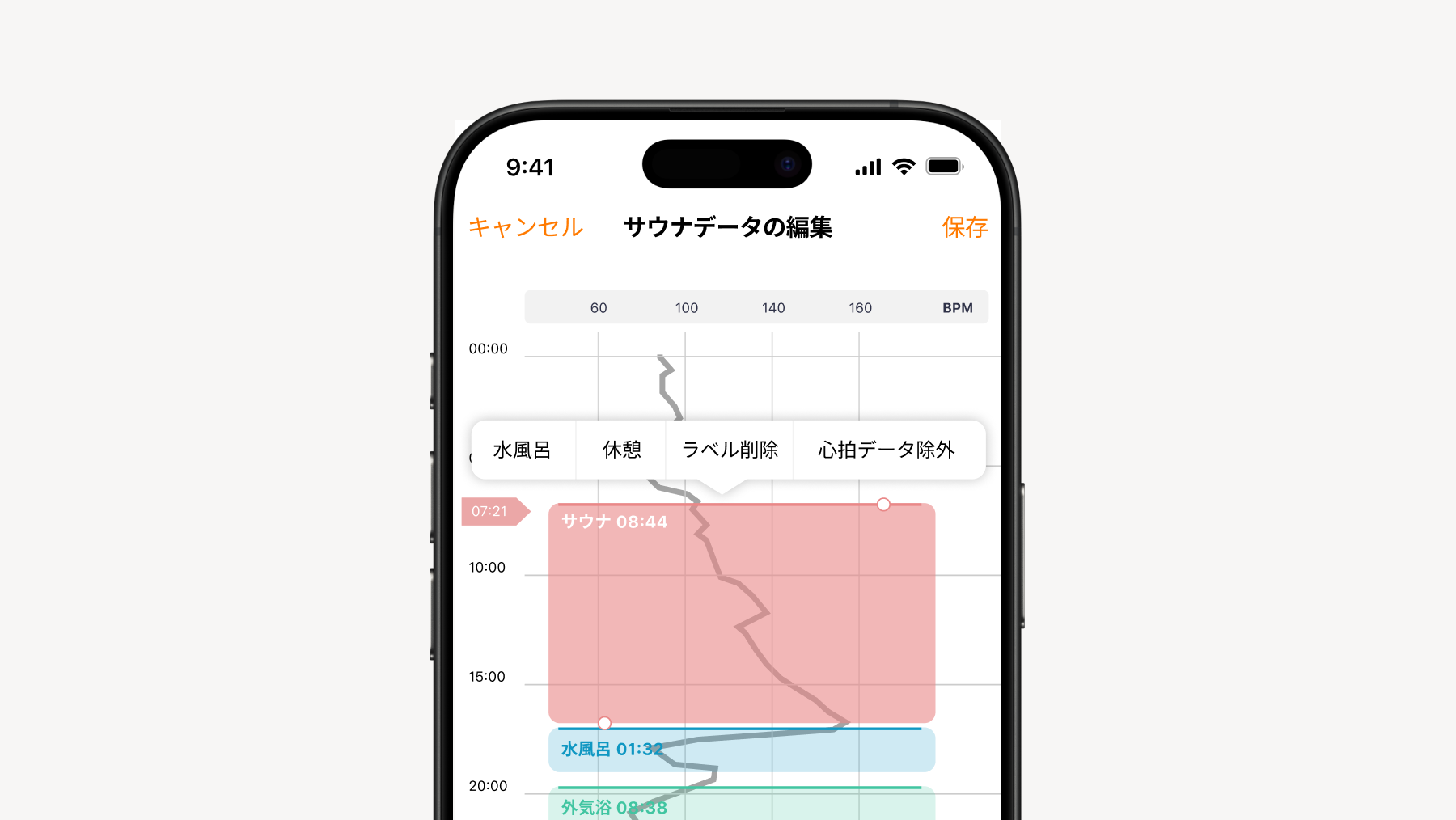
Tapping "Edit Heart Rate Data" will display each Scene (sauna (room), cold bath, and rest) color-coded on the heart rate graph.
What you can do
Adding Scenes You can add a Scene by long-pressing an area where no Scenes are displayed.
Changing Scenes / Changing Location & Deleting By long-pressing each Scene, you can change or delete it. You can also change the location of the Scene by moving it up or down while long-pressing.
Changing Start/End Times After selecting each Scene, you can change the start and end times by moving the "⚪︎" marker up or down.
Excluding Heart Rate Data You can exclude parts containing unnecessary heart rate data from the recorded data.
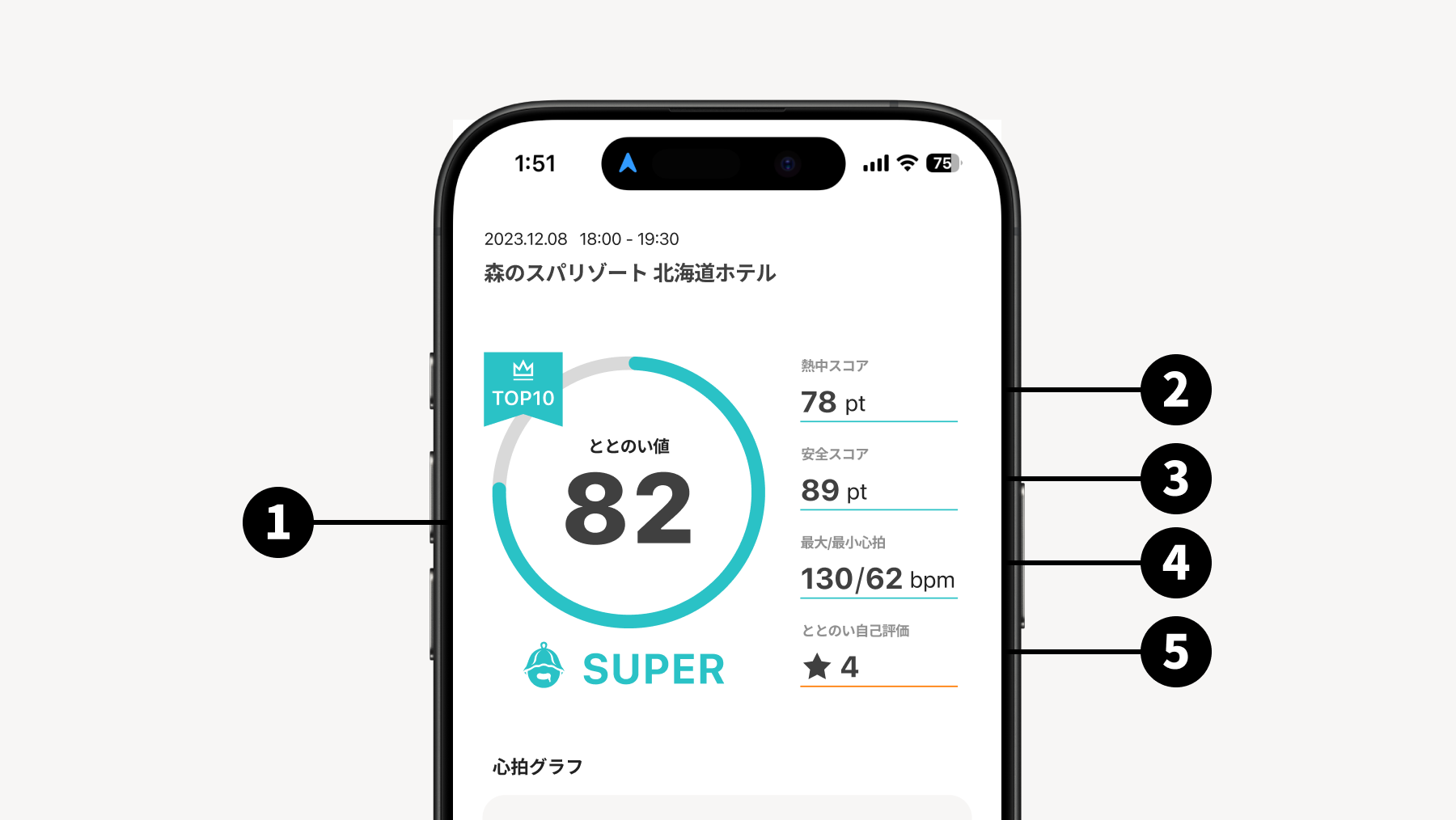
The T-Flow Score is analyzed and displayed based on the balance between your Immersion Score and Safety Score. Try analyzing the analysis results alongside your actual subjective physical sensation and aim for a high T-Flow Score.
T-Flow Score and Rating It is displayed in 5 levels: MARVELOUS, SUPER, GOOD, BETTER, and WHOOPS.
Immersion Score This score increases as you immerse yourself in the sauna, such as the difference between your high and low heart rate while inside the sauna.
Safety Score This evaluates whether you are taking saunas in a dangerous way, such as how your heart rate rises or whether your heart rate is rising too much.
Maximum and Minimum Heart Rate
Totonoi Self-Rating
6. Precautions for Use
*The precautions listed below are excerpts. Please read the "Precautions" in the quick guide included with the main unit carefully before use.
6.1 Regarding Use in the Sauna
*This product is designed for wearing and use in sauna environments. It is not intended for use in other high-temperature environments.
Conditions for use in saunas (Guideline): This product is designed to be used under the following conditions. Please be sure to adhere to them.
Inside the sauna room, always use it while wearing it on your wrist. Never leave it removed or forget it.
Please use in environments where the displayed room temperature is approximately 100°C or lower. The actual temperature may vary significantly depending on the location of the thermometer and where you sit.
As a guideline, each use should be within 20 minutes.
If abnormal heat generation, strange odor, deformation, etc., are observed during use, stop using it immediately.
In high-temperature sauna environments, the bezel or the main body of the watch may become hot. This is not a product malfunction, but you may feel heat if it touches your skin directly. If you feel heat, adjust the wearing position, and if it does not improve, stop using it immediately.
Regardless of the various measurement data displayed by this device, please act within a reasonable range according to your physical condition. Engaging in excessive sauna activities to perform various measurements using this device, including heart rate measurement, may cause unexpected accidents or injuries. Please always act within your limits according to your own judgment.
6.2 Regarding Charging
Immediately after sauna use, etc., do not charge this device while it is at a high temperature. Please charge it after confirming that it has cooled down sufficiently.
Please make sure that the main unit and the charging cable arecompletely dry before charging. Charging while wet may cause malfunction or accidents.
When charging, please use the included dedicated charging cable.Please use a USB power adapter that complies with safety standards such as the PSE mark. Using non-standard chargers, high-output chargers, or damaged/deteriorated equipment may cause heat generation, deformation, malfunction, or cable damage.
If the device has not been used for a long period, please charge it sufficiently in advance and confirm that it operates normally before use.
6.3 Regarding Skin Irritation
Since the main unit and band of this device are in direct contact with the skin,it may cause skin irritation depending on the usage conditions (such as wearing it for a long time with sweat or moisture attached).
Regularly wash the band with water to keep it clean. Also, periodically remove the product to let your skin rest.
In the unlikely event that any abnormality occurs, discontinue use and consult a physician.
6.4 Handling of Exterior and LCD Screen
Since this product is a precision instrument, applying strong impact or pressure may cause damage to the LCD, scratches or deformation of the body or bezel, or malfunction. Whether during sauna use or daily use,please be extremely careful to avoid contact with or dropping onto walls, metals, floors, etc..
Scratches or damage on the exterior correspond to "malfunctions due to dropping, impact, getting wet (outside specifications), etc." and may not be covered by the warranty.
For safety, if any damage or abnormality is found, please stop using it immediately.
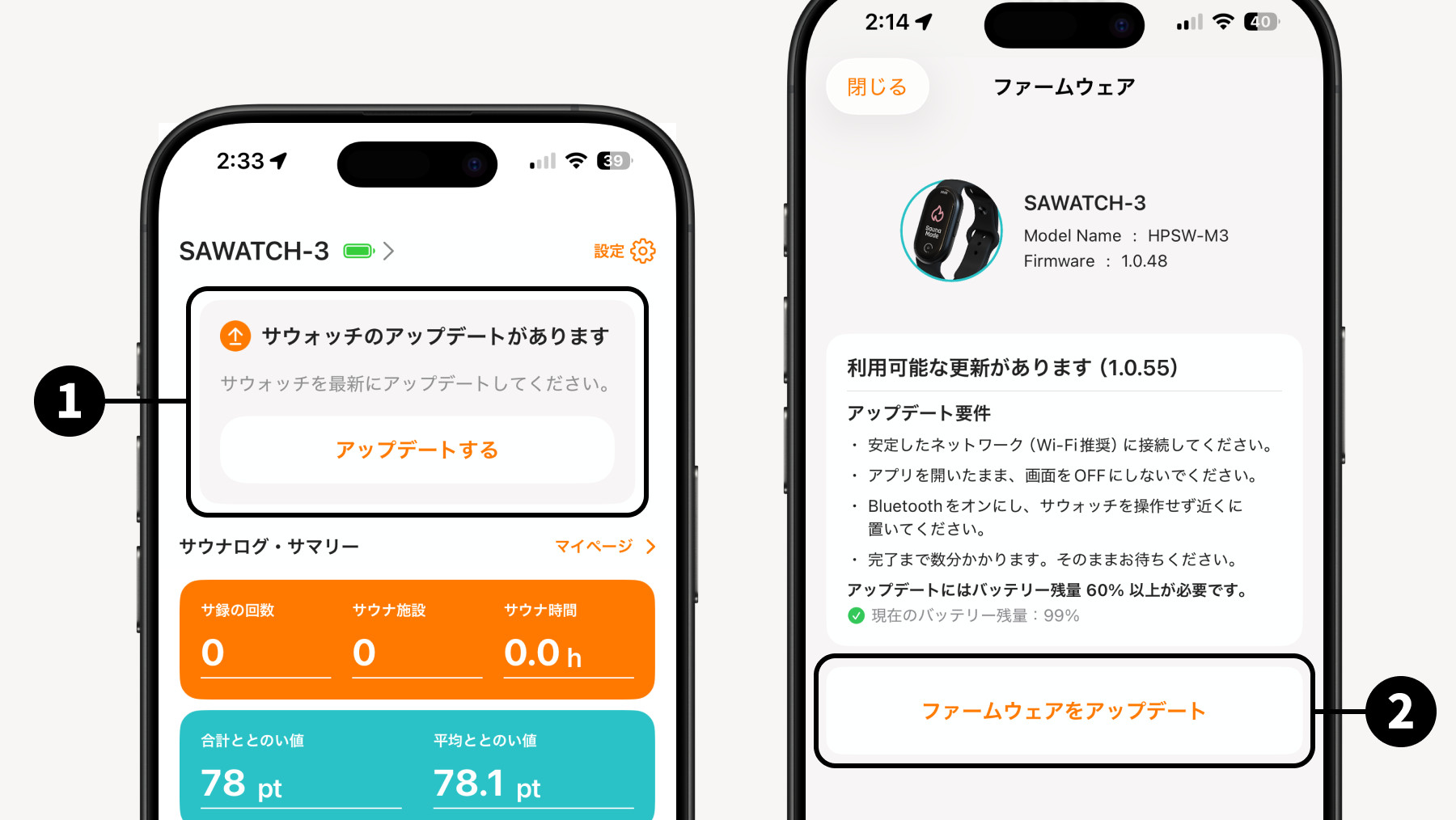
7. Firmware Update
When a firmware update is available, an update guide will be displayed on the Sanokuni App. An icon will also appear in "Firmware" on the watch, so please proceed to details,
tap Update
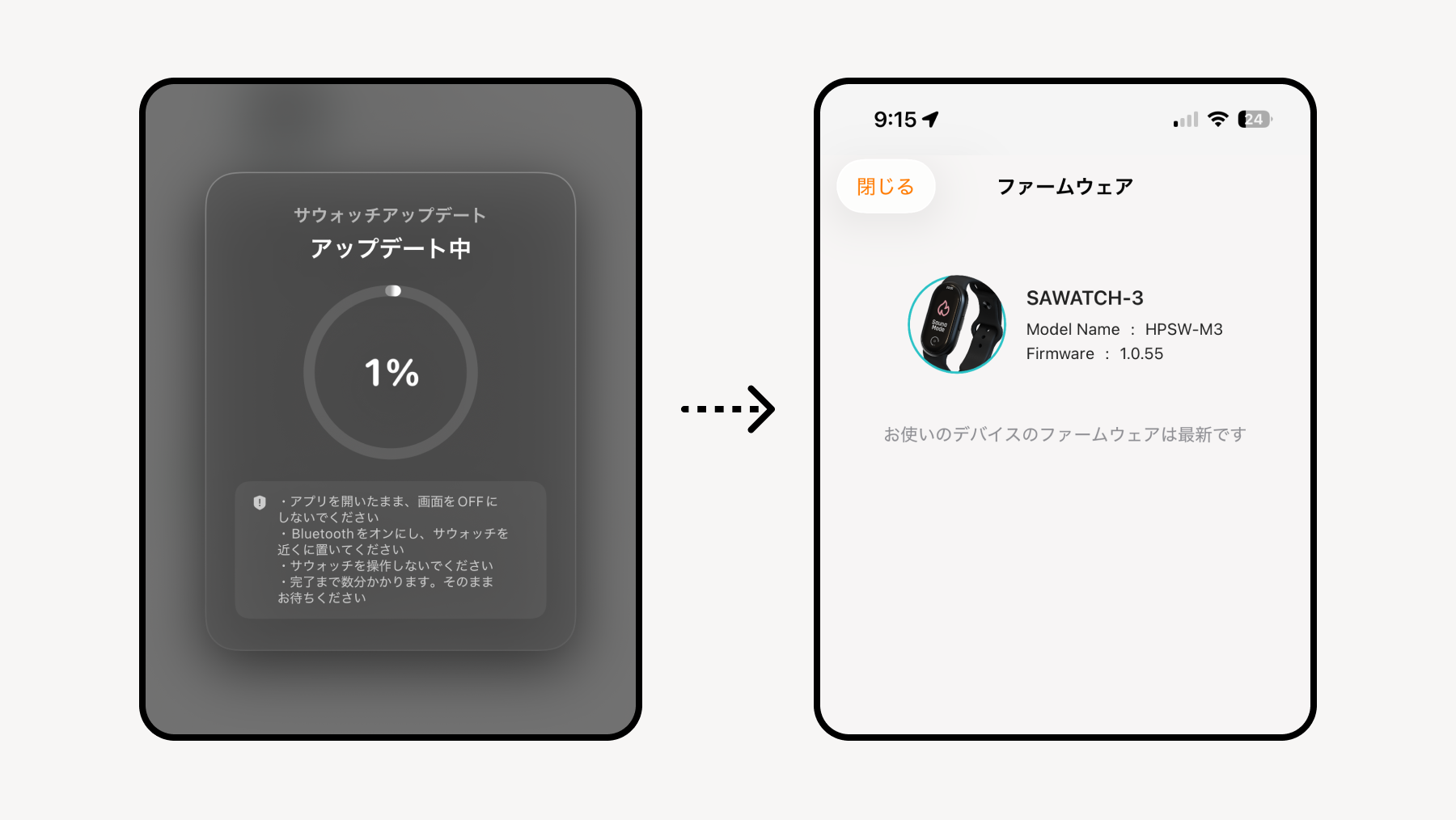
After the update, the sauna device will automatically restart. *Please ensure that the remaining battery is 60% or more.
💡 Precautions for Update
The watch displays "Failed" and the update fails
→ Please try updating a few times after restarting the watch. If you still cannot update after 3 to 4 attempts, please contact support via the Inquiry section in the App.
Data already acquired on the watch will not be deleted by the firmware update.
💡 There is a save and restore function for Device Settings. Please save before updating. The content to be saved and restored will be the following watch information.