About Check-in
Oct 8, 2024

Sanokuni v2.4 now has a new sauna Check-in feature!
By checking in from the app, you can create a Totonoi Log with proof of your visit to that facility.
Creating a Totonoi Log with a Check-in will allow you to participate in upcoming campaigns and events, so please take advantage of this feature!
How to Use Check-in
Since many people record their Totonoi Log after returning home, the Check-in system and the Totonoi Log system are separate from each other.
Here is a quick guide on how to use it.
Obtaining a Check-in - In Advance
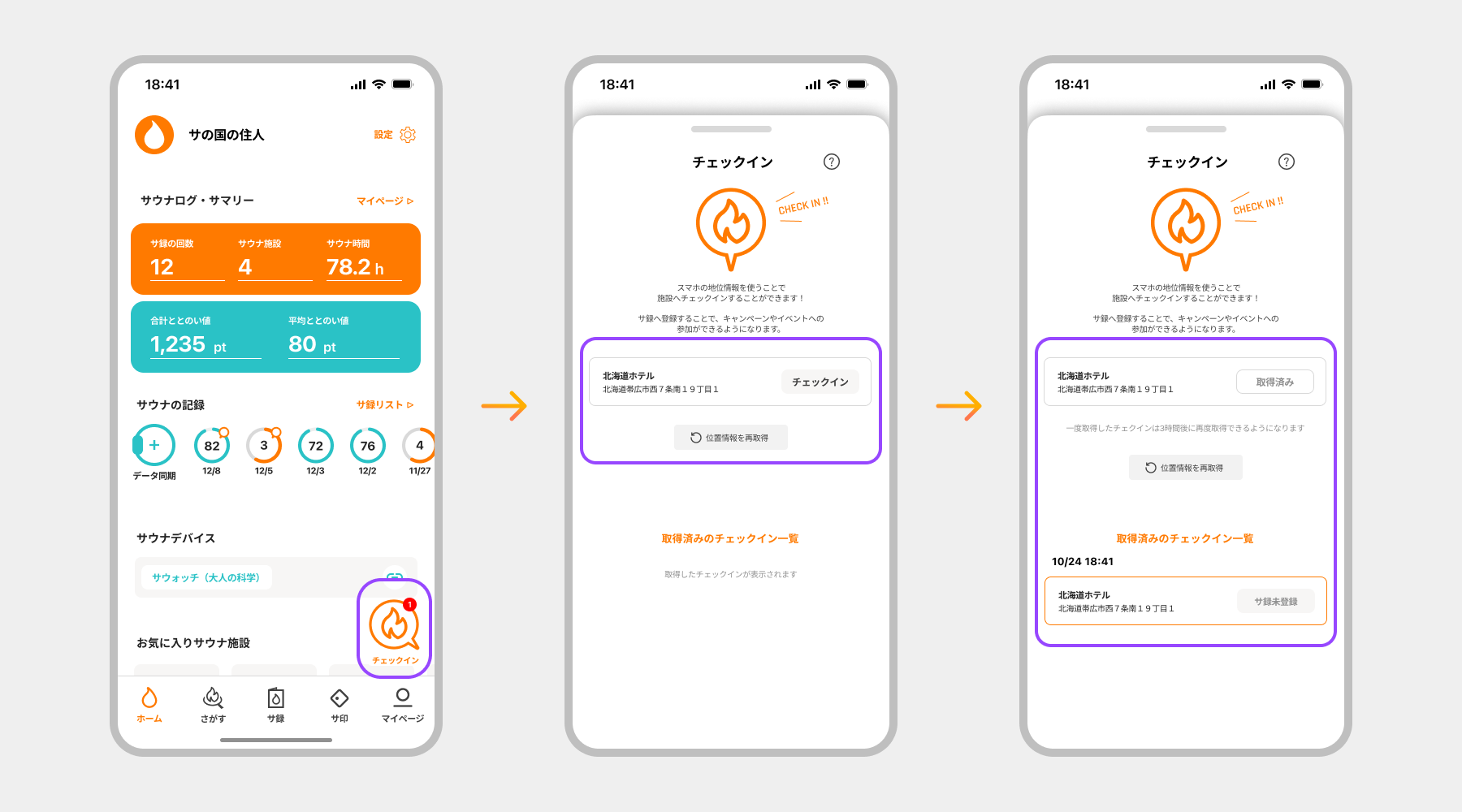
When you visit a sauna facility, tap the "Check-in" button on the Home screen to check in.
Once it is shown in the completed Check-ins, the Check-in is complete.
Registering to a Totonoi Log
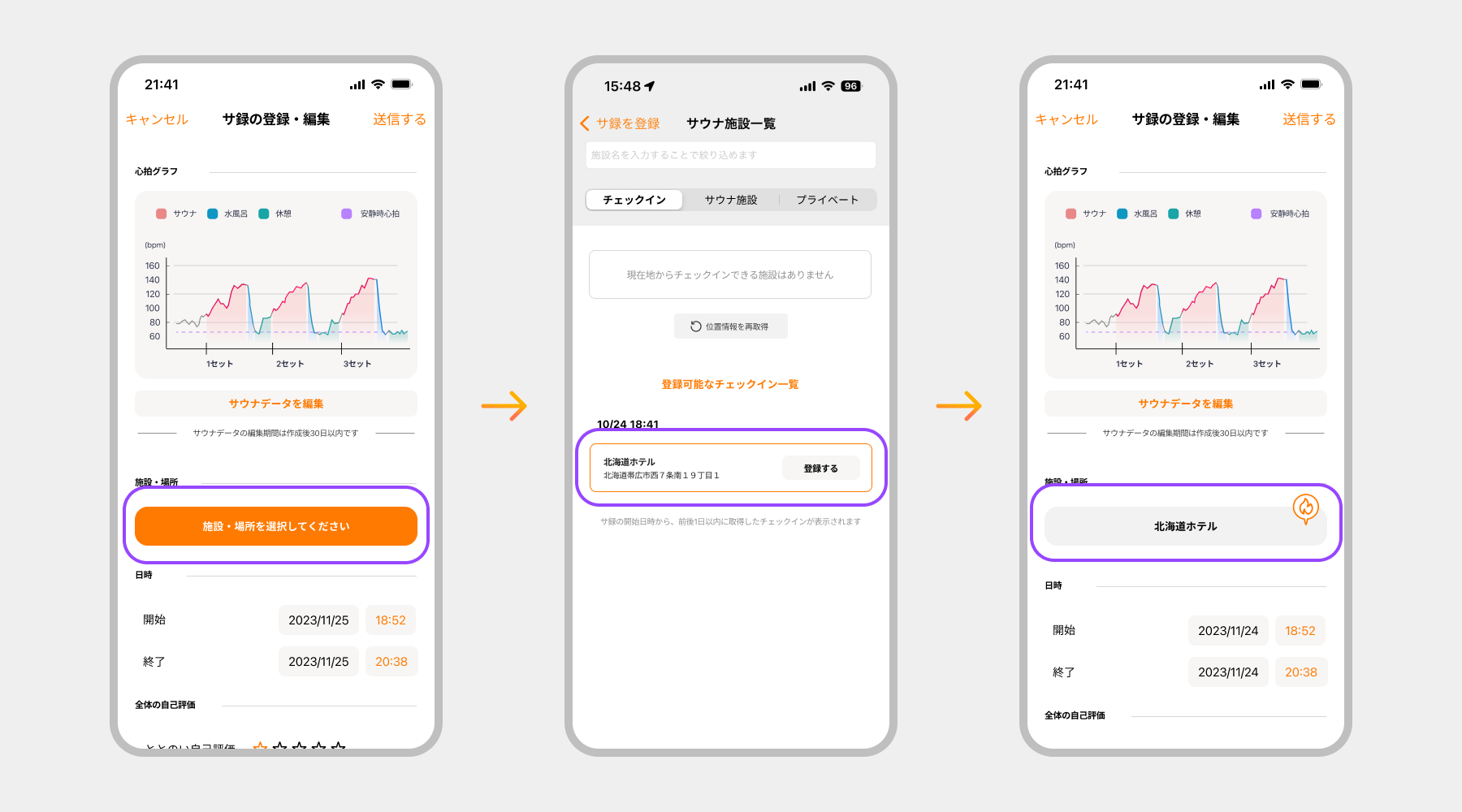
When creating a Totonoi Log and selecting a facility, from the "Check-in" tab of the "Facility List", select the "List of Registerable Check-ins" to find your pre-obtained facility Check-in, and then register it.
Once the Check-in mark is displayed next to the registered facility on your Totonoi Log, registration is complete. Let's create your Totonoi Log!
Obtaining a Check-in - When Creating a Totonoi Log
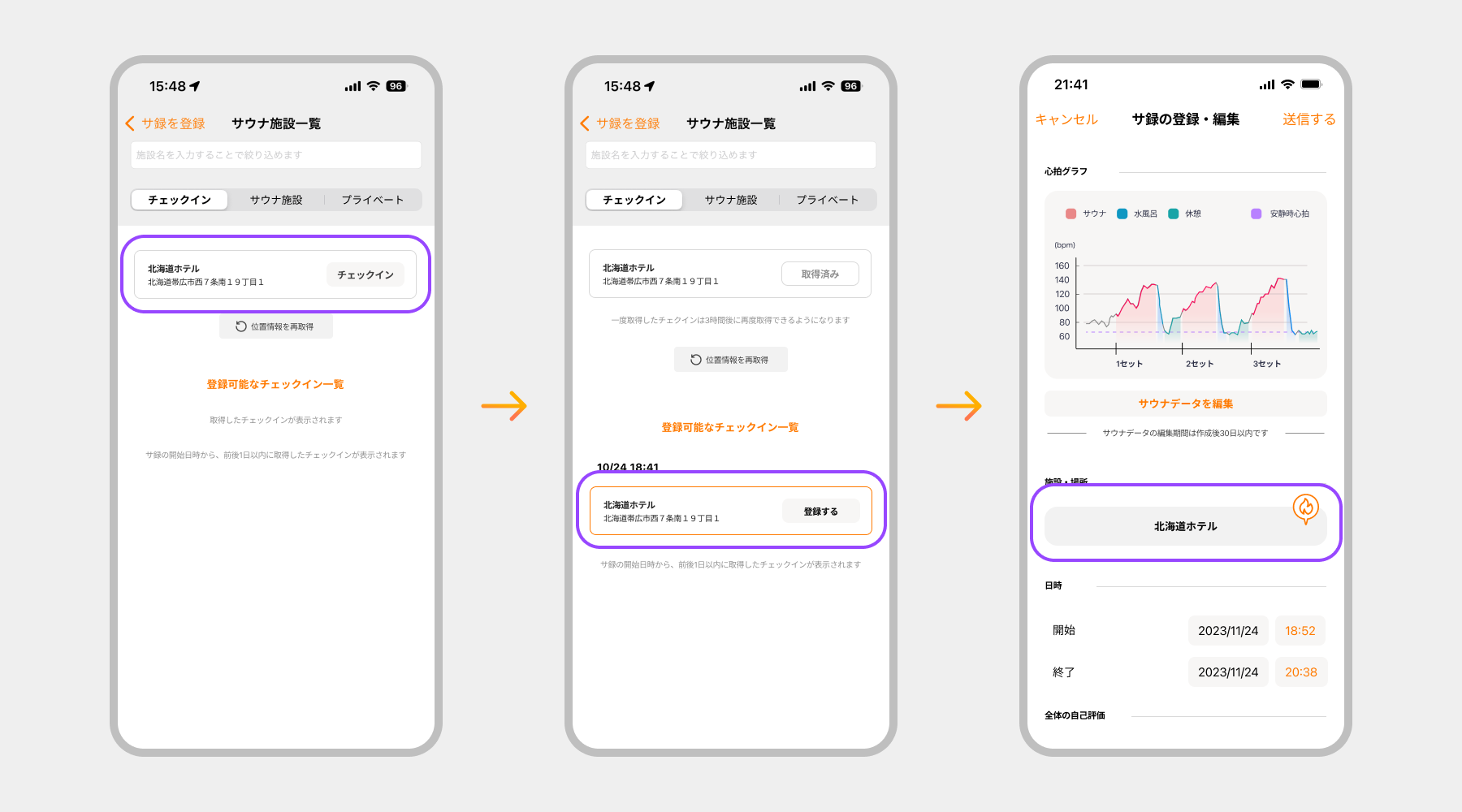
If you create a Totonoi Log while at the sauna facility, you can check in during the Totonoi Log registration even if you haven't obtained it in advance.
When selecting a facility, facilities where Check-in is available will be displayed in the "Check-in" tab. You can check in and register directly.
Explanation of the Home Screen
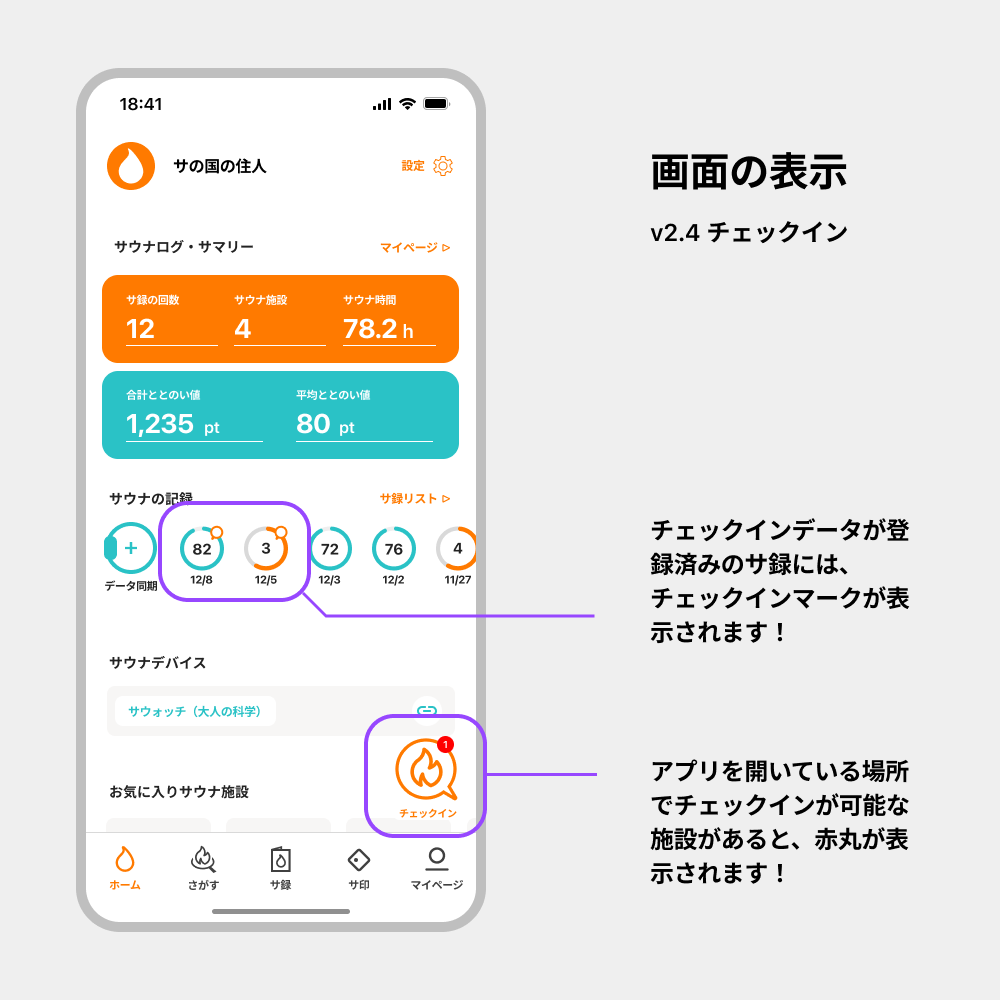
Check-in Rules & How it Works
- Only at facilities registered in Sanokuni is check-in possible.
- At the same facility, one every 3 hours can be obtained.
- One check-in per Totonoi Log can be registered.
- Once a check-in is registered in a Totonoi Log, it becomes "Registered" and cannot be used for other Totonoi Logs.
- Only check-ins within one day before or after the creation date and time of the Totonoi Log can be registered. Even if you collect check-ins in advance, they cannot be registered to Totonoi Logs created later.
▼ Notes
- You cannot check in while walking. Please stand still to check in.
- Check-ins are obtained using your smartphone's GPS function. If check-in facilities do not appear in places like underground areas, please try after exiting the building.