About Recovery
May 12, 2026
⚠️ This feature is exclusive to the sauna device-3 (SAWATCH-3).
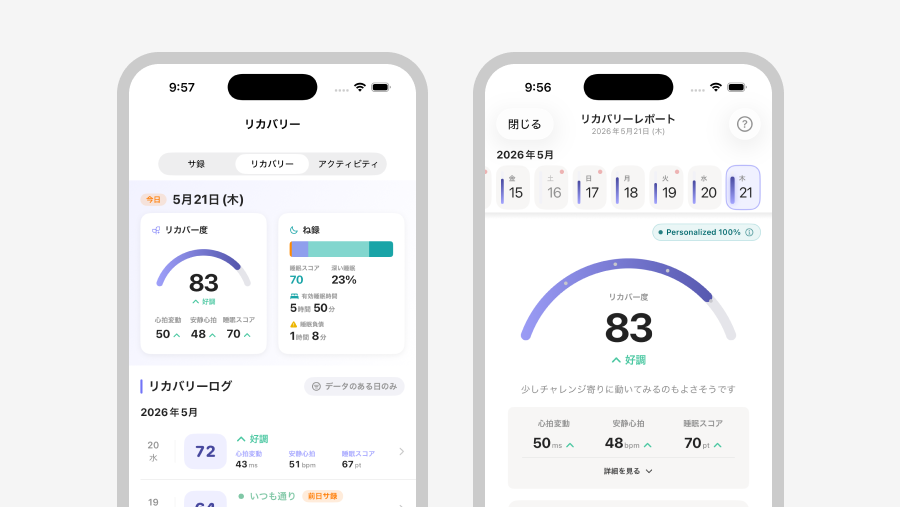
When you sleep wearing the sauna device-3, the next morning your condition for the day is displayed as a score from 0 to 100.
"Recovery" is a feature that, based on the state of your autonomic nervous system and sleep quality during sleep, visualizes how much your body has recovered today.
This page explains the metrics you can check with Recovery and how to read the screen.
1. What is Recovery?
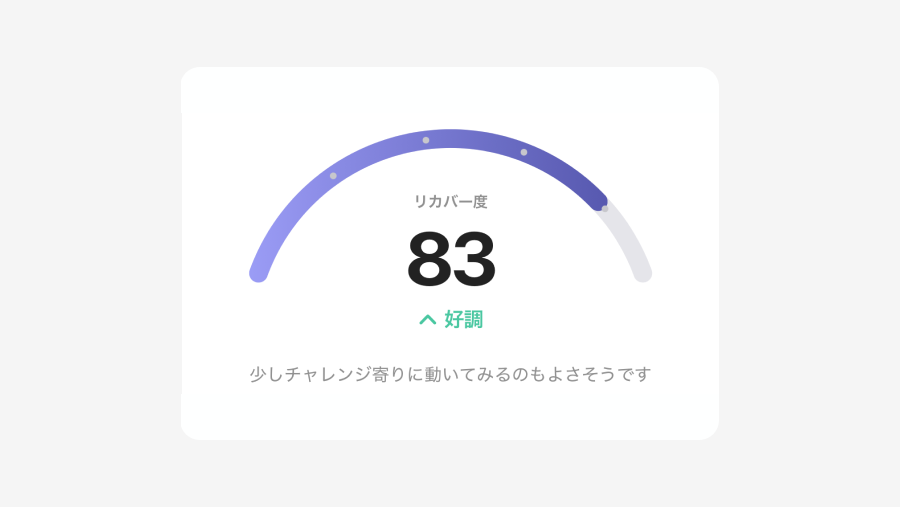
Recovery represents your condition of the day as a score from 0 to 100, acting as the central metric for Recovery.
It is calculated by comparing your Heart Rate Variability (HRV), Resting Heart Rate (RHR), and sleep quality during sleep with your typical values. The higher the score, the better your recovery trend compared to your usual self is indicated.
Below the score, your status is displayed in a single word.
| Score | Label | Comment |
|---|---|---|
| 85–100 | Excellent | Suitable for taking on new challenges. Your condition makes it easy to experience totonoi in the sauna. |
| 65–84 | Good | It is also a good idea to challenge yourself slightly. Suitable for achieving totonoi for your body and mind in the sauna. |
| 45–64 | Normal | Be mindful of your usual pace. We recommend taking a sauna as usual without overdoing it. |
| 25–44 | Slightly Off | Try to rest a little earlier. Enjoy the sauna moderately without pushing yourself. |
| 0–24 | Poor | Prioritize actions that focus on recovery. Use the sauna with a focus on resting. |
1.1 Three Indicators that Make Up Recovery
Recovery is calculated by combining the following three indicators.
By looking at each, you can understand "where today's condition is coming from."
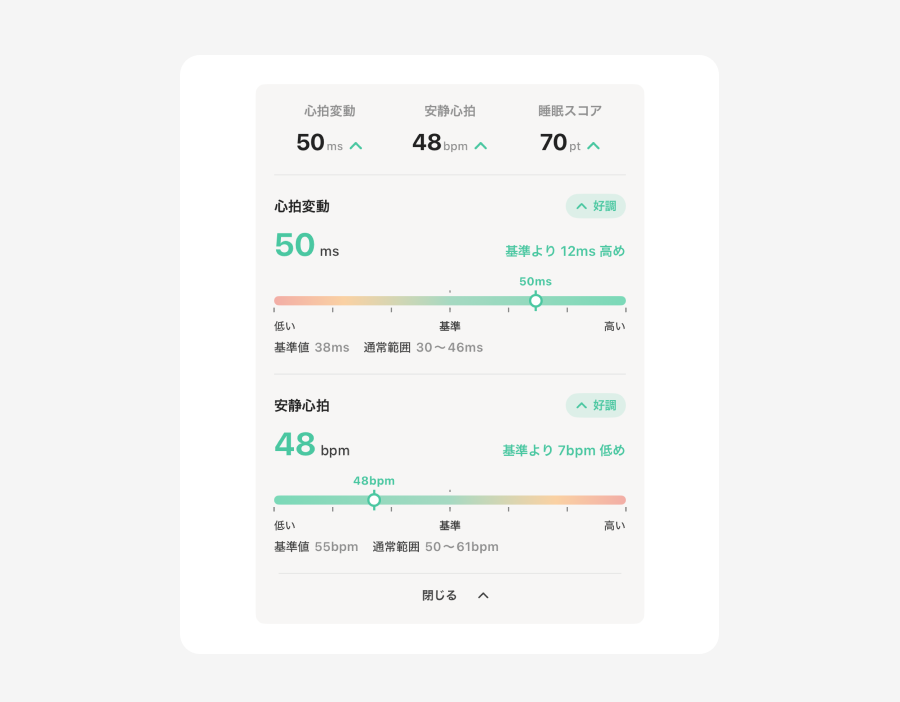
- Heart Rate Variability (HRV)
Based on heart rate fluctuations during sleep, the degree of recovery from stress is estimated.
Generally, the higher it is compared to your usual value (Baseline), the more you are considered to have recovered from physical and mental stress.
On such days, your concentration and mood tend to be more stable, and you are more likely to approach activities positively.
- Resting Heart Rate (RHR)
Based on your resting heart rate during sleep, the body's level of rest is estimated.
In general, the lower your resting heart rate is compared to your baseline (normal level), the better rested and conditioned your body is considered to be.
On those days, you tend to feel more comfortable during exercise or activities.
- Sleep Score
Based on your sleep duration and sleep stages, this score comprehensively evaluates your sleep condition.
You can check the details of your Sleep Score in "Sleep Log".
💡 Tap the area to display detailed information on heart rate variability and resting heart rate.
You will be able to see how much higher or lower it was compared to your baseline. Let's look back at how the previous day's activities affected your heart rate variability and resting heart rate during sleep.
2. How to Use Recovery
On days when you slept without wearing your sauna device-3 or when sleep data could not be retrieved, the score may not be displayed.
2.1 If you are curious, look back with the Recovery Report
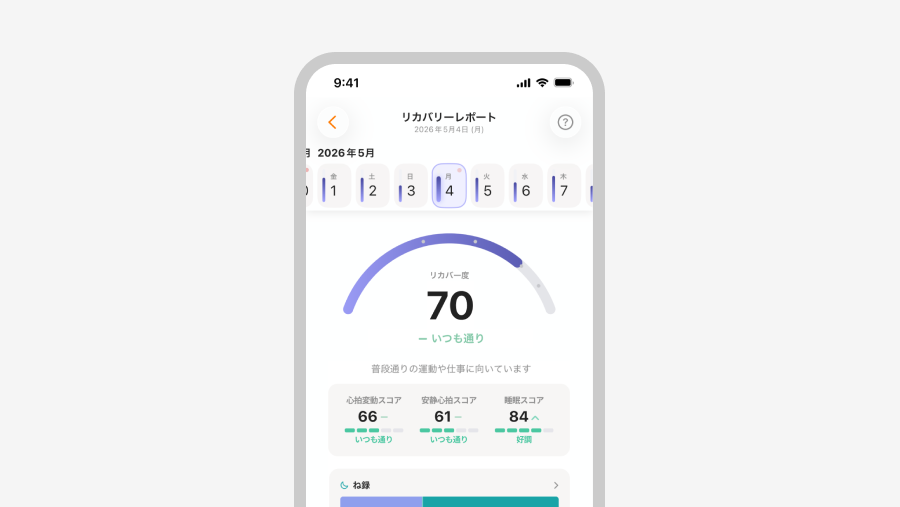
Tap Recovery on the Home screen to open the Recovery Report.
This screen allows you to reflect on "Why did I get this score today?" along with that day's sleep and the previous day's activities.
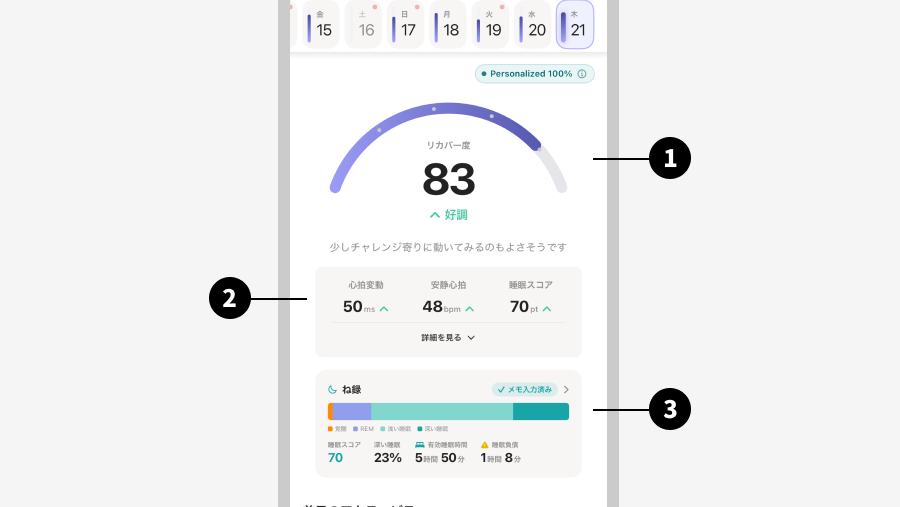
- Today's Recovery
At the top of the screen, Today's Recovery and your status label are displayed in a large format.
Let's start by getting an overall picture here. - Three Metrics
Below that, the three components of Recovery (Heart Rate Variability, Resting Heart Rate, and Sleep Score) are listed.
You can see "where today's condition comes from" by looking at the breakdown. - Sleep Log (Sleep for the day)
The sleep composition, Sleep Score, efficient sleep duration, and deep sleep percentage for the day are summarized here.
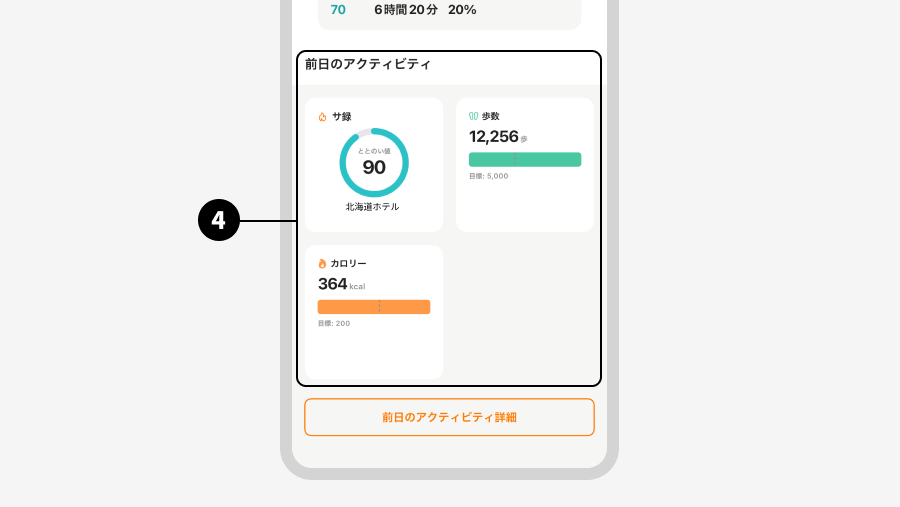
Tap here to navigate to the "Sleep Log" screen and check your sleep details. - Previous Day's Activity
At the bottom of the report, the data from the previous day is displayed.
- Totonoi Log: If you took a sauna the previous day, your T-Flow Score and other data will be displayed.
- Steps: Steps from the previous day
- Calories: Calories burned the previous day
💡 By linking and reflecting on the relationship between your behavior from the previous day and today's Recovery—such as "My heart rate variability increased the day after going to the sauna" or "My resting heart rate was higher the day after walking too much"—your own condition patterns will start to emerge.
2.2 As You Continue, Your Own Rhythm Will Emerge
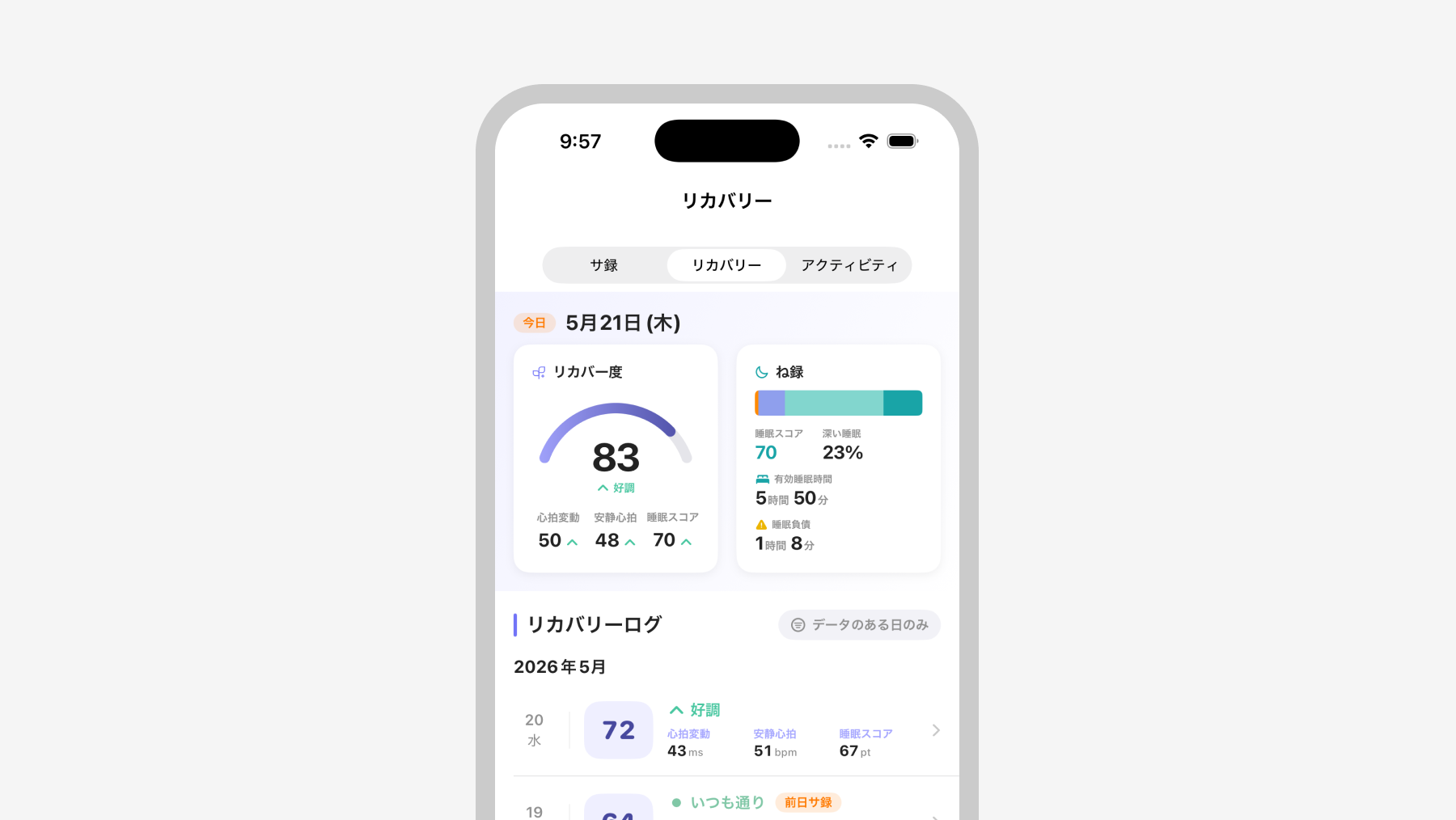
In the "Log" tab, under "Recovery", you can review your past Recovery in a list format.
Instead of focusing on a single day's score, looking at the flow over several days to weeks will help you see the rhythm and trends of your condition.
It helps you find your own patterns, such as "I've been feeling slightly off lately" or "I seem to be doing well in the weeks I go to the sauna."
💡 Tips for Using Recovery
- Determine the best timing to go to the sauna
If "Slightly Off" or "Off" continues, it's a sign that your body is asking for recovery.
Use this as a hint to schedule your sauna sessions while balancing work and other commitments.- Feel the effects of the sauna
Compare your Recovery the next morning between days you took a sauna and days you didn't.
You will get a true sense of satisfaction, feeling not just "that was great" but also "I recovered properly today."- Look at the trend, not just a single day
It's important not to get caught up in a single day's score, but to look at the trend over several days.
By capturing small daily changes, you'll start to see your own unique condition rhythm.