About Sleep Log
May 19, 2025
⚠️ This feature is currently in beta
We are announcing this as a beta feature due to the following perspectives.
- Daytime sleep is not measured
- There are significant individual differences in sleep measurement accuracy
- If you do not regularly create Totonoi Logs through sauna device Data Sync, sleep data cannot be generated.
Taking a sauna properly relaxes your mind and body, naturally preparing you for an easy sleep.
As a result, sleep becomes deep and sound, and waking up becomes refreshed and light, it is said.
This page explains the items, practical uses, and instructions for the "Sleep Log".
Table of Contents
1. What is a Sleep Log?
In Sanokuni, the sleep record created by syncing data from the sauna device is called a "Sleep Log".
You can link and review the sauna session you took just before with the subsequent Sleep Log.
1.1 Sleep Log Overview
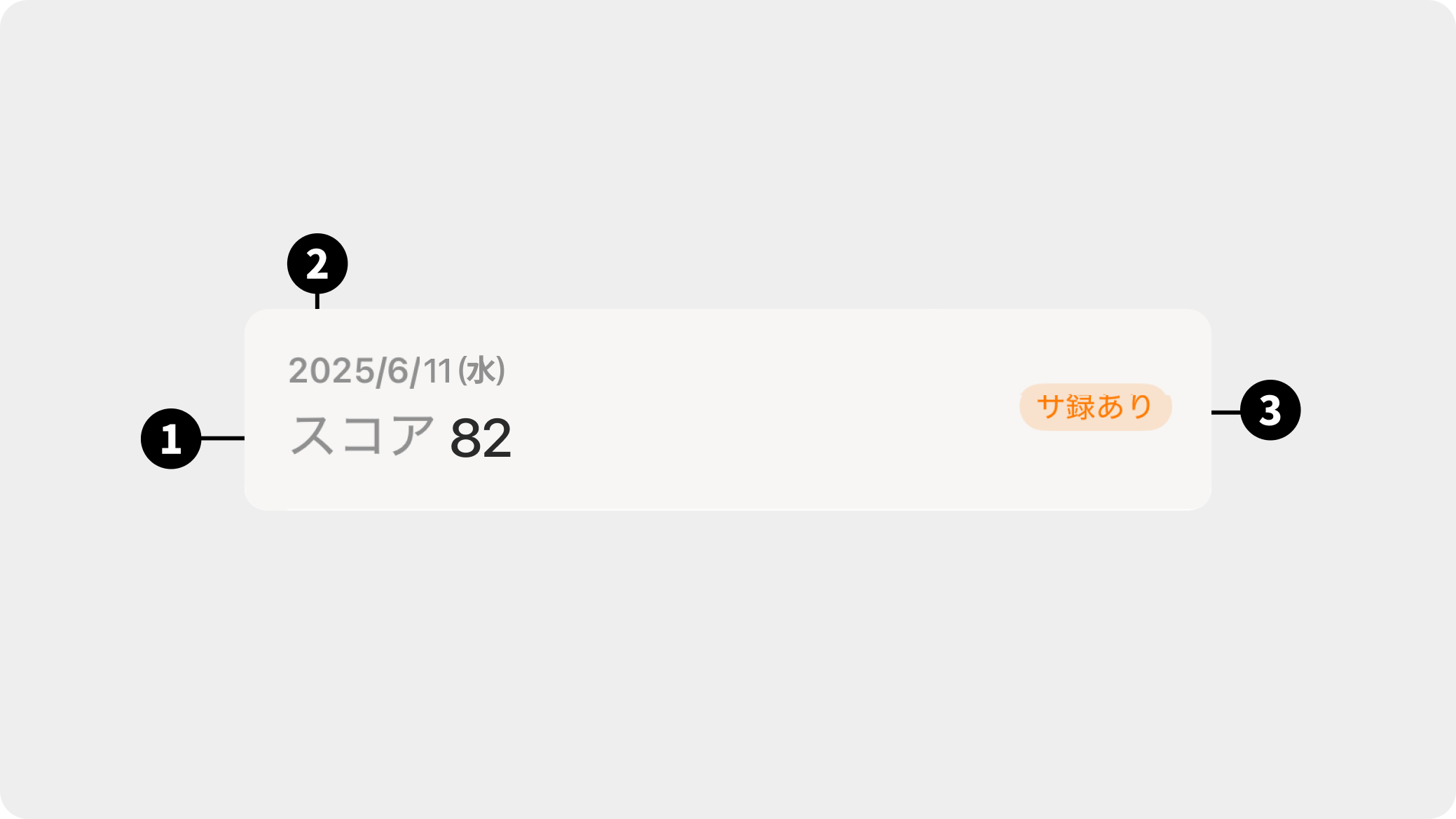
- Sleep Score
The score is calculated based on the total sleep duration and the ideal ratio of deep sleep to light sleep. - Sleep Data Retrieval Date
Displays the date the sleep was recorded. - Tag for Totonoi Log Available
If there is a sleep record within 12 hours of taking a sauna, the immediately preceding Totonoi Log will be linked.
1.2 Sleep Log Details
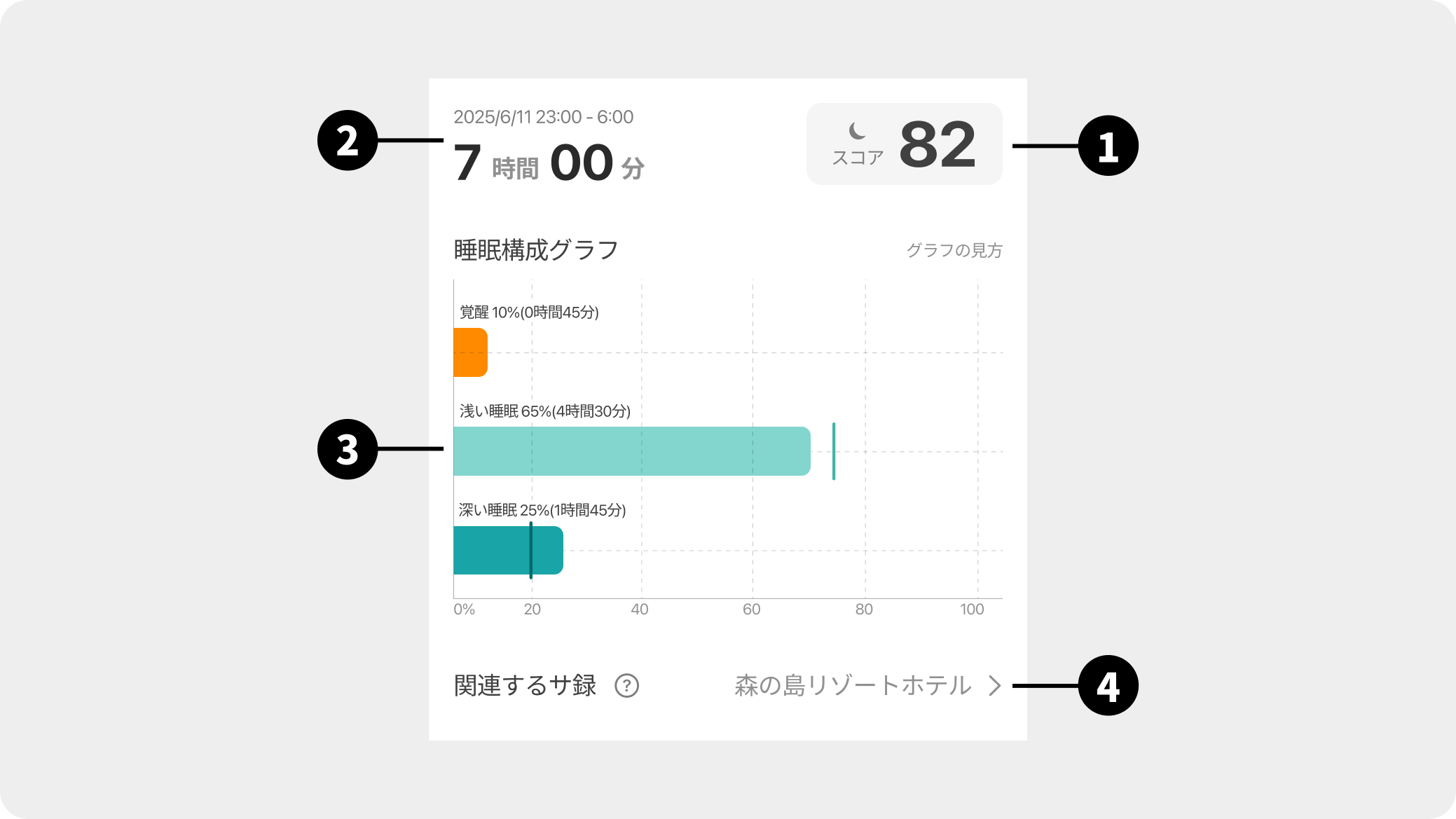
- Sleep Score
- Sleep Data Retrieval Date and Sleep Duration
Displays the time period from the start of sleep to waking up, along with the total sleep duration. - Sleep Composition Graph
It breaks down sleep into three components and displays the ratio of each. Please refer to How to Read the Graph for details. - Related Totonoi Logs
If the Totonoi Log Available tag is present, a link to the linked Totonoi Log will be displayed as the facility name.
💡 Tips for effective use
Please use this as a hint to find the best sauna style that suits you, taking into account the effects of the sauna on your sleep.
- How does sleep differ between "days you went to the sauna" and "days you didn't"?
- How many Sets did you do on the day you slept deeply?
- Which sauna timing suited you better, evening or night?
- Does the quality of your sleep change depending on how you spend your time after the sauna?
2. How to Use the Sleep Log
2.1 Creating a Sleep Log
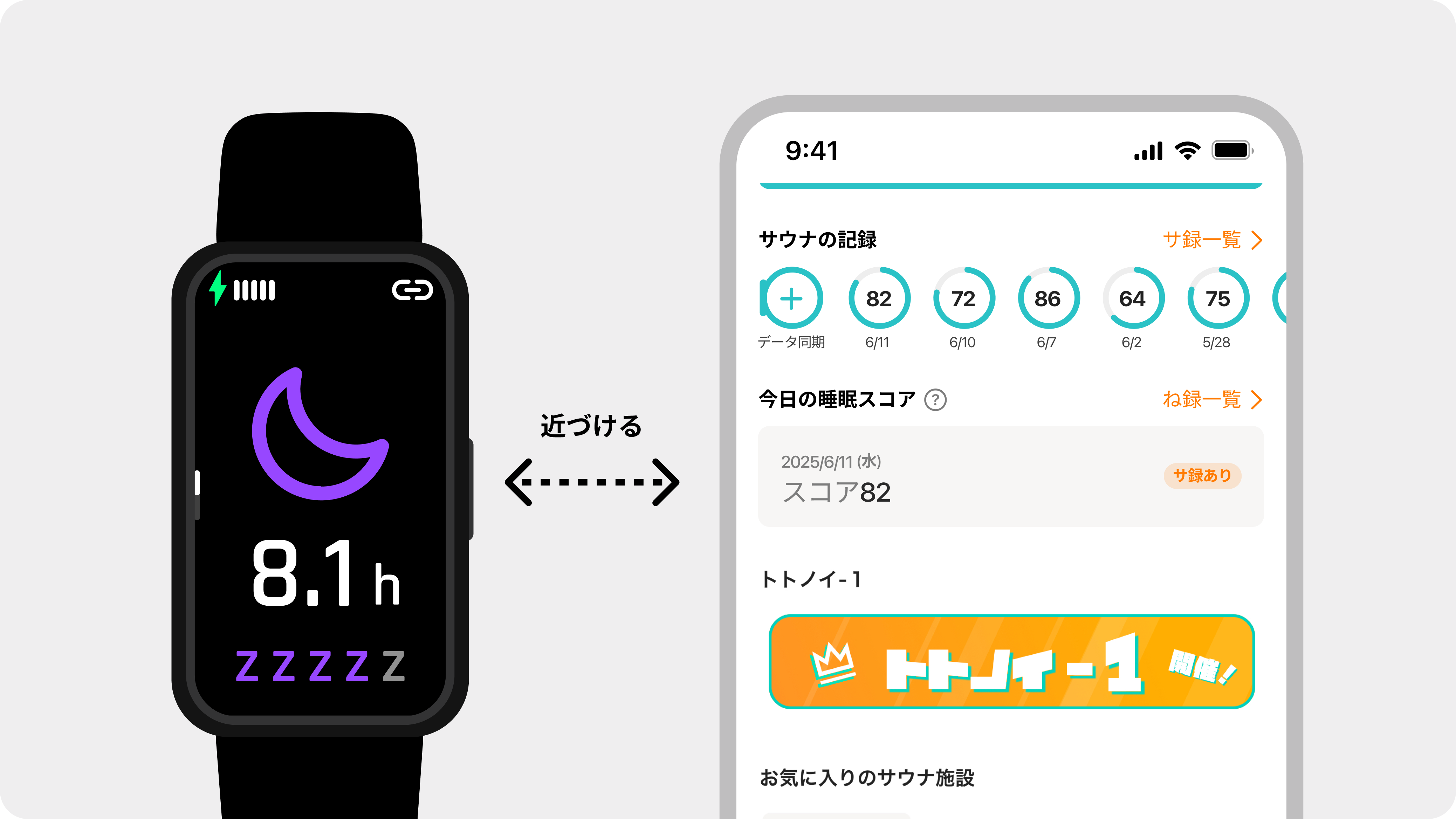
- Sleep wearing the sauna device
*To create a Sleep Log, at least 30 minutes of sleep data is required.
*Sleep measurement is available from 20:00 to 10:00 the next morning.💡 Tips for successful measurement
- If the sauna device is strapped too tightly or too loosely, it may not measure accurately.
- If external light hits the sensor on the back of the sauna device, it will not measure correctly.
- Open "Sanokuni" after waking up
- (If sauna device is not connected) Connect to the sauna device within "Sanokuni"
→ Sleep data will sync automatically, and your "Sleep Log" will be displayed
⌚ Data Sync Timing
Sleep data is synced to the app at the following timings.
- When the sauna device is connected
- When opening the app while connected to the sauna device
- When syncing sauna data
*It may take a few seconds for the sleep data to appear on the screen.
2.2. Checking the Sleep Log
There are three screens where you can check your Sleep Log: the Home screen, the Record screen, and the Detail screen.
2.2.1. Today's Sleep Score
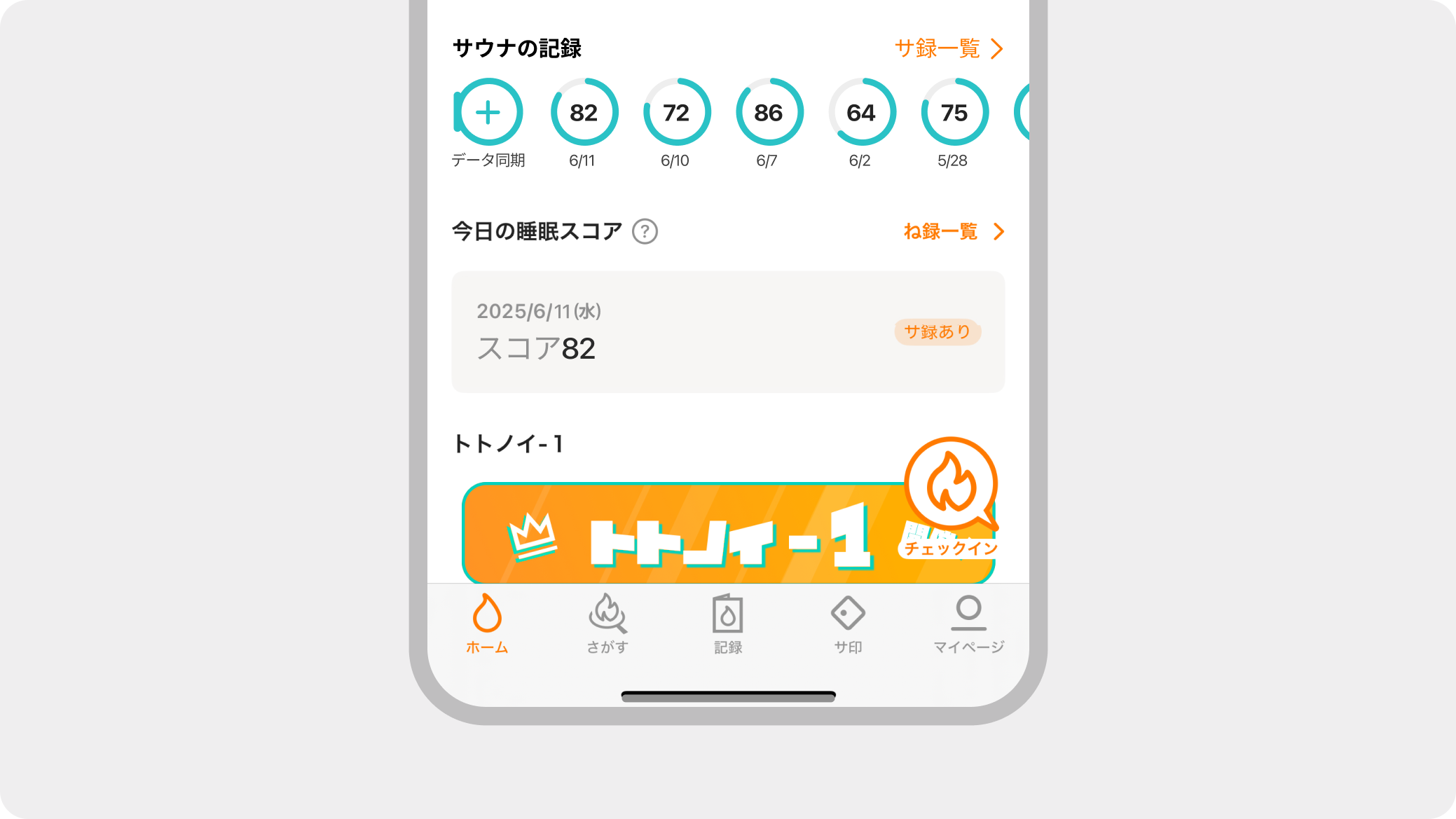
The Sleep Log for that day will be displayed.
You can reflect on the sauna session you had the day before while reviewing your sleep results.
Pressing the "Sleep Log List" allows you to view all synced sleep records in one place.
2.2.2. Sleep Log List
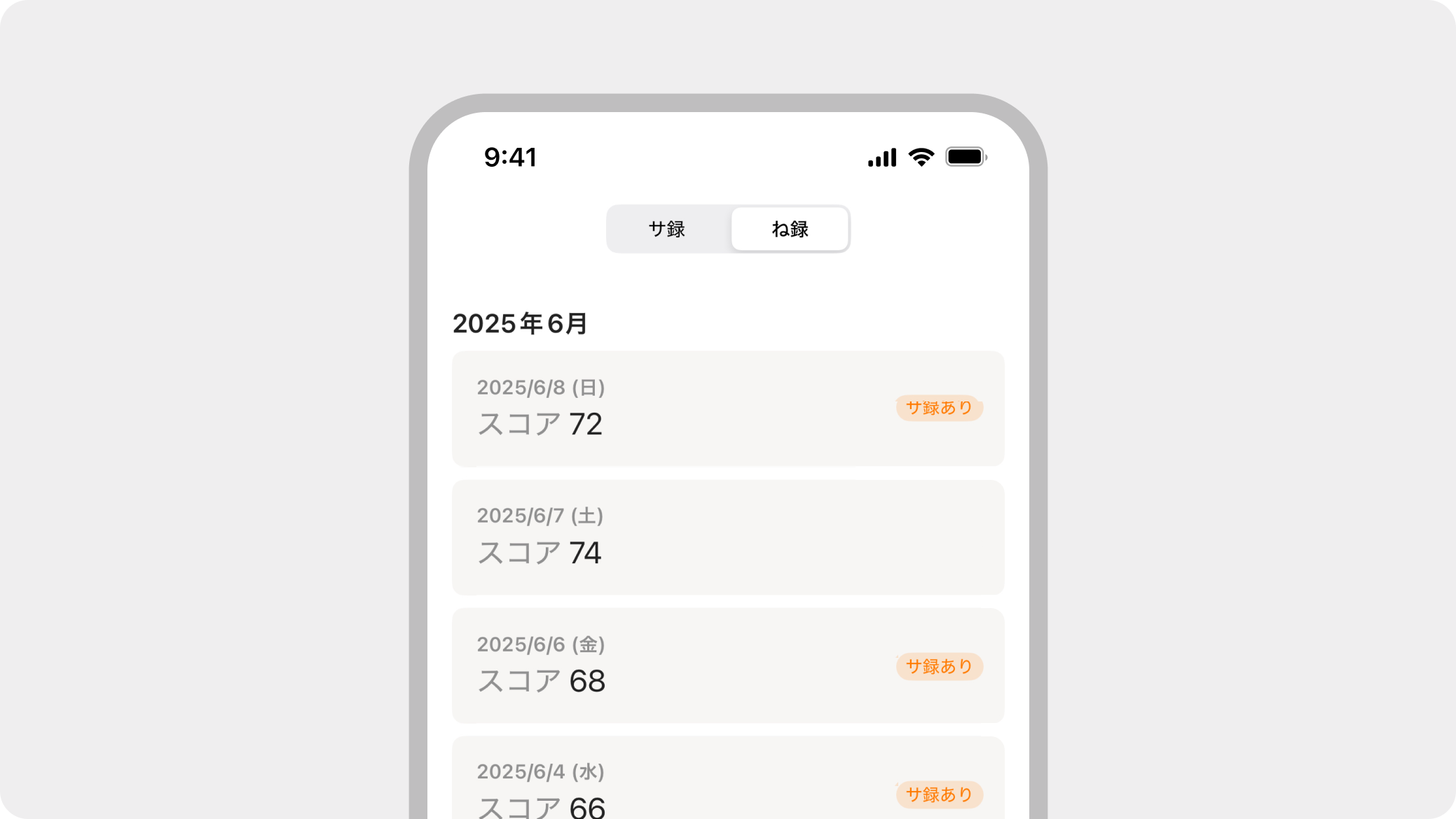
Tapping "Sleep Log" at the top of the screen allows you to view a list of your past records.
You can easily check the impact on your sleep by comparing days you had a sauna session with days you did not.
2.2.3 Sleep Log Details
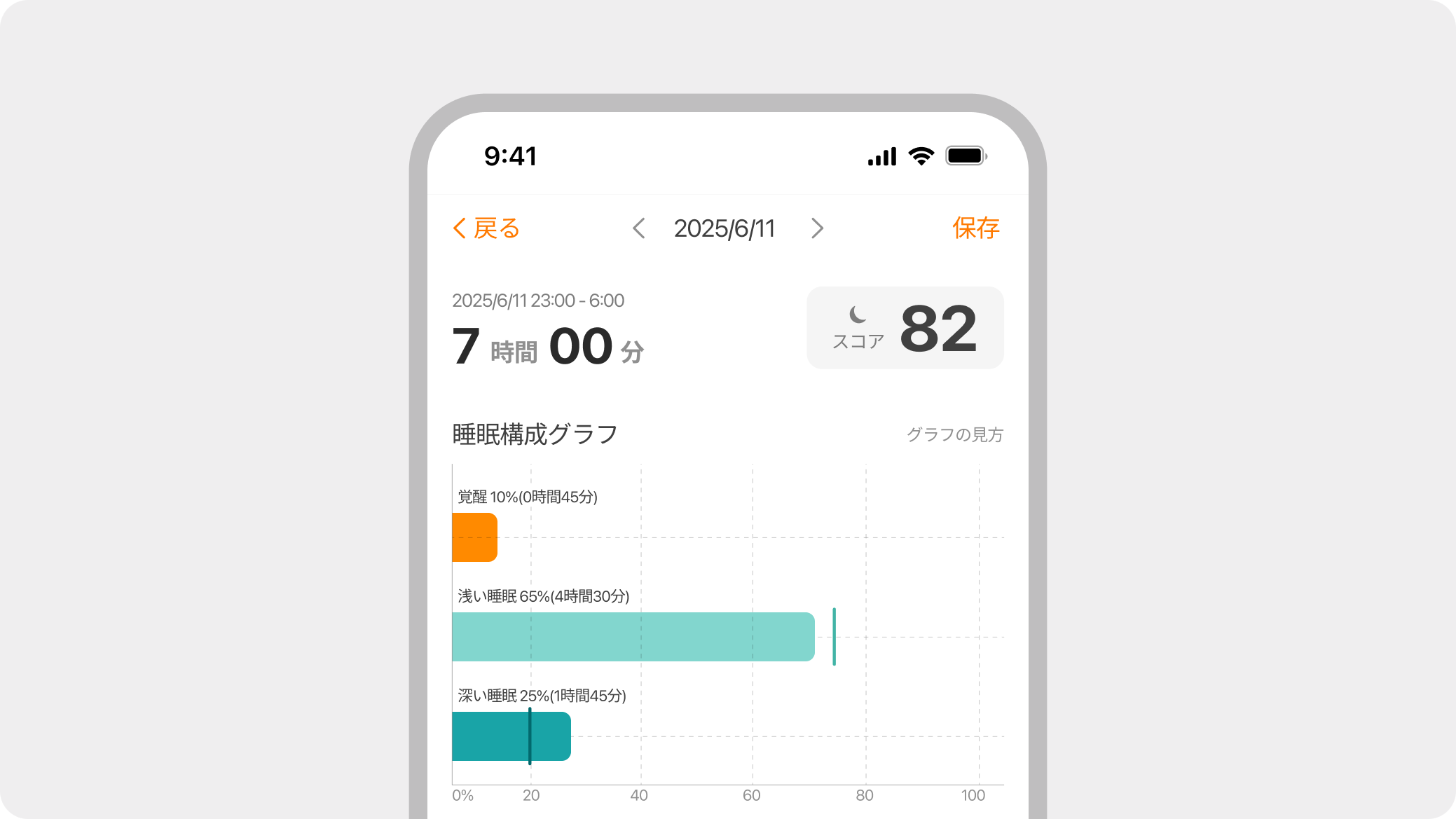
Tapping a Sleep Log in the list opens the details screen.
In addition to the score, you can check sleep composition charts, sleep duration, and more to analyze how to achieve high-quality sleep.
2.2.4 Sleep Memo
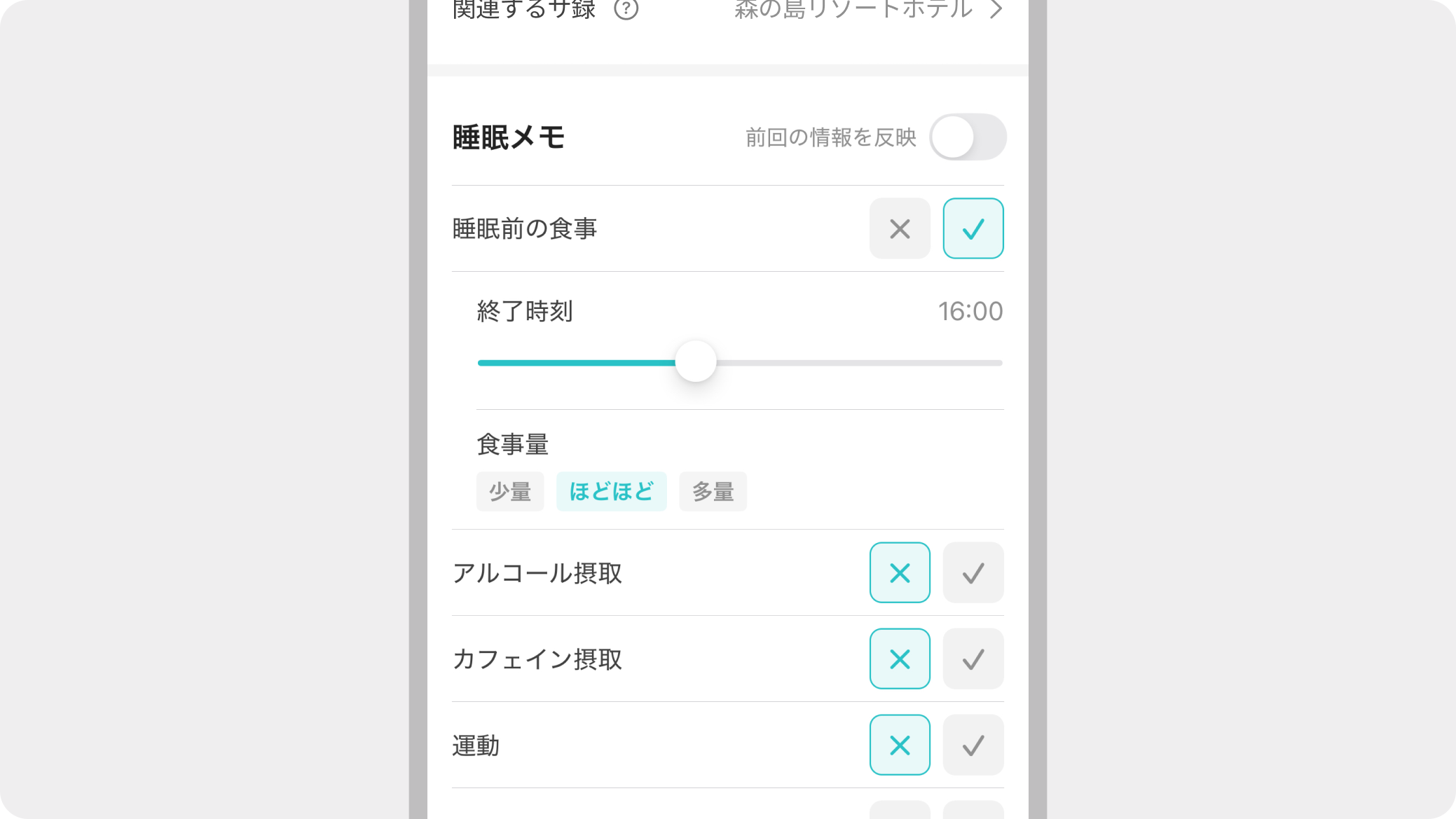
The Sleep Log Details screen has a memo feature.
You can easily record your self-evaluation of the previous night's sleep and activities that may be related to sleep.
By continuing to record, you can find clues about what actions are affecting your sleep.