sauna device: Tips for Switching Scenes!
Sep 24, 2025
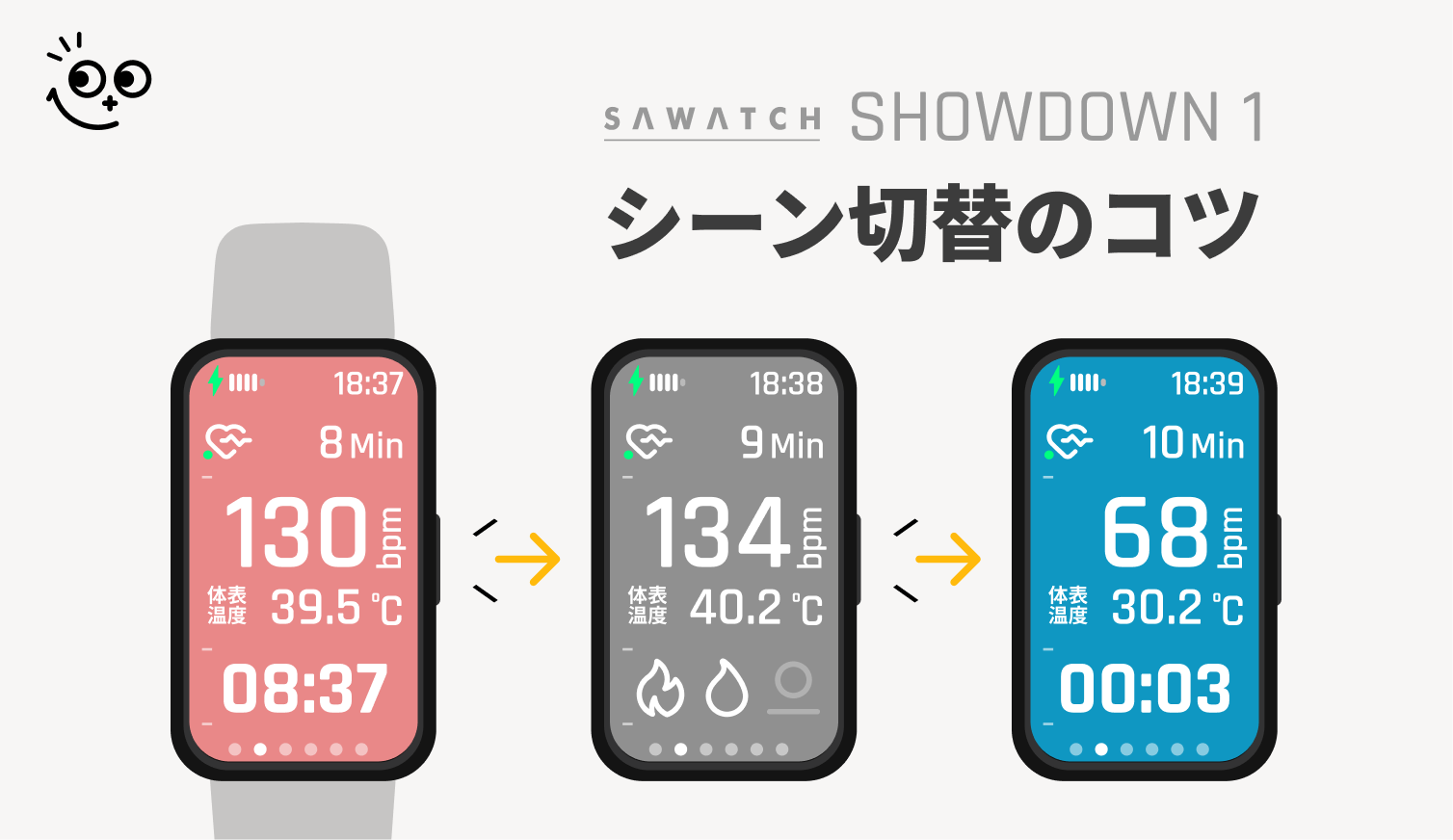
When measuring heart rate with a sauna device, labels are applied to the heart rate data by switching between sauna, cold bath, and rest Scenes.
As the number of new users is increasing, we would like to introduce the correct timing for switching Scenes to calculate heart rate accurately, as well as how to correct it if it gets out of sync!
▼ Scene Switching Timing
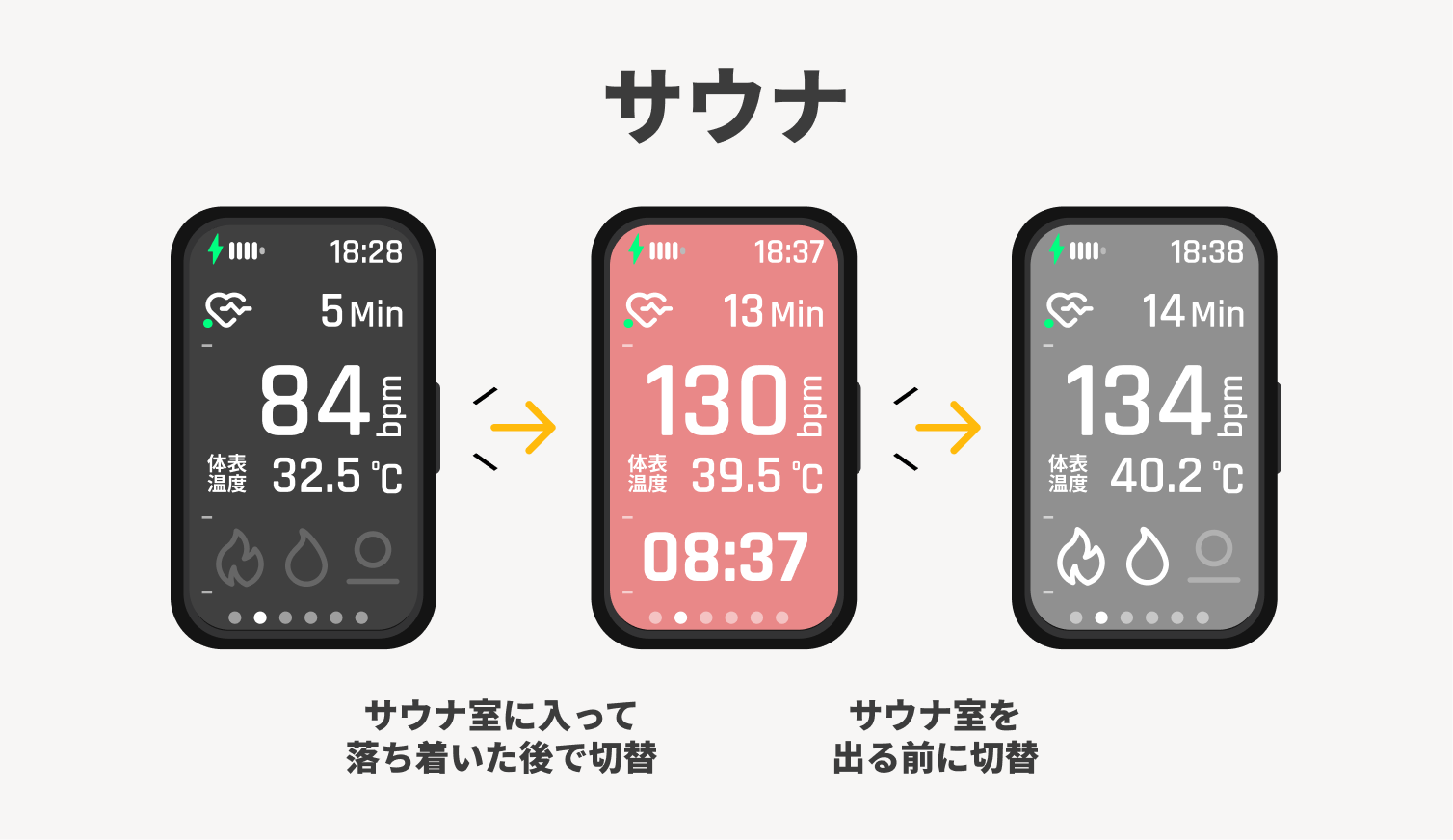
After entering the sauna room and settling down, switch the Scene to sauna. Warm up your body slowly, and end the Scene before leaving the sauna room.
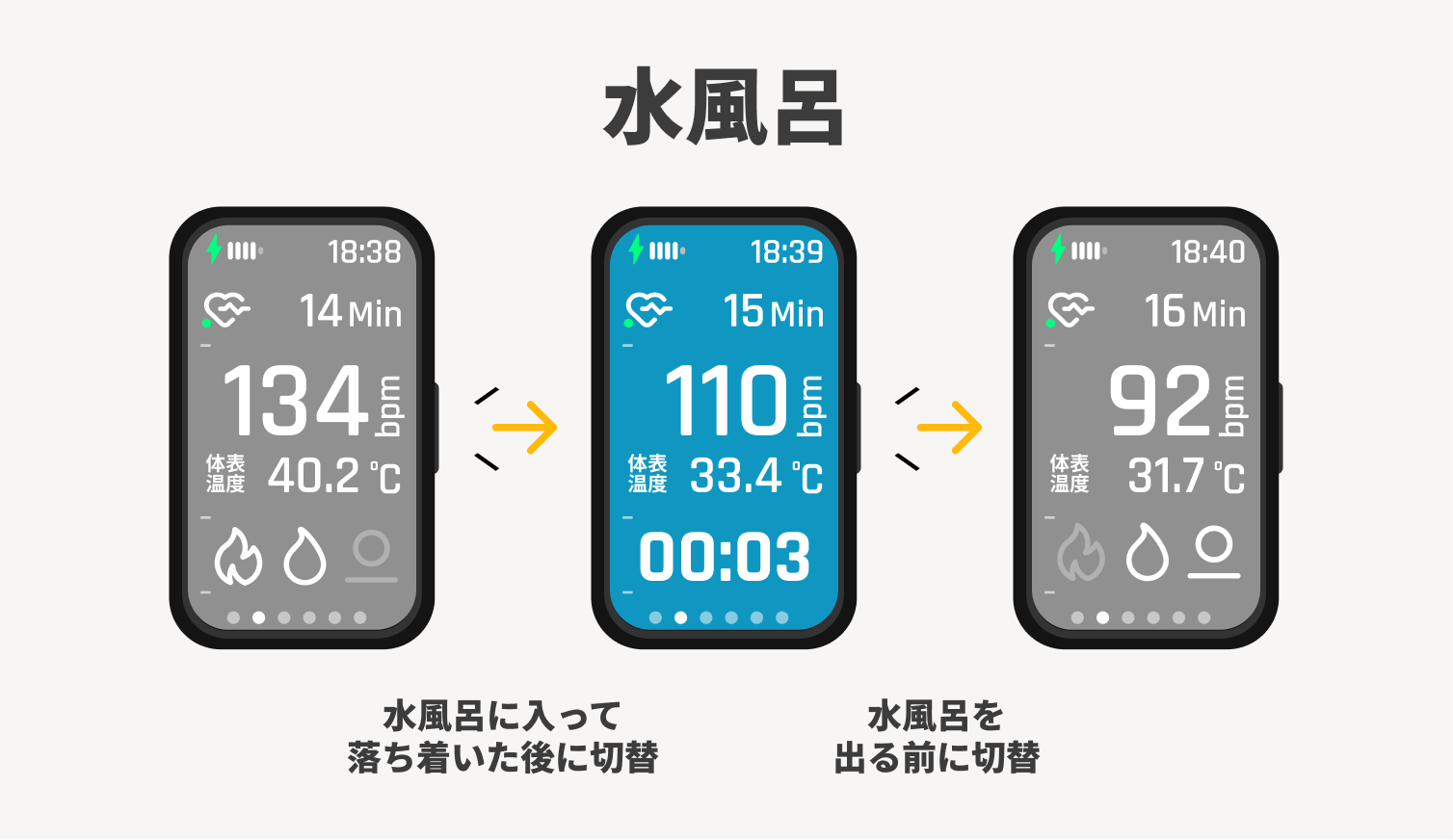
After washing off sweat in the shower and entering the cold bath, switch to the cold bath label while staying still. Cool down quietly, end the Scene, and then exit the cold bath.
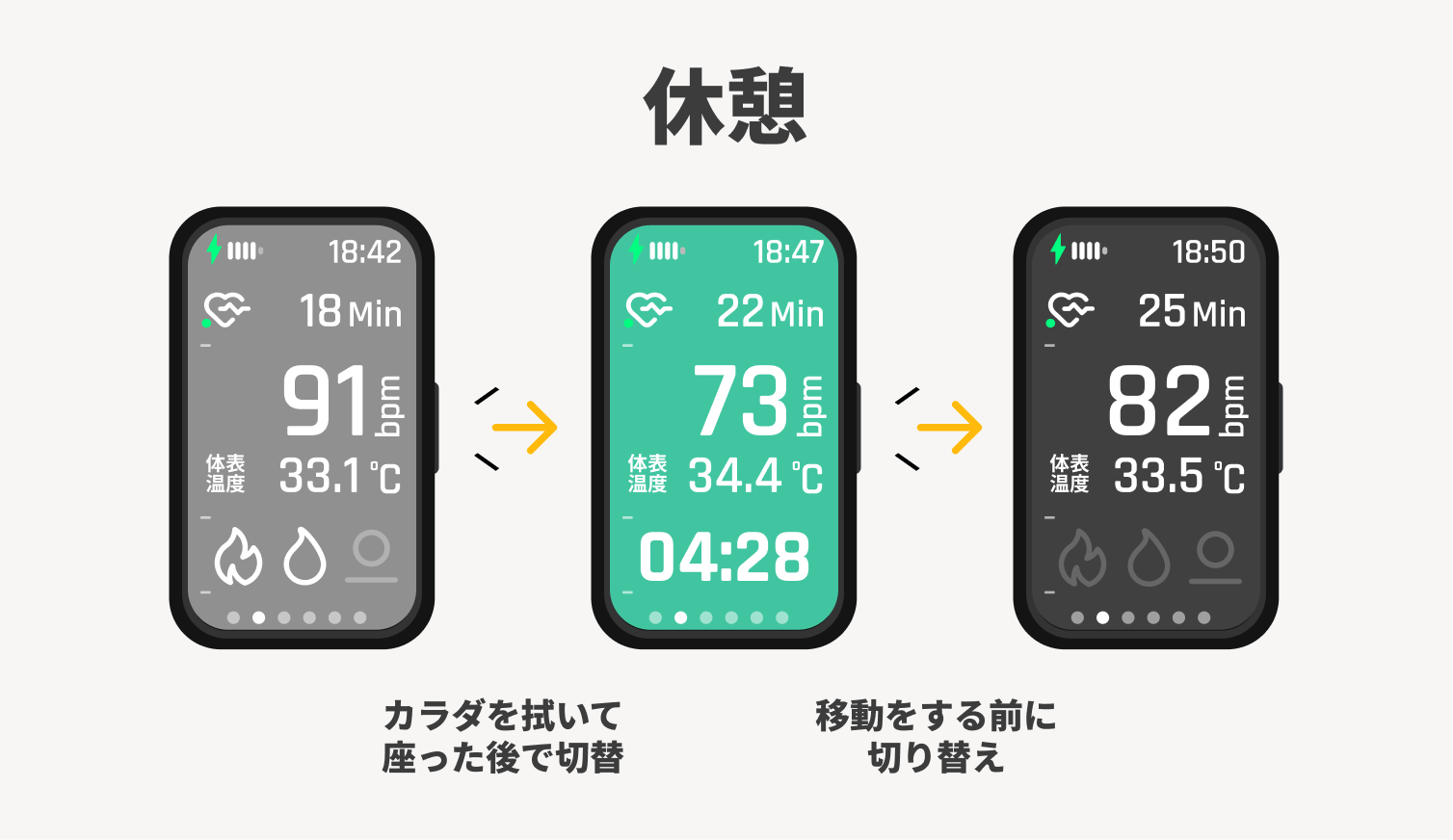
After wiping your body and getting into a comfortable state to relax, switch to the rest Scene. Before finishing your rest and moving, end the Scene.
▼ FAQ
Q: Is it okay to have color gaps in the heart rate graph?
A: Yes. It is better not to have any labels during movement.
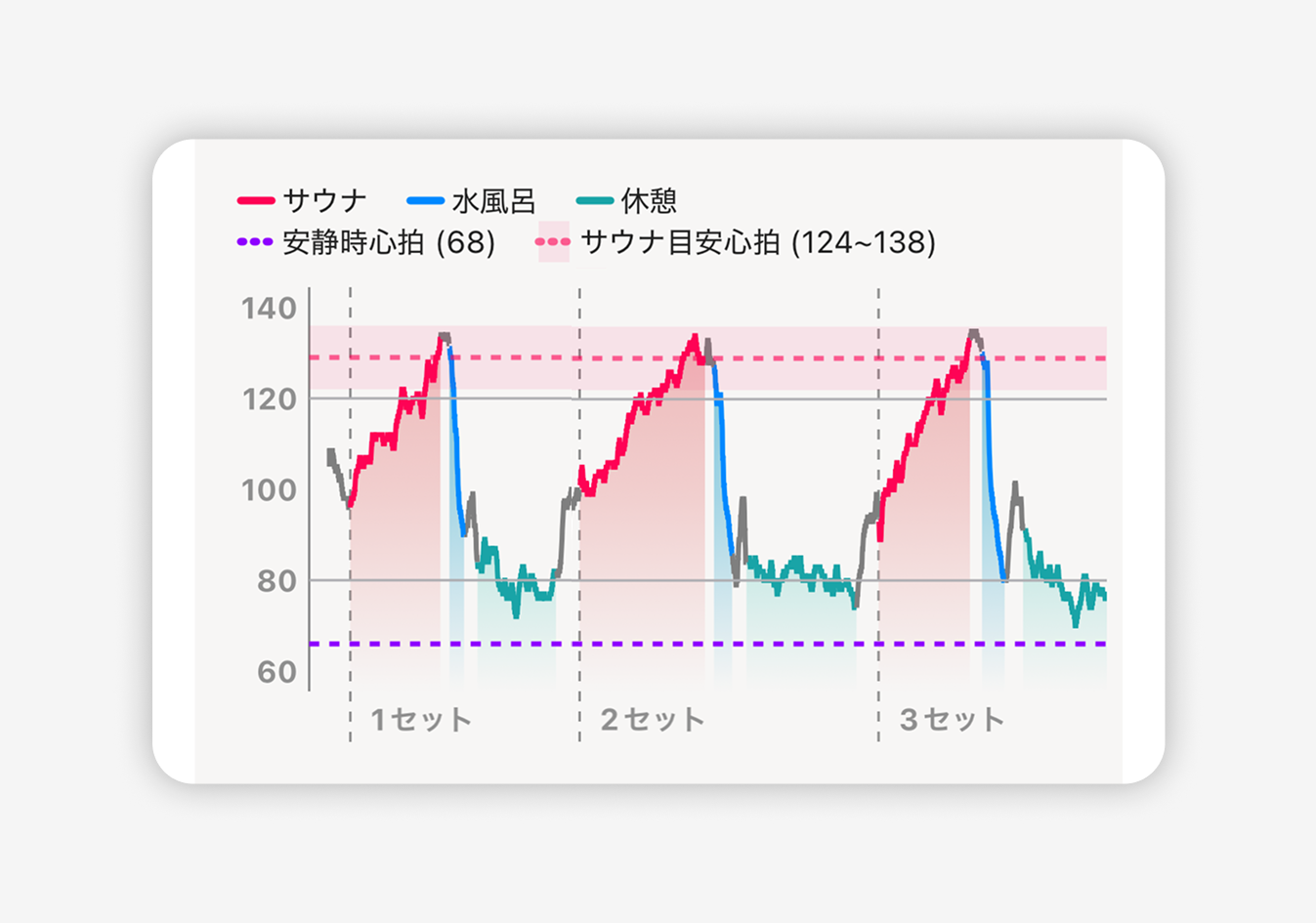
Q: What if I want to skip the cold bath?
A: Press the button continuously to move to the rest Scene.
Q: I accidentally pressed the button during the sauna. Can I go back to the previous screen?
A: There is no back function, so please cycle through until you reach the same Scene again. No label will be applied if the Scene is displayed for less than 5 seconds.
Q: When taking a break for a meal, etc., at a sauna facility, should I keep it in sauna mode?
A: If you leave the Bath Area or take a break for more than an hour, please end the sauna mode. Please create it as a separate Totonoi Log.
Q: I take a bath before the sauna, what should I do with the Scene?
A: Please enter the bath as is in the gray Scene. It will be excluded from the calculation of the T-Flow Score.
▼ Important Notes
Heart rate when body movement is detected is excluded from calculation. If you move your body vigorously in the sauna room, the T-Flow Score may not be calculated correctly.
▼ If you forgot to switch or want to edit later
Heart rate data can be edited when creating a Totonoi Log!
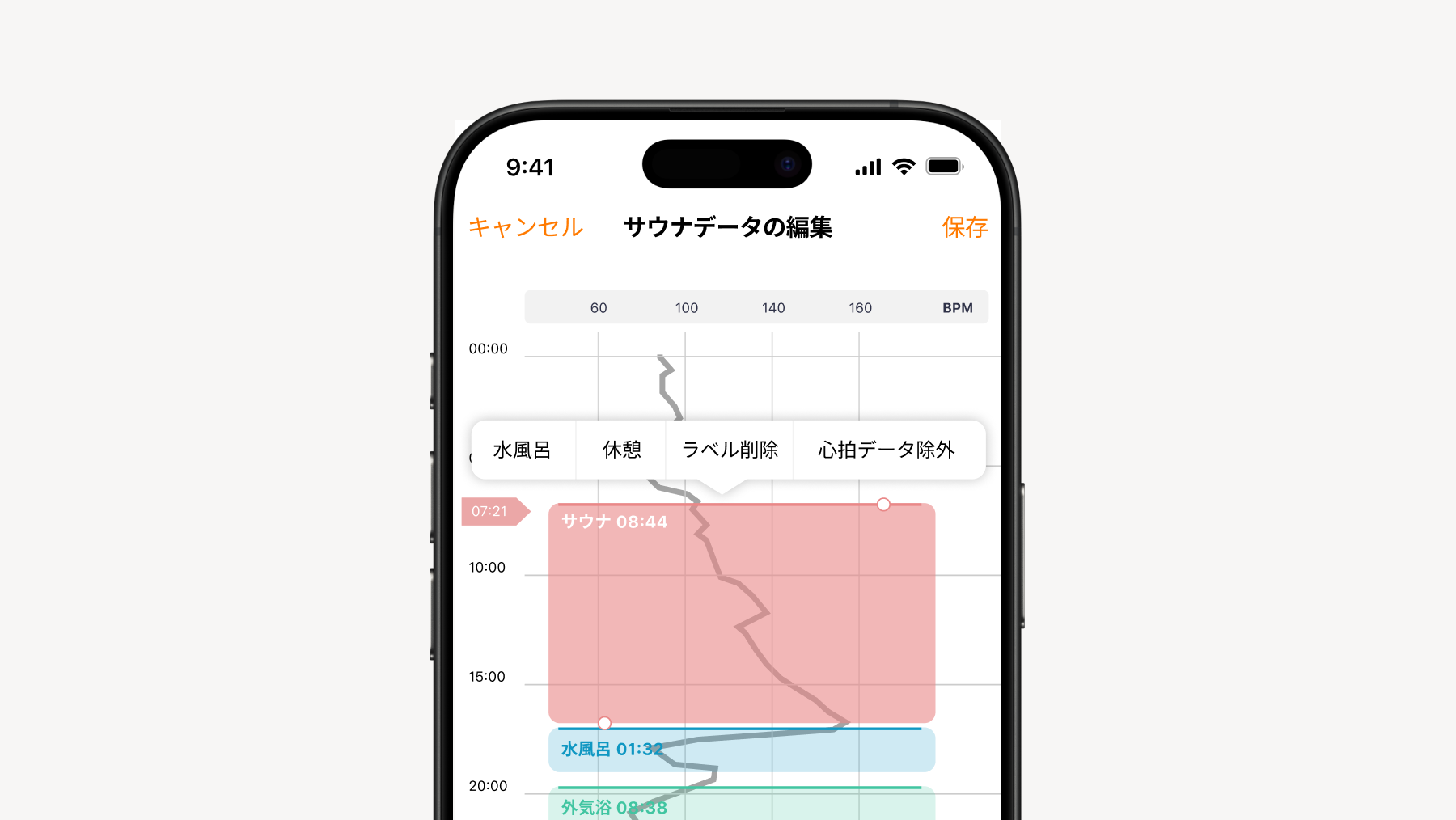
When you tap "Edit Heart Rate Data" on the Totonoi Log creation screen, each Scene (sauna, cold bath, and rest) will be displayed in different colors on the heart rate graph.
What you can do
- Add Scenes
You can add a Scene by long-pressing an area where no Scene is displayed. - Change Scene / Move or Delete Scene
You can change or delete each Scene by long-pressing it. Also, you can change the position of the Scene by dragging it up or down while long-pressing. - Change Start and End Times
After selecting each Scene, you can change the start and end times by dragging the "⚪︎" handle up or down. - Exclude Heart Rate Data
You can exclude parts containing unnecessary heart rate data from the recorded data.
For more details on editing heart rate data, please check the page below!